PUNK Lets You Control Claude Code from Your Phone — Here's How to Set It Up
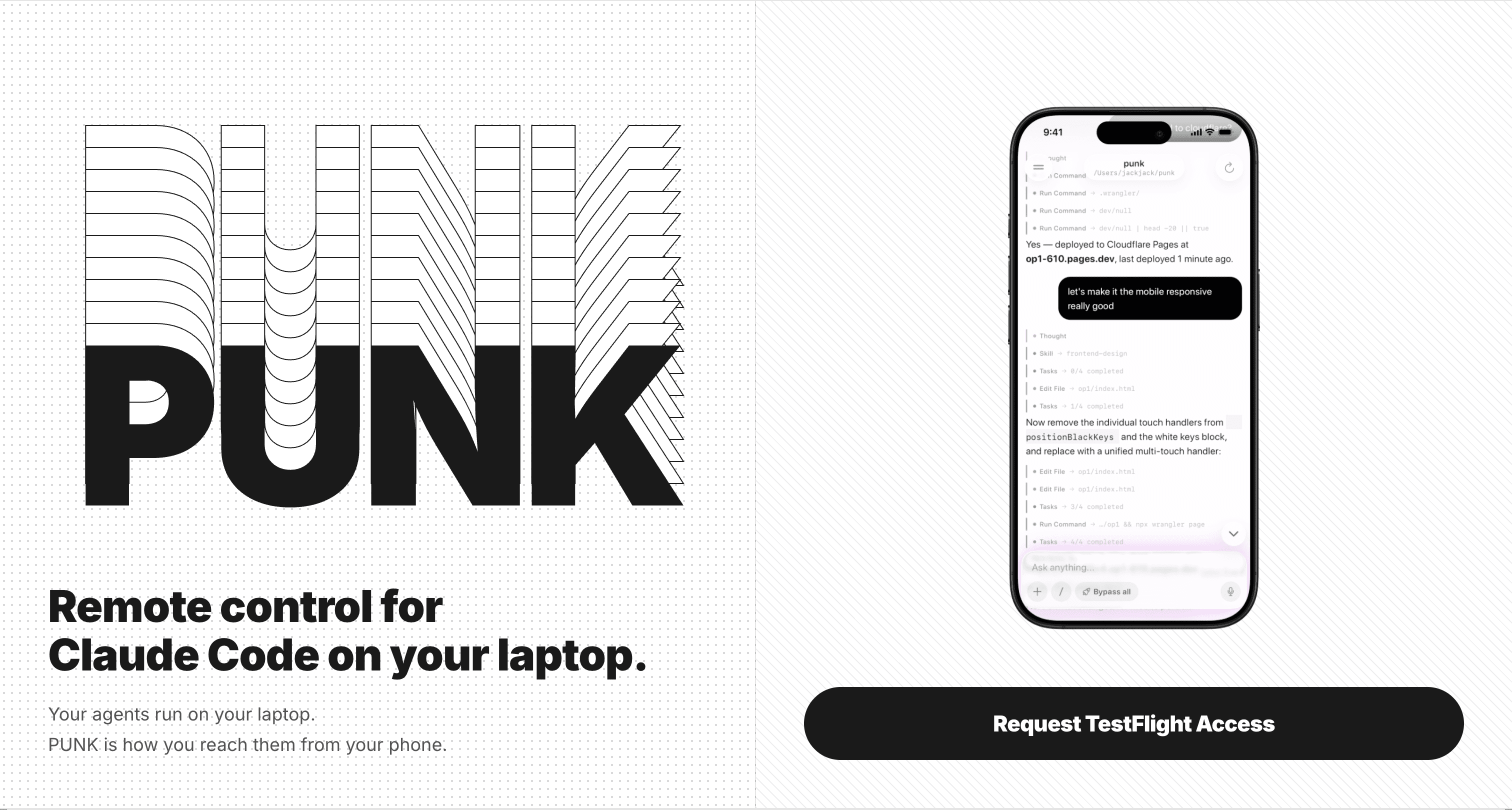
What It Does — A Remote Control for Your Laptop's Claude Code Agents
PUNK is an iOS app that separates execution from control. Your laptop runs the Claude Code agents with all their local state—logged into GitHub, Slack, iMessage, with repos cloned and tools configured. Your phone becomes a thin terminal to direct them. This isn't just screen sharing; it's a dedicated interface for monitoring parallel sessions, approving permissions, and issuing new commands from anywhere.
The creator, who built PUNK using PUNK, describes a workflow where agents continue running while the laptop is closed in a bag during a commute. You check progress, redirect tasks, or start new ones from your phone. Permission requests appear on your lock screen via Live Activities—tap once to approve without unlocking your phone or opening the app.
Why It Changes Your Claude Code Workflow
A smaller, always-available screen shifts how you interact with Claude Code. It starts as a coding tool but becomes a personal assistant you reach for throughout the day. From your phone, you might:
- Ask Claude to summarize a Slack thread and draft a reply.
- Check logs and push a fix while away from your desk.
- Use voice input at 2 AM to debug an idea before going back to sleep.
- Spin up Docker containers as separate "devices" in PUNK (with your skills directory mounted) and manage them alongside your main laptop session.
Because the agents operate on your laptop, they can use anything already installed and logged in—Slash commands, MCP servers, and custom skills work exactly as they do in your terminal.
How To Try It Now
- Join the TestFlight: Visit
https://testflight.apple.com/join/cae7Xe8won your iPhone to install the PUNK beta. - Keep Claude Code Running: Ensure
claude codeis active on your laptop with your usual projects and tools. PUNK connects to your existing sessions. - Start Simple: From your phone, try resuming a session or starting a new project with natural language (e.g., "Create a new React component for a sidebar").
- Use Execution Modes: PUNK supports the same modes as the CLI:
Plan,Ask,Auto, and--dangerously-skip-permissions. Experiment withAutofor routine tasks you can approve from your lock screen. - Build a Skill: The creator uses an "App Store Connect" skill that builds, submits to TestFlight, and manages groups automatically. Consider creating a skill for a repetitive deployment or notification task you can trigger from your phone.
Key Features to Test
- Parallel Session View: Monitor and switch between multiple active Claude Code agents.
- Lock Screen Approvals: Enable Live Activities to approve tool calls without interrupting your flow.
- AI Voice Input: Dictate prompts hands-free.
- Container as Devices: Mount your local skills directory into a Docker container and add it as a separate device in PUNK for isolated testing or parallel work.
PUNK is currently used by about 50 developers, primarily from South Park Commons and Bay Area tech companies. It's a practical tool for extending your Claude Code workflow beyond the desk, turning downtime into productive agent time.