Google has launched a new feature for its Gemini AI assistant called Notebooks, positioning it as a persistent workspace for complex, multi-step reasoning and project development. The announcement, framed as building a "second brain," marks a direct move to capture users who need AI to maintain context and work iteratively on long-term tasks, moving beyond single-turn chat interactions.
What's New: A Persistent Workspace
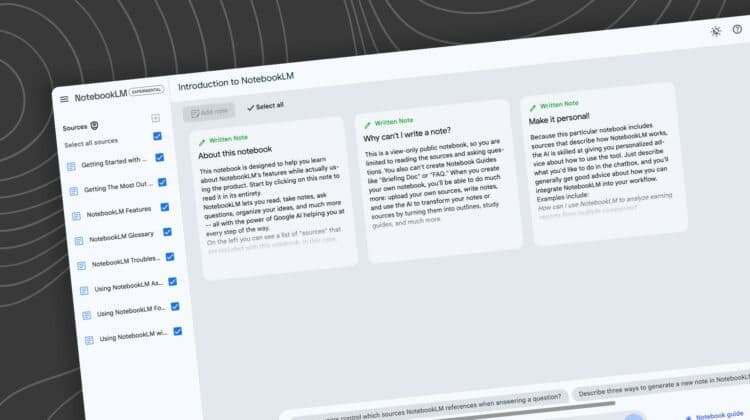
Gemini Notebooks is a dedicated interface within the Gemini ecosystem designed for extended work sessions. Unlike a standard chat window, a Notebook is a persistent document where users can:
- Build projects over multiple sessions, with the AI maintaining full context of all previous interactions, code, and outputs within that notebook.
- Iterate on complex prompts without losing the thread of conversation.
- Combine text, code, and AI-generated outputs in a single, organized workspace.
The core promise is continuity. A user could, for example, start a notebook to plan a software project, outline the architecture in one session, return days later to generate starter code, and later debug that code—all within the same contextual thread.
Technical Details & Availability
The feature appears to be integrated directly into the Gemini web interface and potentially its mobile apps, suggesting it leverages the existing Gemini model family (like Gemini 1.5 Pro/Flash) but with a fundamentally different interaction paradigm focused on statefulness.
Key technical implications:
- Context Management: Notebooks require robust long-context handling and state persistence on Google's backend, a strength of the Gemini 1.5 Pro model with its 1 million token context window.
- Workspace Paradigm: This shifts the UI from a conversational agent to a collaborative document, similar to a Jupyter notebook or Google Doc, but AI-native.
- Project-Scoped Memory: Memory is notebook-specific, allowing users to compartmentalize different projects without cross-contamination.
As of the announcement, the feature is likely in a limited rollout or early access phase.
How It Compares: The Race for AI Memory
This launch is a direct competitive response to a defining trend in 2025-2026: AI agents with memory and project continuity.
Core Offering Dedicated notebook documents for project work Persistent memory across all chats with a user Custom agents (GPTs) with file memory; conversation threads Context Scope Project/Notebook-specific User-level, cross-conversation Agent-specific or thread-specific Primary Use Case Long-form research, coding, iterative design Personal assistant that learns user preferences Task-specific automation and file analysisGemini Notebooks carves out a distinct position: it's more structured and project-focused than Anthropic's user-level memory, and more purpose-built for extended creation than OpenAI's thread-based chats.
What to Watch: From Chatbots to Coworkers
The introduction of Notebooks signals a strategic pivot. The goal is no longer just to answer a question, but to co-create a deliverable over time. Success will depend on:
- Reliability: Can the notebook maintain flawless context over weeks and thousands of tokens without degradation?
- Tool Integration: Will notebooks seamlessly integrate with Google Workspace, code repositories, and other external tools?
- User Adoption: Will developers, researchers, and writers find this paradigm more efficient than their current toolkit of notes apps, IDEs, and disjointed AI chats?
The risk is creating a siloed feature. Its impact will be limited if it cannot easily export work or integrate with users' existing workflows.
gentic.news Analysis
This launch is a textbook competitive counter-move in the post-foundation-model war. With raw model capabilities (reasoning, context) reaching a temporary plateau among frontier labs, the battle has decisively shifted to the product layer and user experience. Google is leveraging its Gemini 1.5 Pro's long-context strength—a technical capability we've covered extensively—and productizing it into a tangible feature that addresses a major user pain point: AI amnesia.
The timing is critical. This follows Anthropic's rollout of "Project Recall" in late 2025, which established persistent memory as a killer feature for power users. Google's response with Notebooks is not merely copying but reframing: instead of a general memory, it offers a project-specific workspace. This aligns with a broader trend we identified in our 2026 AI Product Trends report: the fragmentation of the "assistant" into specialized modes (coder, researcher, creative).
For practitioners, the key takeaway is the validation of statefulness as a primary UX challenge. Building applications on top of LLMs now requires architectural decisions about memory scope—user, session, thread, or document. Google's bet on the document/project scope is a significant data point. The success of Notebooks will pressure every other AI provider, from OpenAI to startups like Perplexity and Phind, to define and implement their own long-form reasoning strategy.
Frequently Asked Questions
What is Gemini Notebooks?
Gemini Notebooks is a new feature within Google's Gemini AI that provides a persistent, document-like workspace for complex projects. It allows users to work with an AI assistant over multiple sessions on tasks like coding, research, or planning, with all context saved within the notebook.
How is Gemini Notebooks different from regular chat?
A standard AI chat is typically a linear, single-session conversation. If you close the window, the context is usually lost. A Notebook is a saved workspace that maintains all your prompts, the AI's responses, and any generated code or text indefinitely, allowing for true iterative development and long-term project work.
Is Gemini Notebooks free to use?
Based on Google's typical rollout pattern for new Gemini features, Notebooks is likely available to users of certain tiers, such as Gemini Advanced subscribers (which uses the Gemini 1.5 Pro model). Free Gemini users may have limited access or face usage caps.
Can I share or collaborate on a Gemini Notebook?
While the initial announcement focuses on individual use, the natural evolution of such a workspace feature would include collaboration. Google has not detailed sharing capabilities yet, but given its deep integration with Google Workspace (Docs, Sheets), real-time collaborative editing on AI notebooks is a probable future development.