The Technique — Reading Between the Technical Lines
Every Anthropic press release is a dense document packed with technical benchmarks, safety research, and product announcements. For a Claude Code user, the challenge is extracting the 2-3 sentences that actually change how you work. The key is knowing what to look for and ignoring the rest.
What To Look For — The Developer-Relevant Signals
Focus on these sections in every announcement:
- Model Specs & API Updates: Any mention of
claude-3.5-sonnet,claude-3-opus, or a new model family. Specifically, note changes to:- Context Window: Is it expanding? (e.g., the jump to 200K tokens was a major workflow unlock).
- Pricing: Has the cost per 1K input/output tokens changed for the Code API? This directly affects your budget.
- Speed/Temperature Controls: New parameters for the API that you can pass via
claude codeflags.
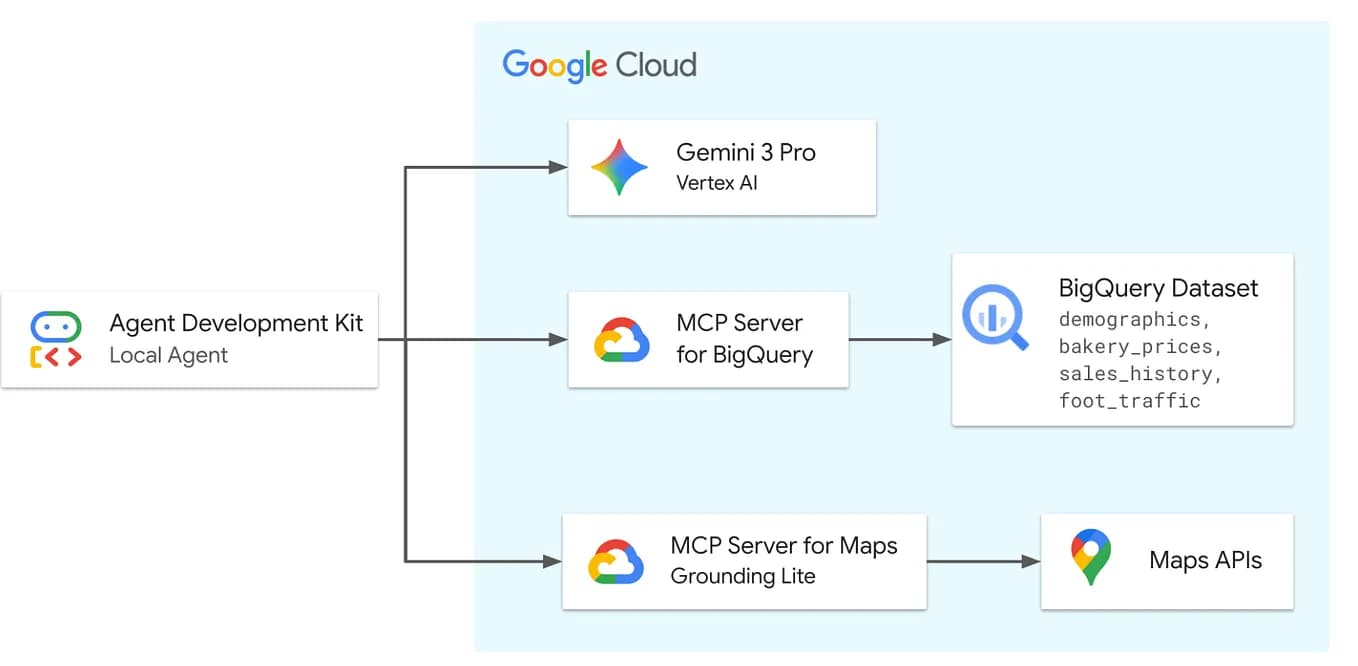
- Tool Use & MCP: Announcements about "tool use" or "function calling" capabilities. These often precede or accompany new MCP (Model Context Protocol) server integrations that you can plug into Claude Desktop and, by extension, Claude Code.
- Knowledge Cut-off: While less frequent, updates to the model's training data cut-off date are critical for understanding its knowledge of recent libraries and frameworks.
How To Apply It — Your Scanning Checklist
Next time a press release drops, run this mental filter:
- Ctrl+F for "context". Is there a new number? More context means you can feed Claude Code entire monorepos.
- Ctrl+F for "price" or "cost". Calculate the impact on your monthly usage.
- Scan for any new "feature" bullet points. Terms like "vision," "JSON mode," or "structured outputs" often translate to new capabilities in the
claude codeCLI or IDE extension. - Ignore the fluff. The 10 paragraphs on AI safety, board structures, and industry partnerships are important for the company, but they don't help you refactor code faster today.
Example Prompt for Claude Code After a Model Update:
If a press release highlights improved "reasoning on complex tasks," test it immediately. Don't ask generic questions. Feed it a gnarly, real-world problem from your backlog:
claude code --model claude-3.5-sonnet-20241022 "Here's our legacy auth middleware. It's a mix of Node.js callbacks and promises. Outline a step-by-step migration to async/await without breaking the 15 downstream services that depend on its current side-effect behavior. Focus on the highest-risk steps first."
The Bigger Picture — Why This Skill Matters
Anthropic's release cadence is accelerating. This follows a broader industry trend of rapid iteration post-GPT-4, as noted in our analysis of the competitive landscape. You can't deeply read every document. Learning to extract the developer-signal from the noise is a core skill for staying on the cutting edge without wasting hours. This aligns with our previous coverage on How to Use Claude Code's Beta Features Without Breaking Your Flow, which emphasized strategic adoption of new tools.
Treat press releases like a new API changelog. Skim for the breaking changes and feature flags, then immediately test them against your hardest problems. That's how you turn corporate announcements into a tangible velocity boost.