
Key Takeaways
- Apple's Safari 247 MCP server lets Claude Code inspect and debug live web pages.
- Install it via Homebrew and connect to debug rendering or JavaScript issues.
What Changed — Apple Ships an Official MCP Server in Safari 247
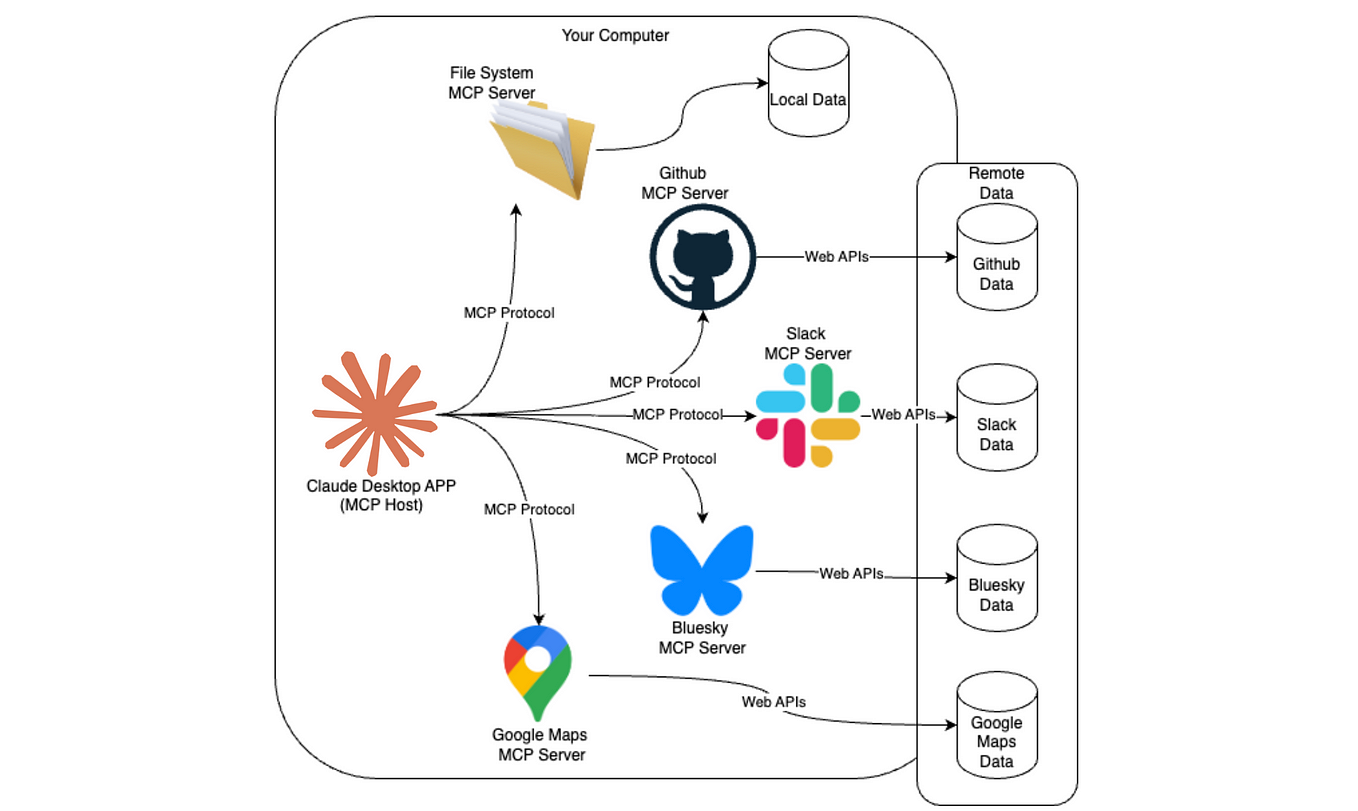
Apple just dropped Safari Technology Preview 247, and buried in the release notes is a huge deal for Claude Code users: an official MCP server for Safari. This isn't a third-party hack—it's Apple's own implementation of Anthropic's Model Context Protocol, baked directly into the browser.
As of late June 2026, the MCP ecosystem has crossed 13,000 servers, but this is the first major browser vendor to ship an official MCP server. Google Chrome doesn't have one. Firefox doesn't have one. Safari does.
What It Means For You — Debug Live Web Pages from Claude Code
If you're building web applications, this changes your workflow. Instead of manually inspecting elements or copy-pasting console output into Claude Code, you can now:
- Inspect live DOM — Claude Code can query the current page structure, CSS computed styles, and accessibility tree.
- Check network requests — See what APIs are being called, their responses, and timing.
- Read console logs — Pull errors, warnings, and debug output directly into your Claude Code session.
- Execute JavaScript — Run snippets in the page context and get results back.
- Debug rendering issues — Identify layout problems, missing assets, or JavaScript errors without switching contexts.
This is especially powerful for Claude Code users who work on frontend apps, browser extensions, or web scraping tools. No more manual copy-paste between browser DevTools and your terminal.
Try It Now — Setup in 2 Minutes
Prerequisites
- macOS Sequoia or later
- Safari Technology Preview 247 (download from developer.apple.com)
- Claude Code installed
Step 1: Enable the MCP Server
Safari Technology Preview 247 ships with the MCP server disabled by default. Enable it:
# Enable Safari's MCP server (run once)
defaults write com.apple.SafariTechnologyPreview MCPEnabled -bool YES
Then restart Safari Technology Preview.
Step 2: Configure Claude Code to Connect
Add this to your claude.json or CLAUDE.md config:
{
  "mcpServers": {
    "safari": {
      "command": "/Applications/Safari Technology Preview.app/Contents/MacOS/safarimcp",
      "args": []
    }
  }
}
Or if you prefer Homebrew (Apple will likely distribute this separately soon):
brew install safari-mcp
# Then add to claude.json:
# "command": "safarimcp"
Step 3: Use It
Start Claude Code and try:
# Inspect the current page
> Use the Safari MCP server to inspect the DOM of the page at localhost:3000

# Debug JavaScript errors
> Connect to Safari and show me all console errors on the current page

# Check network requests
> List all failed network requests and their status codes
Example Workflow: Fix a Broken CSS Layout
> Safari MCP: inspect the computed styles of the main container div on my app
> Claude: The container has `display: flex` but no `flex-wrap: wrap` — that's why items overflow.
> Apply this fix: `main { flex-wrap: wrap; }`
Why Apple's Move Matters
This isn't just a nice-to-have. Apple's adoption of MCP signals that the protocol is becoming a standard interface for AI tools. When the company that controls the browser ecosystem ships native MCP support, third-party tooling will follow.
For Claude Code users, this means:
- Less context switching — Debug without leaving your terminal
- More accurate fixes — Claude Code sees exactly what the browser sees
- Automated testing workflows — Combine with Playwright or Puppeteer through MCP
Caveats
- This is a Technology Preview, so expect bugs and breaking changes.
- Only works with Safari Technology Preview, not the stable Safari release (yet).
- The MCP server only connects to one tab at a time (for now).
The Bottom Line
Apple just made Claude Code a first-class debugging tool for web developers. If you build for the web, this MCP server is worth installing today.
Source: news.google.com






