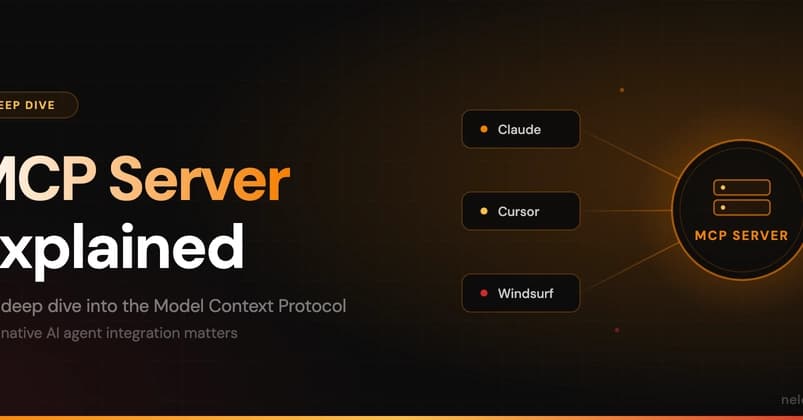
You've used Claude Code to generate code. But have you let it manage your content?
By default, Claude Code is a terminal agent — it edits files, runs commands, and analyzes code. But with a native MCP server inside your CMS, Claude Code becomes a content collaborator: it can create pages, update metadata, bulk-edit taxonomies, and sync content across your site — all while respecting your existing permissions and audit trails.
Here's what a native MCP server is, why it beats proxy setups, and how to start using one today.
What Changed — The Architecture Behind Native MCP Servers
MCP (Model Context Protocol) was introduced by Anthropic in late 2024. It's an open protocol that gives AI models a standard way to connect to external tools and services.
An MCP Server is the server-side implementation of that protocol. It lives inside your application (CMS, database, CRM) and exposes resources, tools, and context to any MCP-compatible client — including Claude Code.
There are two types:
- Bolt-on / Proxy MCP servers — Middleware that sits in front of your app. It translates generic API calls into your system's language.
- Native MCP servers — Deeply integrated into your app's core. They have direct access to internal data models, permissions, and business logic.
Native is better. Here's why.
What It Means For You — Why Native MCP Servers Matter for Claude Code
When you connect Claude Code to a native MCP server, you get:

- Permission enforcement: The server respects your existing RBAC. Claude Code can only do what a human with the same role could do.
- Full audit trails: Every action Claude Code takes is logged through normal platform mechanisms.
- Rich context: Claude Code understands your content types, relationships, and workflows — not just raw data.
- No extra infrastructure: No middleware, no translation layers, no network hops.
This is a game-changer for content-heavy projects. Instead of Claude Code generating text that you manually paste into your CMS, it can directly create, update, and manage content — with the same security and workflows as a human editor.
Try It Now — How to Connect Claude Code to a Native MCP Server
If you're using a CMS with a native MCP server (like Neleto, or any platform that implements MCP natively), here's how to get started:
1. Set up your MCP client config
Claude Code reads MCP server configurations from a JSON file. Add your CMS's native MCP server:
{
  "mcpServers": {
    "my-cms": {
      "command": "node",
      "args": ["path/to/cms-mcp-server.js"],
      "env": {
        "CMS_API_KEY": "your-api-key"
      }
    }
  }
}
2. Grant appropriate permissions
Configure the MCP server to scope what Claude Code can access. For example:
- Read-only access to published content
- Write access to drafts only
- No delete permissions
3. Start collaborating
Once connected, you can ask Claude Code to:
# Create a new blog post about MCP servers
claude create a new blog post titled "What is an MCP Server?" with tags: [mcp, ai, claude]

# Bulk-update metadata
claude update all posts tagged "old-tag" to tag "new-tag"

# Check for outdated content
claude find posts older than 1 year with no updates and suggest refresh
Claude Code will call your CMS's native MCP server, which executes the action with full permission and audit enforcement.
The Security Model You Need
A well-implemented native MCP server should:
- Respect existing RBAC
- Allow granular scoping of resources and actions
- Maintain full audit logs of agent activity
- Support human-in-the-loop approval workflows
- Never bypass application-level business rules
When done correctly, Claude Code using MCP should have the same (or more restricted) capabilities as a human user with the same role — nothing more.
Why This Changes Your Workflow
Before MCP, giving Claude Code access to your CMS meant either:
- Writing custom scripts that called your API (brittle, no permission model)
- Generating text and manually pasting it in (slow, error-prone)
With a native MCP server, Claude Code becomes a first-class participant in your content workflows. It can:
- Draft and publish content directly
- Bulk-update metadata and taxonomies
- Identify and refresh outdated content
- Collaborate with you in real-time — you build features, it updates content
The Bottom Line
Native MCP servers transform Claude Code from a code-only agent into a full-stack collaborator. If your CMS has one, connect it today. If it doesn't, consider building one — or switching to a platform that treats AI as a first-class participant.
The future isn't faster tools. It's collaborative systems where humans and AI agents work together seamlessly. Native MCP servers are how you get there.
Source: dev.to
[Updated 23 Jun via devto_mcp]
A new real-world implementation shows MCP servers extending beyond CMS into financial data. Developer San Siwu used iTick's npm-based MCP server (@itick/mcp-server) to give AI models live stock quotes and technical indicators like Bollinger Bands [per dev.to]. The server runs locally via stdio with a simple JSON config for API key and market selection. Testing with a Python MCP client, the developer queried real-time AAPL quotes and technical indicators without custom glue code, demonstrating MCP's cross-domain utility beyond content management.
[Updated 25 Jun via gn_mcp_protocol]
The same MCP architecture now extends to enterprise data warehouses. A production-ready Snowflake MCP server has been built, allowing AI models to query Snowflake tables, run SQL, and retrieve schema metadata through the MCP protocol [per HackerNoon]. The server enforces row-level security and respects Snowflake's existing RBAC, mirroring the native integration pattern described for CMS platforms. This implementation uses a Python-based MCP server with JSON configuration for warehouse, database, and schema scoping — enabling Claude Code to perform data analysis directly within Snowflake without custom middleware.
[Updated 25 Jun via gn_mcp_protocol]
A production MCP server for personal knowledge base Papers revealed critical rate-limiting pitfalls distinct from HTTP APIs. Developer [per devto_mcp] faced three blocks: concurrent request floods from multiple AI clients, streaming duration overwhelming connection pools, and improper HTTP-level rejection causing retry storms. The fix required three layers: concurrent connection limiting at HTTP, request rate limiting at JSON-RPC, and sending JSON-RPC error responses instead of dropping connections. This pattern is essential for any MCP server handling persistent streaming connections from multiple AI agents.







