The Problem: The Prompting Treadmill
You know the cycle: you start with a simple prompt in your CLAUDE.md or chat. Claude Code works well initially. You add a clarification. Then a "DO NOT" statement. Soon you have a wall of text that Claude sometimes follows, sometimes ignores, and occasionally interprets in ways you never intended. You fix one behavior, another drifts. This is the "prompting treadmill" described in recent research from Strands Agents.
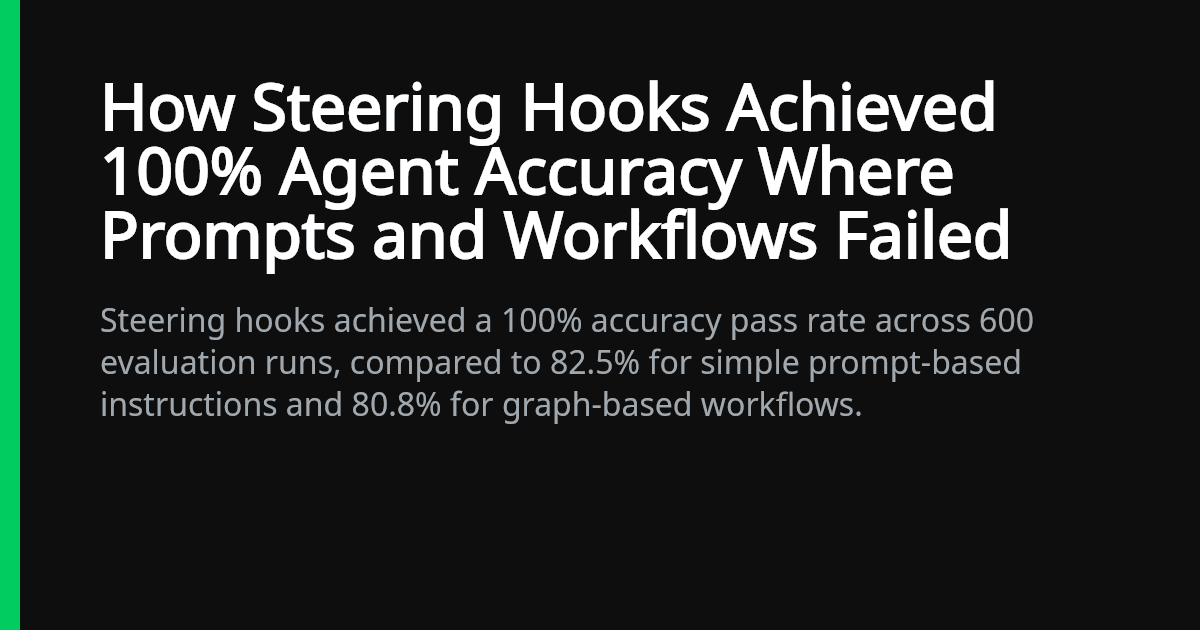
Their evaluation of 600 agent runs revealed a critical pattern: simple prompt-based instructions achieved only 82.5% accuracy. Graph-based workflows performed similarly at 80.8%. The remaining ~18% represents unpredictable behavior that emerges in production—the exact frustration Claude Code users experience when their carefully crafted instructions fail on edge cases.
The Solution: Steering Hooks
The research introduces "steering hooks"—a model-driven approach where instead of writing complex orchestration code or monolithic prompts, you guide the model's behavior at specific decision points. In testing, steering hooks achieved 100% accuracy across all 600 evaluation runs while preserving the model's reasoning ability.
For Claude Code users, this translates to a fundamental shift: instead of trying to anticipate every possible scenario in your prompt, you create lightweight guidance mechanisms that activate when needed.
How To Apply Steering Hooks to Claude Code
1. Replace Monolithic Prompts with Modular Guidance
Instead of this in your CLAUDE.md:
# Code Review Rules
- Always check for security vulnerabilities
- Never suggest using eval()
- Ensure error handling is present
- Validate all user inputs
- Check for SQL injection risks
- ... (20 more rules)
Create targeted steering hooks:
# Code Review Steering Hooks

## SECURITY_HOOK: Activate when reviewing authentication, input handling, or database code
- Immediately flag: eval(), exec(), shell_exec()
- Check: input validation covers all parameters
- Verify: SQL queries use parameterized statements
- Required: error messages don't leak system info

## PERFORMANCE_HOOK: Activate when reviewing loops, database queries, or API calls
- Check: N+1 query patterns
- Flag: unindexed database lookups
- Suggest: pagination for large result sets
- Verify: API rate limiting is implemented
2. Use Context-Activated Instructions
Research shows Standard Operating Procedures (SOPs) using RFC 2119 keywords (MUST, SHOULD, MAY) work effectively. Apply this to Claude Code:
# API Development SOP

WHEN reviewing endpoint definitions:
- MUST validate all request parameters
- SHOULD implement rate limiting
- MAY add request logging for debugging

WHEN reviewing authentication middleware:
- MUST validate JWT tokens
- MUST check authorization scopes
- SHOULD implement token refresh logic
3. Implement Decision Point Steering
Identify where Claude Code typically drifts and create targeted interventions:
# Instead of hoping Claude remembers everything, create steering files:

# .claude/steering/code-review.md
# .claude/steering/refactoring.md
# .claude/steering/testing.md
Then reference them contextually:
# CLAUDE.md
When I ask for code review, first consult .claude/steering/code-review.md
When refactoring code, apply rules from .claude/steering/refactoring.md
Why This Works Better Than Prompt Engineering
The research reveals why steering hooks outperform traditional prompting:
- Cognitive Load Reduction: Claude doesn't need to parse and remember 50 rules simultaneously
- Contextual Activation: Rules only apply when relevant, reducing interference
- Preserved Reasoning: Claude maintains its problem-solving ability instead of being constrained by rigid instructions
- Testability: Each steering hook can be validated independently
Immediate Action Steps
- Audit your
CLAUDE.md: Identify where you have "wall of text" instructions - Extract steering hooks: Move context-specific rules to separate, named hooks
- Use RFC 2119 keywords: Replace "please" and "try to" with MUST/SHOULD/MAY
- Test incrementally: Apply one steering hook at a time and verify behavior
The Bottom Line
Prompt engineering alone gives you ~82% reliability. For mission-critical Claude Code workflows—production deployments, security reviews, architectural decisions—that 18% failure rate is unacceptable. Steering hooks provide the missing reliability without sacrificing Claude's adaptability.
Start by converting your most problematic prompt sections into targeted steering hooks today. The 100% accuracy benchmark shows what's possible when we stop fighting Claude's architecture and start working with it.