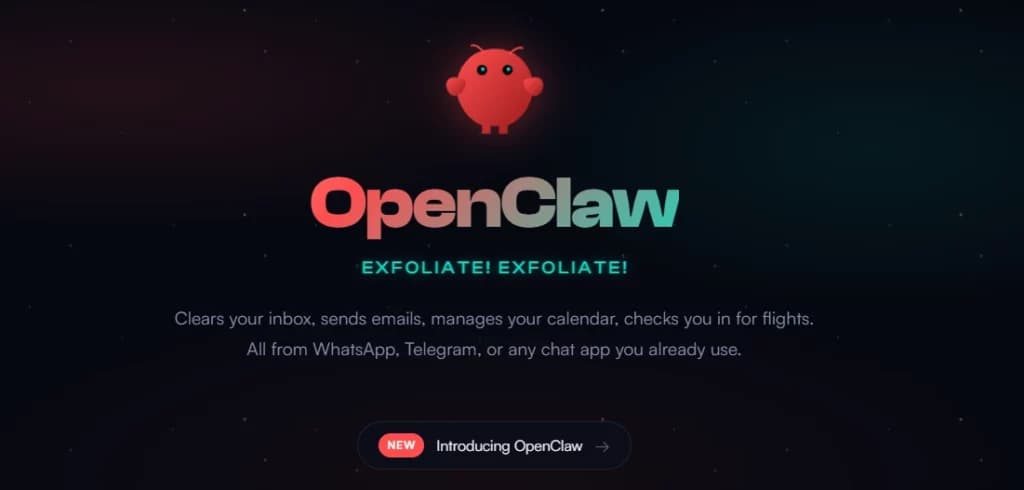
A new entrant in the desktop AI agent space, PetClaw, has launched with a singular promise: eliminate the notoriously complex setup that plagued its powerful predecessor, OpenClaw. The launch is a direct response to widespread user feedback, encapsulated by developer Hasan Töre's observation that while "OpenClaw is powerful... most people I know spent 3 days setting it up and never actually used it."
PetClaw's value proposition is starkly simple: a fully working AI desktop agent in under 60 seconds. The team claims this is achieved through a one-click installation process that requires no API key management, no configuration files, and no terminal commands.
Key Takeaways
- A new tool called PetClaw promises a fully functional AI desktop agent in under 60 seconds with one click, no API keys, and no terminal configuration.
- This directly targets the primary user complaint about its powerful but notoriously difficult-to-setup predecessor, OpenClaw.
What Happened
The announcement was made via a tweet from Hasan Töre, who highlighted the critical friction point with OpenClaw—its setup complexity—and positioned PetClaw as the solution. The core message is that PetClaw delivers equivalent or similar "power" as a desktop agent but removes the entire barrier to entry. The provided thread link suggests more technical details or a demonstration is available.
Context
Open-source AI desktop agents like OpenClaw represent a growing category of tools that aim to automate computer tasks—from data entry and web research to application control—using large language models. However, their potential has often been gated by technical hurdles, requiring users to manage API keys, set up local servers, configure environment variables, and navigate complex dependency installations. PetClaw's launch is a market response to this exact problem, prioritizing user experience and immediate accessibility over maximal configurability.
What This Means in Practice
If PetClaw delivers on its promise, it could significantly lower the adoption barrier for non-technical users or developers who want to experiment with AI agents without a multi-day sysadmin detour. The trade-off likely involves a more opinionated, pre-configured setup with fewer user-exposed knobs compared to OpenClaw's open-ended framework.
gentic.news Analysis
This launch is a textbook case of product-market fit iteration in the fast-moving AI tools space. OpenClaw, as a powerful but complex framework, served as a market probe, identifying a passionate early adopter segment but also revealing a critical choke point: setup friction. PetClaw appears to be the streamlined, productized version aimed at the adjacent, much larger market of users who want the functionality without the setup overhead.
This pattern mirrors the evolution of other developer tools. We saw a similar arc with model serving; complex, DIY solutions like early implementations of TensorFlow Serving were eventually complemented (and often supplanted) by streamlined products like Replicate's one-click model deployments. The trend is clear: as a technical capability proves its value, the competitive battleground shifts from pure capability to developer experience and time-to-value.
For the AI agent ecosystem, PetClaw's approach raises a key question for other frameworks: how much configurability should be sacrificed for usability? The success of PetClaw will be a strong signal to projects like open-interpreter, CrewAI, and AutoGPT that for broad adoption, "it just works" may be a more powerful feature than a longer list of theoretical capabilities. The next phase of competition will likely hinge on the actual robustness and breadth of tasks these one-click agents can reliably perform after that first minute.
Frequently Asked Questions
What is PetClaw?
PetClaw is a new desktop AI agent software that promises a one-click, no-configuration installation process, allowing users to have a fully functional AI assistant running on their computer in under 60 seconds. It is presented as a user-friendly alternative to the more complex OpenClaw framework.
How is PetClaw different from OpenClaw?
The primary difference is the user experience for setup and installation. OpenClaw is a powerful but complex framework that often requires significant technical setup—managing API keys, terminal configuration, and dependency resolution, which can take days. PetClaw aims to provide similar AI agent functionality but removes all these setup steps through a pre-packaged, one-click installer.
Do I need an API key or coding knowledge to use PetClaw?
According to the launch announcement, no. PetClaw claims to require no API keys, no configuration, and no terminal usage, suggesting it either comes with a built-in model or handles credential management transparently behind its one-click interface. This is its main selling point for accessibility.
What can an AI desktop agent like PetClaw actually do?
While specific capabilities for PetClaw aren't detailed in the brief announcement, desktop AI agents typically automate computer-based tasks. This can include controlling applications, performing web searches, summarizing documents, organizing files, writing and executing scripts, and automating repetitive workflows—all through natural language instructions given to the AI.