The Problem: Vanishing AI Context
When you ask Claude Code to fix a bug or implement a feature, it performs a complex series of actions: investigating files, making decisions, trying approaches, and writing code. Then it commits with a generic message like "fix bug," and all that rich, intermediate context is lost. Three weeks later, when the issue resurfaces, you and your AI assistant are starting from scratch.
The Solution: Agent-Native Project Management
Claude Project Tracker is an open-source system designed from the ground up for how AI agents like Claude Code work. Instead of integrating with a SaaS tool via API, it leverages the agent's core superpower: reading and writing files. You drop a .project/ folder into your repository, and it becomes a self-documenting workspace.
How It Works in Practice
When you give Claude Code a task, you can instruct it to use the tracker. Here’s the workflow:

- Task Initiation: You say, "Fix the login timeout bug using the project tracker."
- Ticket Creation: Claude Code creates
PROJ-1in.project/issues/, with adescription.mdand anissue.jsonfile setting status toin-progress. - Live Documentation: As it works, the agent appends comments to
.project/issues/PROJ-1/comments/as individual JSON files (e.g.,001.json,002.json). - Knowledge Capture: It can update a wiki in
.project/wiki/pages/with solutions and learnings. - Clean Finish: It commits code with a meaningful message like
fix(auth): resolve login timeout [PROJ-1]and updates the ticket status todone.
The entire audit trail—the root cause analysis, the failed attempts, the final solution—is preserved as plain files in your git history.
Key Architecture Benefits for Claude Code
- File System as API: No OAuth, API keys, or network calls. Claude Code just reads and writes to the folder structure.
- Append-Only, Conflict-Free: Comments are individual, sequentially numbered files. Multiple agents can work simultaneously without merge conflicts.
- Steering Files: Place rules in
.project/wiki/pages/steering.md. Your agent reads this before each task, ensuring consistent adherence to coding standards, architecture patterns, and conventions without you having to repeat instructions. - Full Git Integration: Every change is versioned. You can branch, merge, and review the project's management history just like your code.
Getting Started Now
- Initialize: In your repo root, create the
.project/directory with the basic structure (clone from the project's repository for the full setup). - Configure: Add a
config.jsonto set the project name and ID prefix. - Add Steering: Create your
.project/wiki/pages/steering.mdwith your project's rules. - Prompt Claude Code: Start your next task with: "Please use the project tracker in the
.project/folder for this task. First, create a new ticket, then proceed."
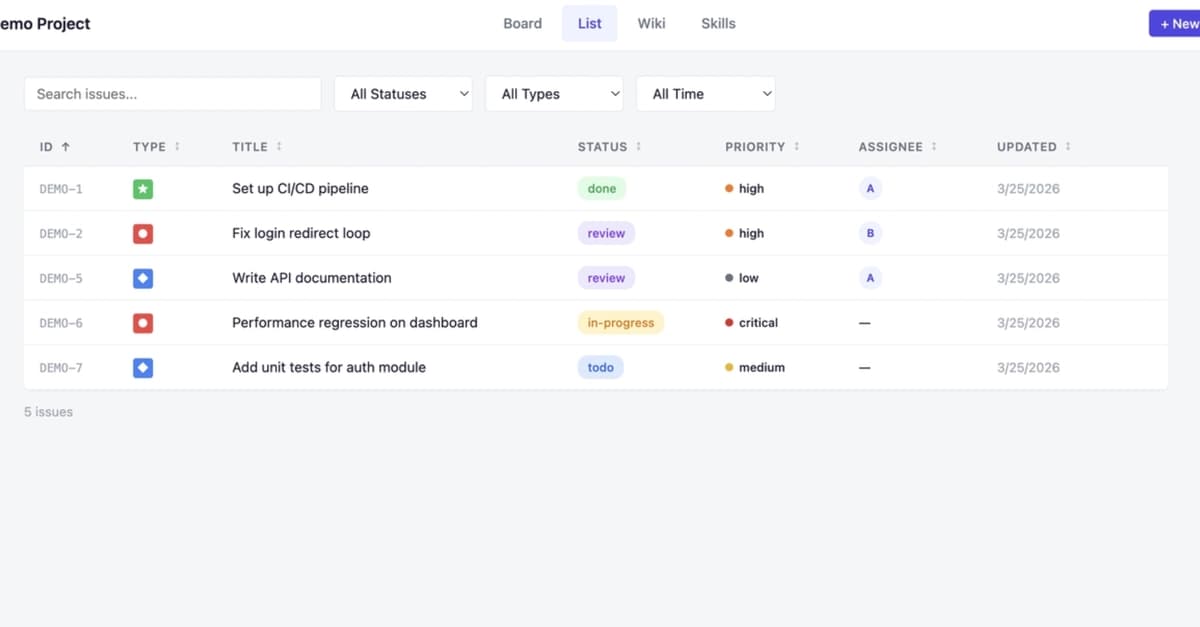
For a visual Kanban board, the tool includes a local web UI. Run the provided server script to view and manage tickets in your browser.
This approach transforms Claude Code from a stateless assistant into a persistent team member with institutional memory, directly addressing a key limitation of current AI coding workflows.