What Changed — Research Mode for Scientific Workflows
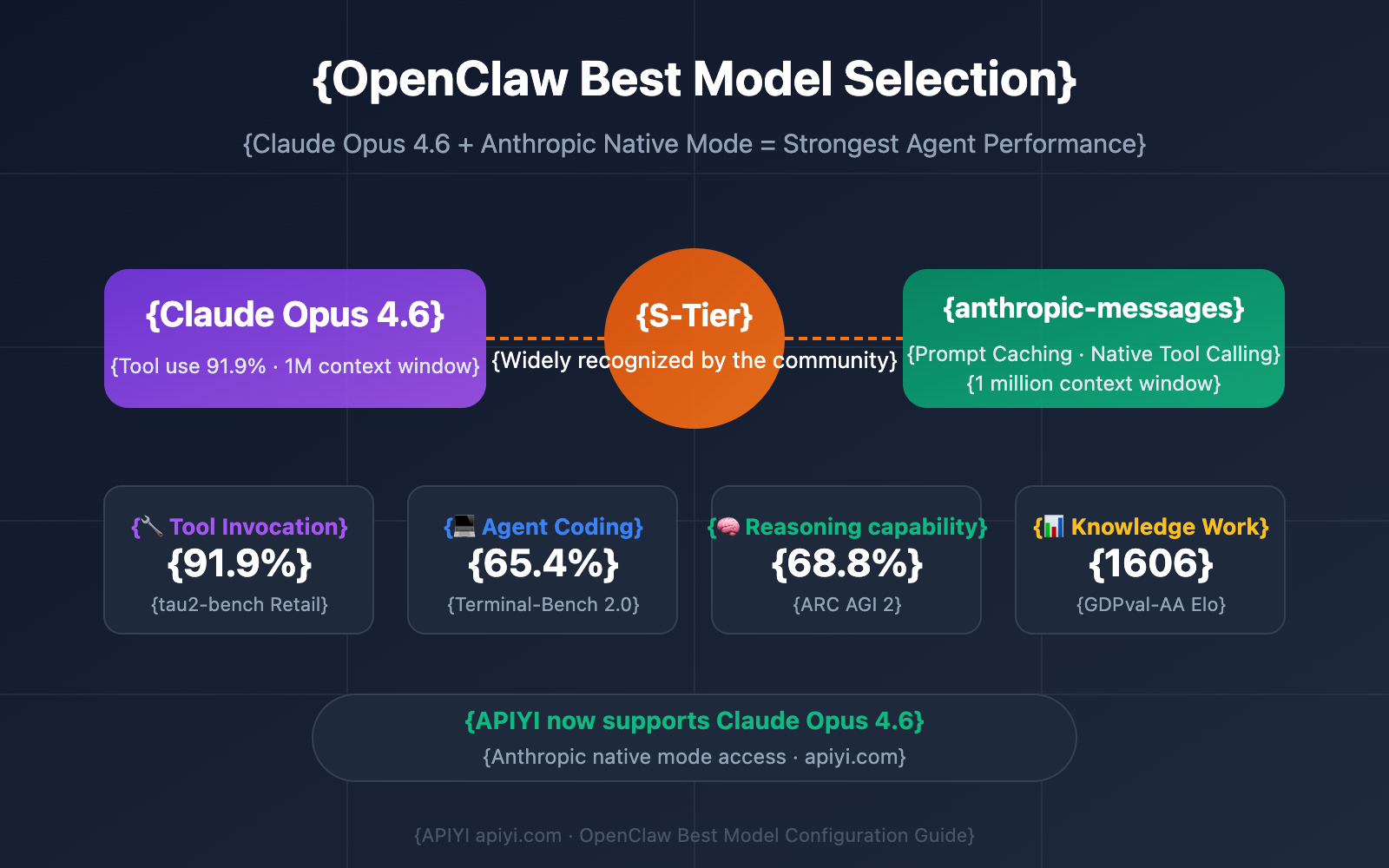
Anthropic's latest Claude Opus 4.6 model demonstrates unprecedented capability in scientific coding, reportedly completing months of work in days. This isn't just about raw model power—it's about how Claude Code's recently launched Research Mode (released March 25, 2026) enables these breakthroughs.
Research Mode is a specialized configuration that optimizes Claude Code for data-intensive, experimental workflows. It combines Opus 4.6's enhanced reasoning with workflow automation hooks that let Claude Code handle multi-step scientific processes autonomously.
What It Means For Your Claude Code Usage
This isn't just for academic researchers. Any developer working with:
- Data analysis pipelines
- Machine learning experiments
- Statistical modeling
- Complex algorithm development
- Simulation code
...can benefit from Research Mode's structured approach. The key insight from the scientific coding demonstrations is that Opus 4.6 + Research Mode excels at breaking down complex problems into sequential, verifiable steps—exactly what many production coding tasks need.
How To Configure Research Mode Now
Research Mode isn't a separate tool—it's a configuration of your existing Claude Code setup. Here's how to activate and optimize it:
1. Enable Research Mode in Your CLAUDE.md
Add this to your project's CLAUDE.md:
## Research Configuration

MODE: research
OPTIMIZE_FOR: experimental_workflows
VALIDATION_REQUIRED: true
MAX_ITERATIONS: 50
AUTO_DOCUMENT: true

## Research Workflow Rules
1. Always propose hypothesis before implementation
2. Create validation tests for each major change
3. Document assumptions and limitations
4. Use incremental refinement approach
5. Maintain experiment log in `research_log.md`
2. Structure Your Prompts for Scientific Workflow
Instead of:
claude code "write a data analysis script"
Use Research Mode structure:
claude code "Research task: Analyze customer churn patterns
Hypothesis: Churn correlates with feature usage frequency
Approach: 1. Load dataset 2. Calculate usage metrics 3. Statistical correlation 4. Visualize findings
Validation: Compare with baseline model accuracy"
3. Leverage the Experiment Log
Research Mode automatically maintains research_log.md with:
- Timestamped actions
- Hypothesis testing results
- Code changes with reasoning
- Next-step recommendations
Review this log regularly with:
claude code "Review research log and suggest optimizations for the analysis pipeline"
4. Use Validation Hooks
Research Mode includes built-in validation. Add custom validators in your project:
# validation_hooks.py
def validate_statistical_analysis(code_changes):
    """Ensure statistical methods are properly applied"""
    # Your validation logic here
    return validation_result
Reference in CLAUDE.md:
VALIDATION_HOOKS:
  - python validation_hooks.validate_statistical_analysis
  - python validation_hooks.check_data_integrity
When Research Mode Outperforms Standard Mode
Switch to Research Mode when:
- Problem is exploratory - You're not sure what solution will work
- Multiple approaches needed - Requires A/B testing different implementations
- Data validation critical - Need rigorous checking of assumptions
- Documentation matters - Future reproducibility is important
- Iterative refinement - Solution improves through multiple passes
For routine bug fixes or feature additions, standard Claude Code mode remains faster. But for complex problem-solving, Research Mode's structured approach prevents costly wrong turns.
Real-World Application Example
Here's how a data engineer might use Research Mode:
# Initialize research project
claude code "Research: Optimize ETL pipeline performance
Current bottleneck: JSON parsing at 10GB/hour
Goal: Achieve 50GB/hour
Approach: 1. Profile current code 2. Test alternative parsers 3. Implement streaming 4. Validate data integrity
Constraints: Must maintain backward compatibility"

# Follow-up based on research log
claude code "Based on experiment 3 results, implement the streaming JSON parser with fallback to batch mode"
Research Mode will:
- Create performance benchmarks
- Test 3-4 different parsing approaches
- Document each attempt's trade-offs
- Provide validated recommendation
- Generate migration plan
Integration with Existing Workflows
Research Mode works alongside:
- Git - Commits include research context
- CI/CD - Validation hooks can trigger tests
- Monitoring - Performance benchmarks become baseline metrics
- Documentation - Research logs feed into technical specs
Add to your development workflow:
# Start research phase
claude code --mode research "Investigate database query optimization"

# Once solution validated, switch to implementation
claude code "Implement the optimized query pattern from research phase 2"
Performance Considerations
Research Mode uses more tokens due to:
- Extensive documentation
- Multiple hypothesis testing
- Validation steps
- Experiment logging
Monitor usage with:
claude code --stats
For long-running research, use checkpointing:
## Research Configuration
CHECKPOINT_EVERY: 10 iterations
RESUME_FROM: research_checkpoints/latest.json
gentic.news Analysis
This scientific coding breakthrough follows Anthropic's March 25 release of Research Mode for Claude Code, which was specifically designed for workflow automation in complex domains. The timing aligns with increased enterprise adoption of Claude Code—the tool recently surpassed 100,000 stars on GitHub, signaling major developer community traction.
The Opus 4.6 model's performance in scientific contexts suggests developers should reconsider what "complex coding tasks" mean. Traditional boundaries between research code and production code are blurring, as the same model that accelerates months of scientific work can also optimize your data pipelines or refactor legacy systems.
This development also reflects the broader trend of AI agents moving beyond simple code generation into full workflow management. As noted in our March 25 article "How to Build a Multi-Agent Dev System," developers are increasingly using Claude Code as the central coordinator in multi-step development processes. Research Mode formalizes this approach for data-intensive work.
For Claude Code users, the takeaway is clear: Don't just use Claude for writing functions. Configure it with Research Mode for complex problem-solving, and you'll get not just code, but documented, validated solutions with clear reasoning trails. This is particularly valuable for teams where knowledge transfer and reproducibility matter as much as working code.