Key Takeaways
- Claude Sonnet 4's 1M token window enables whole-repo context in Claude Code.
- Update your CLAUDE.md to prioritize key files and use /compact to avoid context bloat.
What Changed
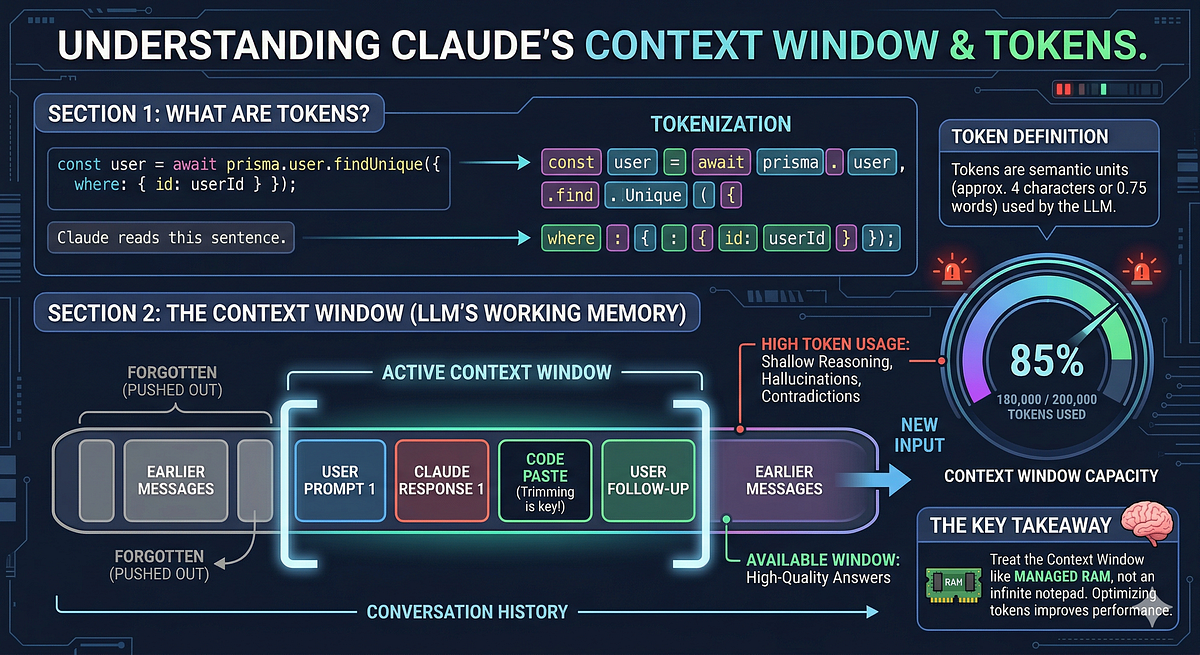
Anthropic has pushed a massive update to Claude Sonnet 4, expanding its context window from 200K to a full 1M tokens. This isn't a small bump — it's a 5x increase that fundamentally changes what you can do inside Claude Code.
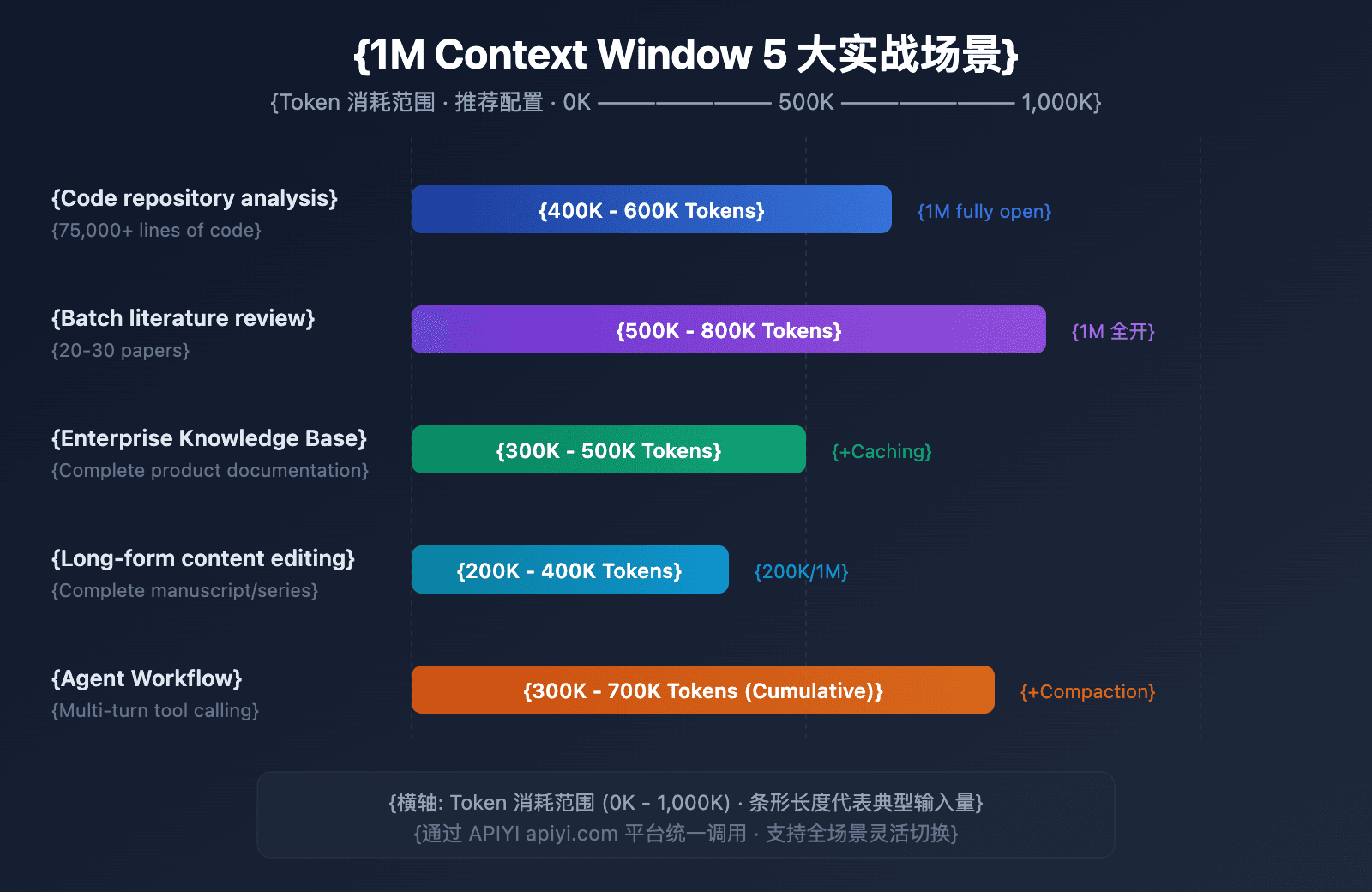
Previously, working on a large codebase meant splitting tasks into chunks, manually managing context, and hoping Claude didn't forget earlier instructions. With 1M tokens, you can now load entire repositories — think 50,000+ lines of code — into a single session and ask Claude to refactor, debug, or add features across hundreds of files without ever losing the big picture.
This update is live now for all Claude Code users on the Sonnet 4 model. No special configuration needed — just start a session and Claude will use the expanded window automatically.
What It Means For You
For daily Claude Code usage, this is a game-changer. Here's what you can do now that was impractical before:
- Whole-repo refactoring: Ask Claude to rename a function across 200 files and it will see every occurrence in context.
- Deep debugging: Paste an entire stack trace plus the full codebase and let Claude trace the bug without you narrowing it down first.
- Long-running sessions: Keep a session open for days, adding new context as you go, without hitting the ceiling.
But there's a catch: a 1M token window doesn't mean you should just dump everything in. Context is still expensive — both in tokens and in Claude's attention. If you fill the window with 500 files of utility code, Claude's performance on your actual task will degrade. The key is strategic context management.
Try It Now
Here's how to take advantage of the 1M token window without breaking your workflow:
- Update your CLAUDE.md to tell Claude what to prioritize. Add a section like:
## Context Priority
When working in this repo, always load these files first:
- src/core/*.ts (business logic)
- src/api/routes/*.ts (entry points)
- tests/integration/*.ts (expected behavior)

Only load files in src/utils/ if directly relevant to the task.
- Use targeted prompts to leverage the window. Instead of "fix the bug," try:
Load the entire src/ directory and identify all places where the user object is mutated. Then refactor to use immutable updates.
Use
/compactwhen you're done with a large chunk of work. This summarizes the session so far and frees up context, keeping Claude focused on the current task.Monitor your context usage with
/contextto see how much of the 1M window you've consumed. If you're over 70%, consider compacting or starting a new session.
The Bottom Line
The 1M token update is a massive leap forward for Claude Code. It removes the biggest practical limitation — context size — and lets you work on entire codebases in one session. But with great power comes great responsibility: use it wisely, prioritize what Claude sees, and you'll ship faster than ever.
Source: news.google.com