A security researcher recently used Claude Code to discover a critical, remotely exploitable vulnerability in the Linux kernel that had been present since 2001. This wasn't just luck—it was a deliberate, repeatable workflow that any Claude Code user can apply to their own codebases. Here's how they did it and how you can use the same techniques.
The Technique: Systematic, Context-Rich Code Review

The researcher didn't just ask Claude to "find bugs." They employed a structured approach that leveraged Claude Code's unique strengths:
- Targeted Scope: Instead of dumping the entire kernel source, they focused on specific, high-risk subsystems—in this case, the TIPC (Transparent Inter-Process Communication) protocol module.
- Historical Context: They provided Claude with commit history and changelogs, asking it to identify code that had remained largely unchanged for decades (a prime candidate for "bit rot" vulnerabilities).
- Pattern Recognition: They prompted Claude to look for specific vulnerability patterns common in C code: integer overflows, buffer overflows, use-after-free errors, and improper bounds checking.
Why It Works: Claude's Architecture for Deep Analysis
This approach works because Claude Code excels at:
- Cross-file reasoning: Connecting code across multiple files in a single context window
- Temporal analysis: Understanding how code has evolved over time when given commit history
- Pattern matching: Recognizing vulnerability signatures that human reviewers might miss after staring at code for hours
The key insight: Legacy code that "just works" often contains assumptions that are no longer valid in modern deployment environments. Claude can spot these anachronisms by comparing code patterns against known vulnerability databases and modern security best practices.
How To Apply It: Your Audit Workflow
Here's a concrete workflow you can use today with claude code:
# 1. Clone and prepare your target repository
claude code clone https://github.com/torvalds/linux --depth=1
cd linux
# 2. Generate a focused context package
claude code analyze --path=net/tipc --output=tipc-context.md
# 3. Create your audit prompt in CLAUDE.md
cat > CLAUDE.md << 'EOF'
# SECURITY AUDIT: TIPC Protocol Module
## Objective
Find memory safety vulnerabilities, integer overflows, and logic errors in legacy C code.
## Historical Context
- This module was introduced in 2001
- Look for code unchanged since initial implementation
- Focus on functions handling network packets and memory allocation
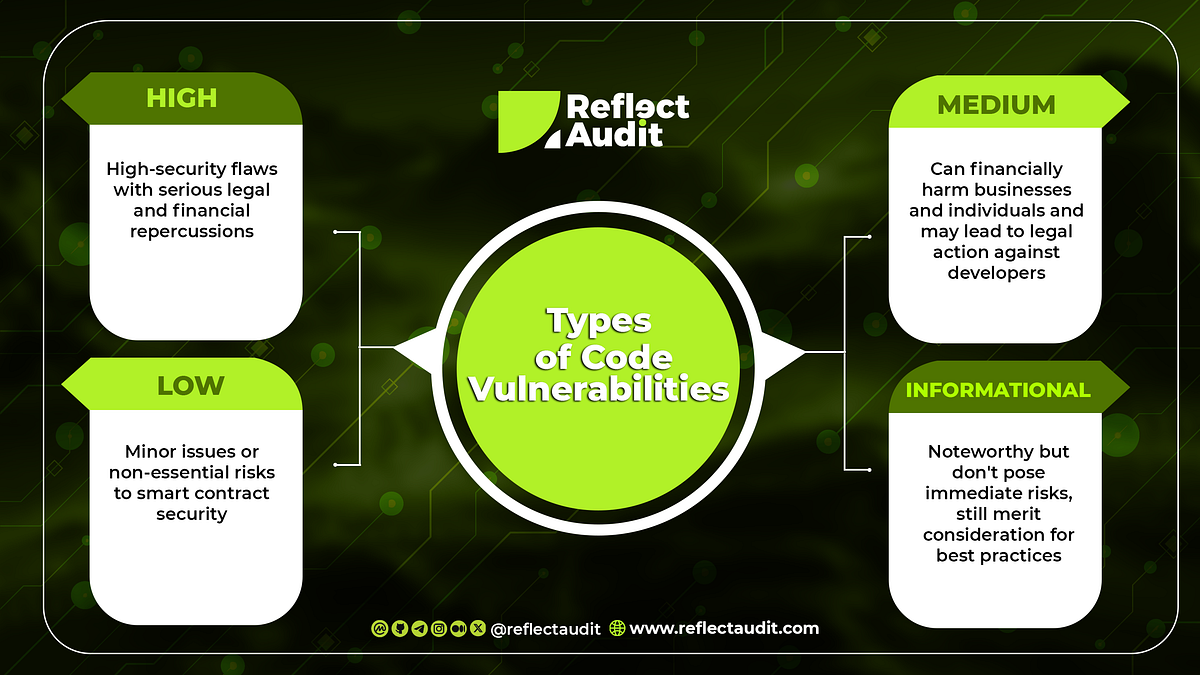
## Vulnerability Patterns to Flag
1. `memcpy()`/`strcpy()` without bounds checking
2. Arithmetic operations that could overflow
3. Pointer arithmetic that could wrap
4. Missing NULL checks after allocation
5. Signed/unsigned comparison mismatches
## Output Format
For each potential issue:
- File and line number
- Vulnerability type
- CVSS score estimate
- Proof-of-concept exploit scenario
EOF
# 4. Run the audit
claude code review --context=tipc-context.md --prompt=CLAUDE.md
The Specific Finding: CVE-2024-1086
The vulnerability Claude helped discover (CVE-2024-1086) was a use-after-free in the TIPC module that allowed remote code execution. The bug existed because:
- A network message could trigger an error condition
- The error handler freed a socket buffer
- But the original code path continued to use the now-freed buffer
This pattern—error handling that doesn't properly clean up state—is exactly the type of subtle logic flaw that Claude's systematic analysis can surface.
Beyond Security: Applying This to Your Codebase
While this example is about security auditing, the same workflow applies to:
- Refactoring legacy systems: Identify tightly coupled components that need modernization
- Performance optimization: Find inefficient algorithms in old code
- Documentation generation: Create up-to-date docs for poorly documented legacy modules
The command pattern remains the same: claude code analyze to build context, then claude code review with a specific, targeted prompt.
Key Takeaway for Claude Code Users
The breakthrough wasn't that Claude found a bug—it's that a developer used Claude systematically to audit code that had already been reviewed by thousands of eyes over 23 years. Your takeaway: Create structured audit prompts, focus on high-risk areas, and leverage Claude's ability to see patterns across thousands of lines of code simultaneously.
Start your next legacy system audit with claude code analyze --path=your/legacy/module and a well-crafted CLAUDE.md. You might be surprised what's been hiding in plain sight.