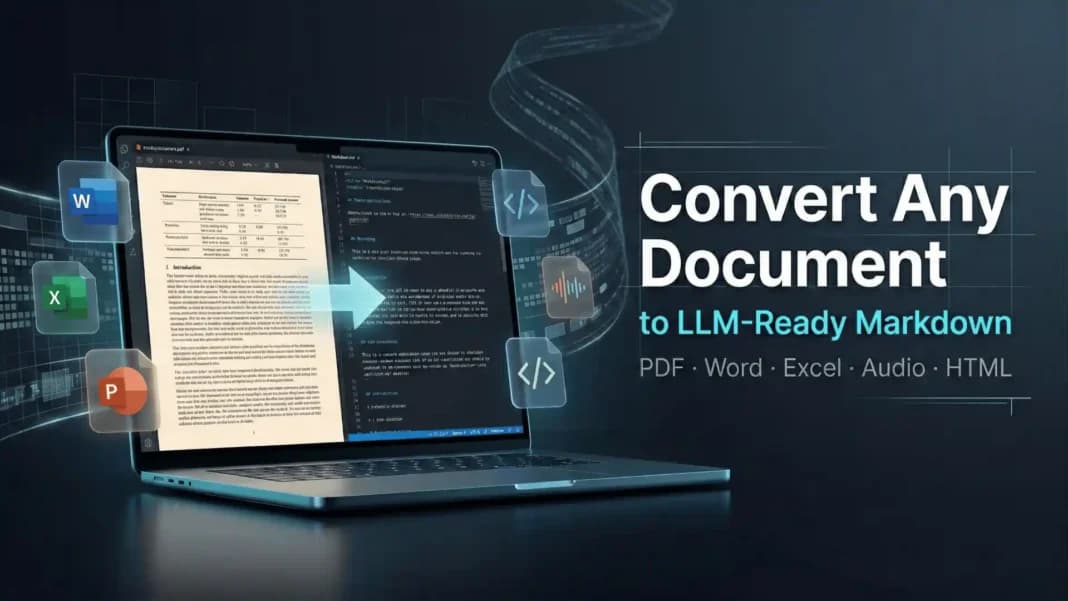
Microsoft has released an open-source tool designed to solve one of the most persistent, low-level problems in building production AI pipelines: getting clean, structured text from heterogeneous file formats into a large language model (LLM). The tool, referenced in developer channels as 'Markdownify', promises to convert "literally anything"—including PDFs, Microsoft Office documents, audio files, and YouTube URLs—into clean Markdown with a single pip install.
The announcement, made via the @_vmlops X account, positions the tool as a drop-in solution to stop AI pipelines from "choking on raw files." For engineers, the value proposition is straightforward: eliminate the need to write, maintain, and stitch together custom parsers for different file types, which often produce broken layouts, garbled text, and lost structural semantics.
What's New
Markdownify is a Python library that acts as a universal document parser. Its stated input support is comprehensive:
- Documents: PDF, Microsoft Word (
.docx), Excel (.xlsx), PowerPoint (.pptx) - Media: Audio files (formats unspecified) and YouTube URLs (implying audio transcription and possibly caption extraction)
- Output: Clean, structured Markdown optimized for LLM consumption.
The core promise is normalization. Instead of an AI pipeline requiring a PDF parser, a separate docx library, an audio transcription service, and a YouTube API client—each with its own output format and error modes—a developer can route all inputs through this single tool and receive a consistent Markdown stream.
Technical Details & How It Works
While the initial announcement is light on implementation specifics, the tool's capabilities suggest an orchestration layer over several established open-source and proprietary Microsoft libraries.
- For PDFs: It likely leverages or extends existing high-quality parsers like
pymupdf(PyMuPDF) orpdfplumber, which extract text while preserving positional and layout hints, and then applies heuristics to convert that structure into Markdown headers, lists, and tables. - For Office Documents: Python's
python-docx,openpyxl, andpython-pptxlibraries provide direct access to document structure, making conversion to Markdown more reliable than PDF conversion. - For Audio & Video: This is the most technically significant inclusion. Audio-to-text implies integration with a speech-to-model (STM) or automatic speech recognition (ASR) system, possibly Microsoft's own Azure AI Speech services or an open-source model like Whisper. YouTube URL support suggests the tool handles the download and extraction of audio tracks or captions before transcription.
The "clean" Markdown output is the key product. This means the tool goes beyond simple text extraction; it aims to infer semantic structure (headings, sections, bullet points, table relationships) from visual layouts and encode that structure using correct Markdown syntax. This preserves hierarchy and meaning that is critical for LLM context windows.
How It Compares
The market for document parsers is fragmented. Markdownify enters a space occupied by:
Markdownify's main differentiator is its ambition to be a universal, local-first, zero-configuration tool for the most common file types an LLM application might encounter. Its direct integration of audio/video transcription is a notable feature not commonly bundled in open-source document parsers.
What to Watch: Limitations & Real-World Performance
The announcement makes bold claims ("literally anything," "no broken layouts ever"). The real test will be in handling:
- Complex PDFs: Scanned PDFs (requiring OCR), multi-column academic papers, and forms with intricate tables remain the "final boss" of document parsing. It's unclear if
Markdownifyincludes OCR capabilities. - Accuracy of Audio Transcription: The quality of the embedded ASR model will directly determine output quality for audio and video inputs.
- Performance & Scalability: As a local Python tool, processing large volumes of files or long audio/video could be resource-intensive.
- Extensibility: The tool may not support niche formats (e.g.,
.epub,.odt) out of the box.
Early adopters will need to benchmark its output quality against their current bespoke pipelines, especially for their most problematic file types.
gentic.news Analysis
This is a classic Microsoft developer play: identify a widespread, infrastructural pain point in a fast-moving ecosystem (AI engineering) and release a polished, open-source tool to solve it. It follows Microsoft's established pattern of cultivating developer goodwill through high-utility OSS, as seen with TypeScript, VS Code, and the Azure SDKs. The strategic alignment is clear. By making it easier to build LLM applications that ingest real-world data, Microsoft indirectly makes its Azure OpenAI Service and Azure AI Foundry more attractive platforms for deployment.
This move also directly counters the positioning of startups like Unstructured.io, which have raised significant venture capital (e.g., their $25M Series A in 2023) to solve this exact problem via API and open-source libraries. Microsoft is leveraging its immense in-house expertise in document formats (Office) and speech services (Azure AI Speech) to potentially out-execute focused startups on quality and integration depth.
Technically, the trend is toward "LLM-native" data preprocessing. Raw text extraction is no longer sufficient. Models perform best when data retains its inherent structure—headings define topics, lists itemize points, tables relate data. Markdownify is a recognition that the data ingestion layer needs to evolve in sophistication alongside the models themselves. This development is part of a broader maturation of the MLOps stack for generative AI, moving from prototype glue code to robust, standardized tooling.
Frequently Asked Questions
Where can I download Microsoft's Markdownify tool?
The initial announcement links to a GitHub repository. You can install it via Python's package manager using pip install markdownify (the exact package name may vary). The source code and detailed documentation will be available on Microsoft's official GitHub account.
Does Markdownify work with scanned PDFs (image-based)?
The initial announcement does not specify. High-quality conversion of scanned PDFs requires Optical Character Recognition (OCR). The tool may rely on an external OCR engine or may not support image-based PDFs in its first release. This is a key detail to verify in the documentation.
Is Microsoft Markdownify free to use?
Yes. The tool is released as open-source software. There are no mentioned API keys or service calls, implying all processing (including audio transcription) is done locally on your machine using included models and libraries. This keeps data on-premise and avoids per-use costs.
How does this compare to using LlamaIndex data loaders?
LlamaIndex provides a collection of specialized "data loaders" for different formats. Markdownify appears to be a unified, single tool that combines the functionality of many loaders (document, audio) and adds a dedicated post-processing step to produce clean Markdown. It could potentially be used as a loader within a LlamaIndex pipeline, simplifying the configuration and maintenance of the ingestion step.