A detailed workflow used by top Claude power users has been leaked online, showing how they systematically chain prompts and tools to compress what typically takes hours into 90-second automated routines.
The leak originated from an analysis that scraped workflows across X, Reddit, and private Slack groups, revealing that 99% of users employ Claude in basic, inefficient ways while the top 1% have developed sophisticated automation systems.
What the Leak Reveals
The leaked setup isn't a single prompt but a structured system of interconnected workflows. According to the analysis, power users don't use Claude for individual tasks in isolation. Instead, they create:
- Sequential prompt chains where Claude's output from one task automatically becomes the input for the next
- Tool integration patterns that connect Claude with other applications (calendar, email, project management tools) through APIs
- Template systems for recurring workday patterns (morning review, meeting preparation, afternoon analysis)
- Context preservation methods that maintain thread consistency across multiple related tasks
How It Works: The 90-Second Workday Compression
The "90-second workday" refers to the execution time of these automated sequences, not the actual work duration. A typical power user workflow might look like:
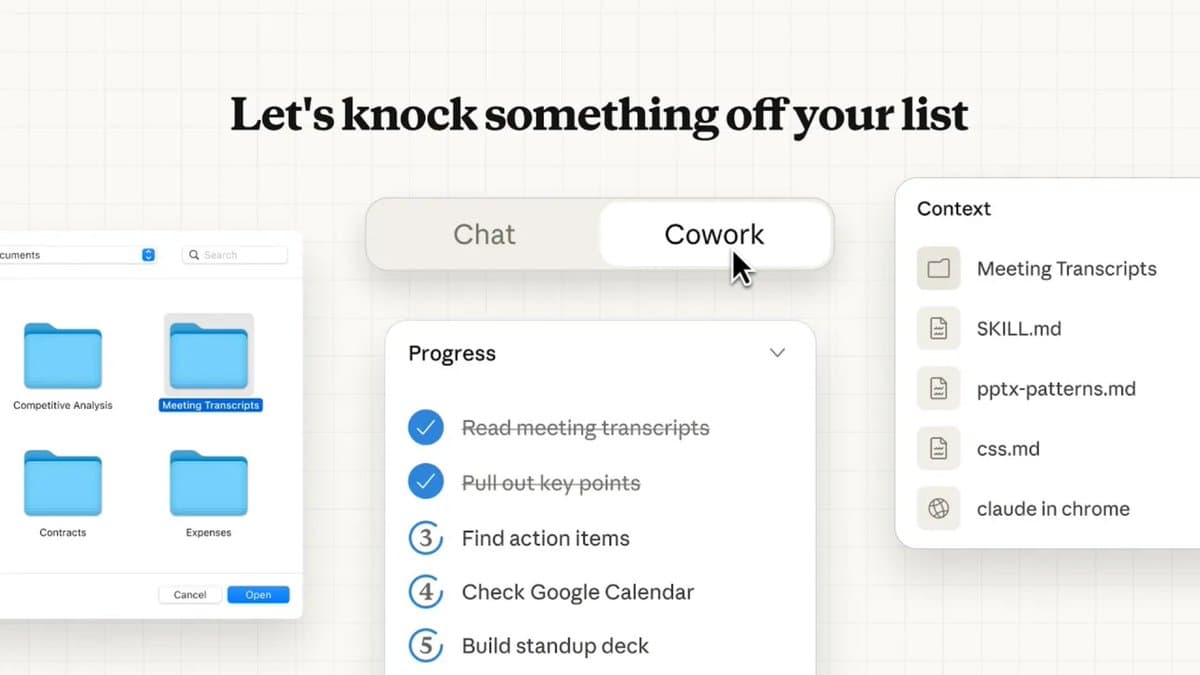
- Morning setup (15 seconds): Claude reviews calendar, prepares meeting agendas, and prioritizes daily tasks based on project status
- Research & synthesis (30 seconds): When given a topic, Claude simultaneously searches multiple sources, extracts key points, and formats findings into structured reports
- Communication batch (25 seconds): Claude drafts responses to accumulated emails/messages based on priority and context
- Evening wrap-up (20 seconds): Claude generates progress reports, updates project trackers, and creates tomorrow's priority list
What Most Users Get Wrong
The analysis indicates that 99% of Claude users make these common mistakes:
- One-off prompting: Treating each interaction as isolated rather than part of a continuous workflow
- Manual context switching: Copying/pasting information between tasks instead of maintaining persistent threads
- Underutilizing tools: Not connecting Claude to other applications through available integrations
- Starting from scratch: Recreating similar prompts daily instead of building reusable templates
The Power User Difference
Top users approach Claude as an automation engine rather than a conversational assistant. Their key strategies include:
- Workflow-first thinking: They design complete processes before writing the first prompt
- Systematic context management: They maintain detailed project threads that persist across days or weeks
- Tool chaining mastery: They use Claude's API and integration capabilities to connect multiple applications
- Template libraries: They build and refine prompt templates for recurring task patterns
Practical Implications
While the specific prompts and integrations in the leaked workflow weren't published in detail, the methodology reveals a shift in how advanced users leverage AI assistants. The focus has moved from individual task completion to designing complete automated systems that handle work sequences with minimal human intervention.
This approach requires more upfront design work but creates compounding efficiency gains as workflows are refined and reused.
Limitations and Caveats
The analysis doesn't provide verifiable benchmarks comparing the 90-second automated workflows against traditional methods. The time savings likely depend heavily on:
- The specific tasks being automated
- Quality of the initial workflow design
- Integration capabilities with existing tools
- The user's willingness to trust automated outputs without extensive review
Additionally, the "90-second" claim appears to refer to execution time of established workflows, not including the initial setup, testing, and refinement period that could take hours or days.
What This Means for Practitioners
The leak highlights a growing divide between casual and power users of AI assistants. While most users interact with tools like Claude through simple chat interfaces, advanced users are building sophisticated automation systems that fundamentally change their work patterns.
The key takeaway isn't the specific 90-second metric but the methodology: treating AI assistants as workflow automation platforms rather than conversational tools requires different skills, including system design, API integration, and template creation.