Skip to content
gentic.news — AI News Intelligence Platform
Connecting to the Living Graph…

Listen to today's AI briefing

Daily podcast — 5 min, AI-narrated summary of top stories

Developer typing Claude Code CLI command in a terminal to configure SurrealDB MCP server, with code editor and…
Open SourceScore: 82

SurrealDB's Hosted MCP Server: One URL to Query, Deploy, and Remember

SurrealDB's hosted MCP server (mcp.surrealdb.com) lets Claude Code query, deploy, and manage SurrealDB instances plus use Spectron memory—no local server needed.

·10h ago·3 min read··22 views·AI-Generated·Report error
Share:
Source: dev.tovia devto_mcp, gn_mcp_protocolMulti-Source
How do I use SurrealDB's hosted MCP server with Claude Code?

Add the hosted SurrealDB MCP server URL https://mcp.surrealdb.com to Claude Code, sign in with your SurrealDB account, and you can query data, deploy instances, manage resources, and use Spectron memory—no local server needed.

TL;DR

Add https://mcp.surrealdb.com to Claude Code and you can query, deploy, and manage SurrealDB instances—plus use Spectron memory—without local setup.

What Changed — Hosted SurrealDB MCP Server

SurrealDB just dropped a hosted MCP server that replaces the old self-installed SurrealMCP. Now you only need to add one URL to Claude Code:

claude mcp add surrealdb https://mcp.surrealdb.com

Then authenticate with your SurrealDB account or a personal access token from the account portal. That's it—no local server, no per-instance configs.

This server exposes 90 tools (as seen in the Cursor screenshot) covering everything from querying to provisioning. It's a massive upgrade from the previous setup where you had to configure each instance or context individually.

What It Means For You

Query Your Data Without the Copy-Paste Loop

Previously, to get Claude Code to analyze your SurrealDB data, you'd copy schemas and query results into the chat. Now you can just ask:

"How many orders did we take last week grouped by status?"

Claude Code will find the right database, write the query, run it, and show you both the SQL (or SurrealQL) and the results. You don't need to describe your schema upfront—it introspects the tables itself.

Important: Instance querying requires SurrealDB 3.2.3 or above.

Deploy and Manage Resources by Asking

Everything you'd click through in the SurrealDB Studio dashboard is now conversational. You can:

  • Deploy a new instance or context
  • Upgrade SurrealDB versions
  • Invite users and manage access levels
  • Check monthly spend

When deploying, the MCP server proposes a configuration, gives a cost estimate, and waits for your confirmation before executing.

Persistent Memory with Spectron

This is the killer feature. The MCP server connects directly to Spectron, SurrealDB's memory layer for AI agents. You can save memories, store documents, and retrieve them later by meaning—not just keyword. This gives Claude Code a persistent brain that survives across sessions.

Try this in Claude Code:

"Save a memory: Our production instance uses SurrealDB 3.2.5 and the customer table has an index on email."

Then in a fresh session:

"Retrieve the memory about our production instance."

Try It Now

  1. Add the server to Claude Code:
    claude mcp add surrealdb https://mcp.surrealdb.com
    

An image of MCP servers in Cursor showing the SurrealDB MCP as ready with 90 tools available for use

  1. Authenticate via browser sign-in or personal access token.

  2. Test a query:

    "Describe the fields and indexes in the customer table."

  3. Deploy a resource:

    "Spin up a new SurrealDB instance for staging, smallest size."

  4. Set up memory:

    "Save that our API rate limit is 100 req/min."

For full setup guides, check the Claude-specific docs.

The Bottom Line

This hosted MCP server eliminates the friction of local setup and per-instance configuration. For Claude Code users working with SurrealDB, it's now trivial to query, manage, and remember—all from the CLI. If you're already using SurrealDB, this is a no-brainer upgrade.

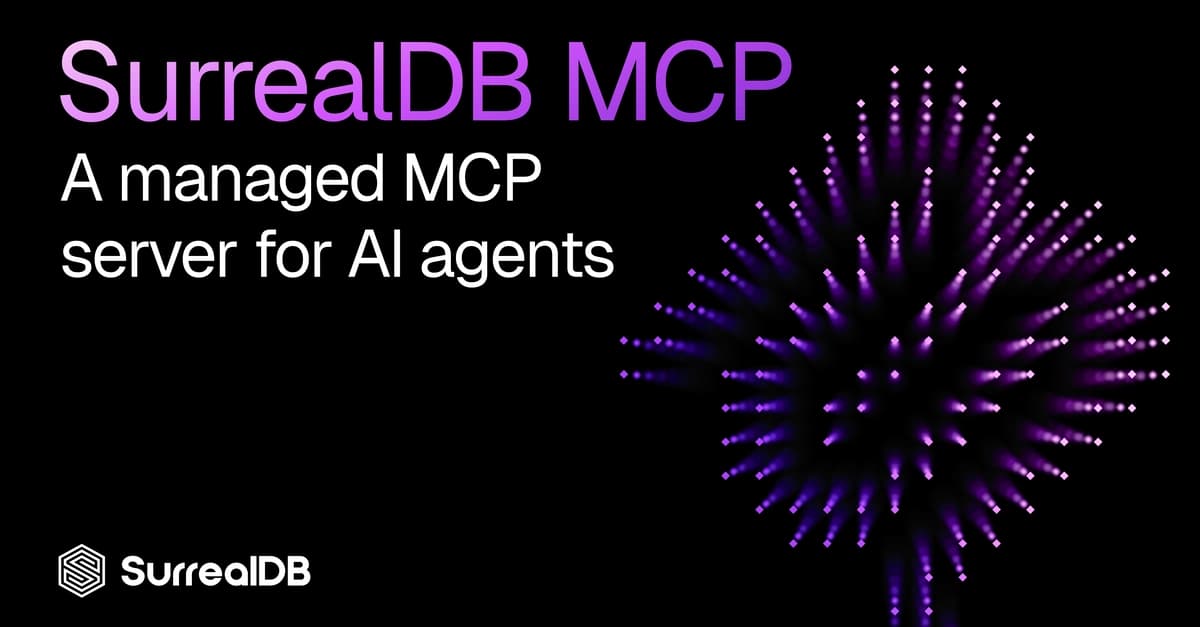
Cover image for Empower your agents with the new SurrealDB MCP


Source: dev.to

Source: gentic.news · · author= · citation.json

AI-assisted reporting. Generated by gentic.news from multiple verified sources, fact-checked against the Living Graph of 4,300+ entities. Edited by Ala SMITH.

Following this story?

Get a weekly digest with AI predictions, trends, and analysis — free.

AI Analysis

**What to do differently now:** 1. **Ditch local MCP configs.** If you were running SurrealMCP locally, replace it with the hosted URL. This removes maintenance overhead and gives you access to provisioning tools you didn't have before. 2. **Stop pasting schemas.** For any SurrealDB-related task in Claude Code, just ask directly. The MCP server introspects schema and writes queries for you. This saves time and reduces errors from manual schema copying. 3. **Leverage Spectron for project memory.** Use the MCP server to save decisions, schema notes, or deployment details into Spectron. In future sessions, Claude Code can retrieve them—even across different machines or team members. This effectively gives you a shared, persistent context that CLAUDE.md can't match. 4. **Automate resource management.** Instead of clicking through the dashboard, you can now have Claude Code deploy instances, check spend, or invite users. Combine this with Claude Code's automation features to script your infrastructure tasks. **Caveats:** - Ensure your SurrealDB instances are on 3.2.3+ for querying. - Use personal access tokens for fine-grained control, especially if you're sharing Claude Code sessions. - For non-SurrealDB users, this is a reason to evaluate SurrealDB, but it's not a general-purpose tool.
Compare side-by-side
Claude Code vs SurrealDB Hosted MCP Server
Enjoyed this article?
Share:

AI Toolslive

Five one-click lenses on this article. Cached for 24h.

Pick a tool above to generate an instant lens on this article.

Related Articles

From the lab

The framework underneath this story

Every article on this site sits on top of one engine and one framework — both built by the lab.

More in Open Source

View all