What Changed — API Dash MCP Server with Embedded SPAs
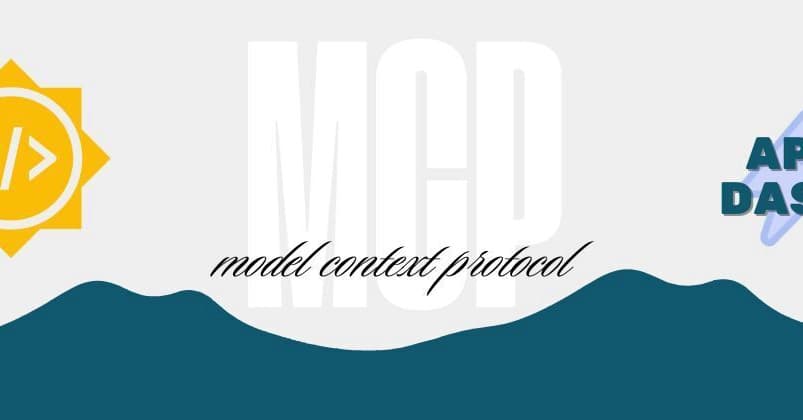
API Dash, the open-source API client, now has an MCP server that lets Claude Code drive HTTP testing natively. The latest milestone: it serves interactive Single Page Applications (SPAs) directly inside your chat window using the emerging text/html;profile=mcp-app standard. This means Claude Code doesn't just return raw JSON—it embeds a mini API client UI you can tweak, inspect, and replay.
Built during Google Summer of Code, the server bridges your AI assistant to API Dash's Dart engine, exposing tools like apidash_execute_request, apidash_get_results, and apidash_launch_workbench. The result: you can test endpoints, review history, and manage environment variables without ever leaving your terminal.
What It Means For You — No More Context-Switching
The old workflow was painful: Claude Code suggests an API call, you copy the URL, open Postman, paste headers, click Send, read the error, and explain it back to Claude. That's five steps of context-switching per test.
With the API Dash MCP server, you stay in Claude Code. Just prompt:
- "Execute a GET request to https://api.github.com/users/foss42"
- "Show my request history"
- "Open the environment variables manager"
Claude Code routes those to the right tools, fires the request via the API Dash engine, and returns an interactive workbench—not just text. You can tweak headers, edit URL params, and inspect timings right in the chat pane.
Try It Now — Setup and Usage
1. Configure the MCP server

Add the NPM bridge to your Claude Code MCP config (typically ~/.claude.json or project .mcp.json):
{
  "mcpServers": {
    "apidash": {
      "command": "npx",
      "args": ["-y", "apidash-mcp@latest"]
    }
  }
}
2. Restart Claude Code and verify
After restart, Claude Code auto-registers the API Dash tools. You can check with /mcp to confirm the server is connected.
3. Test an endpoint
Ask Claude Code: "Test the user login API and tell me if it works." Claude will use apidash_execute_request to fire the request, then render the response in an interactive UI. You can modify headers or body and resend without leaving the chat.
4. Leverage history and variables
- "Show my past history requests in apidash" — pulls from the local Hive database.
- "Open the environment variables manager" — launches a UI to edit global/local variables.
Why This Matters for Claude Code Users
This is a prime example of MCP's power: turning a visual tool into an AI-driven engine. The embedded SPA workbench means you get the best of both worlds—Claude's reasoning and a hands-on UI for fine-tuning requests. It's especially useful for debugging OAuth flows, testing edge cases, or iterating on API contracts without breaking flow.
Caveats and Considerations
- Requires API Dash installed locally — the NPM wrapper spawns the local binary, so you need API Dash on your machine.
- Emerging standard —
text/html;profile=mcp-appis new; ensure your Claude Code version supports MCP app rendering. - Not a full Postman replacement — it's best for quick tests and debugging, not comprehensive API collections (yet).

The Takeaway
If you're tired of switching between Claude Code and Postman, give the API Dash MCP server a shot. It's a practical, open-source way to make Claude Code your API testing co-pilot—right in the terminal.
Source: dev.to