The Problem: MCP Flexibility is a Security Risk
Connecting Claude Code to GitLab via MCP is a massive productivity boost. Your assistant can read code, create branches, and prepare commits. But the moment your LLM can act on a source-control platform, the threat model changes. The question isn't just "Can the model write good code?" but "What happens if the model makes a mistake, follows a malicious instruction in a repo, or exfiltrates proprietary code?"
A general-purpose MCP server with broad read/write tools is perfect for a solo developer. For a team working on business-critical software, that same flexibility becomes a liability. The solution isn't just configuration; it's a fundamentally more restrictive architecture.
The Core Principle: Treat the LLM as an Untrusted Client
The most important design decision in the enterprise variant of GitLab MCP Symfony is simple: the MCP server must remain safe even if the LLM behaves incorrectly.
Don't rely on the model to "behave safely." Instead, put a security policy between the LLM and GitLab that can allow, deny, rate-limit, and audit every action. The AI can still make a bad decision, but the infrastructure prevents that decision from becoming a high-impact action.
Risk 1: Excessive Repository Access (Data Exfiltration)
Reading five files for a task is normal. Reading thousands to reconstruct a repo is a confidentiality breach. Simply removing a download_repository.zip tool isn't enough—a client can reconstruct a repo file-by-file.

The Fix: Implement rolling limits per user and project for:
- Number of files read
- Number of bytes read
- Repository tree enumeration
- Unusually large traversal patterns
Disable recursive repository enumeration by default and never expose archive/export functionality. The goal is to allow understanding the code needed for the task, but deny traversing the whole repo.
Risk 2: Secrets Leaking Through the MCP Path
Organizations commit credentials—API keys, .env files, private keys—all the time. If your MCP server can read a file containing a secret, that secret can leave your GitLab trust boundary before anyone notices.
The Fix: Integrate Gitleaks directly into the MCP path with fail-closed behavior:
GitLab file -> sensitive-path policy -> Gitleaks -> secret detected? -> DENY -> LLM
This applies in both directions: before content is returned to the AI, and before an AI-generated commit plan is accepted. If the scanner fails, deny access. Scanner failure should never silently become permission.
Risk 3: Sensitive Files Should Never Reach the Model
Secret detection isn't perfect. A stronger control is to prevent certain file classes from being read at all.
The Fix: Block configured sensitive paths like .env, *.pem, *.key, *.p12, *.pfx, Terraform state, and keystores. This is defense in depth—a private key shouldn't need to be detected before the MCP decides not to send it.
Risk 4: Broad Write Capabilities
General-purpose GitLab automation tools (project creation, deletion, archiving) are dangerous in an enterprise AI context. Ask: does the LLM actually need this capability to help write software? In most cases, no.
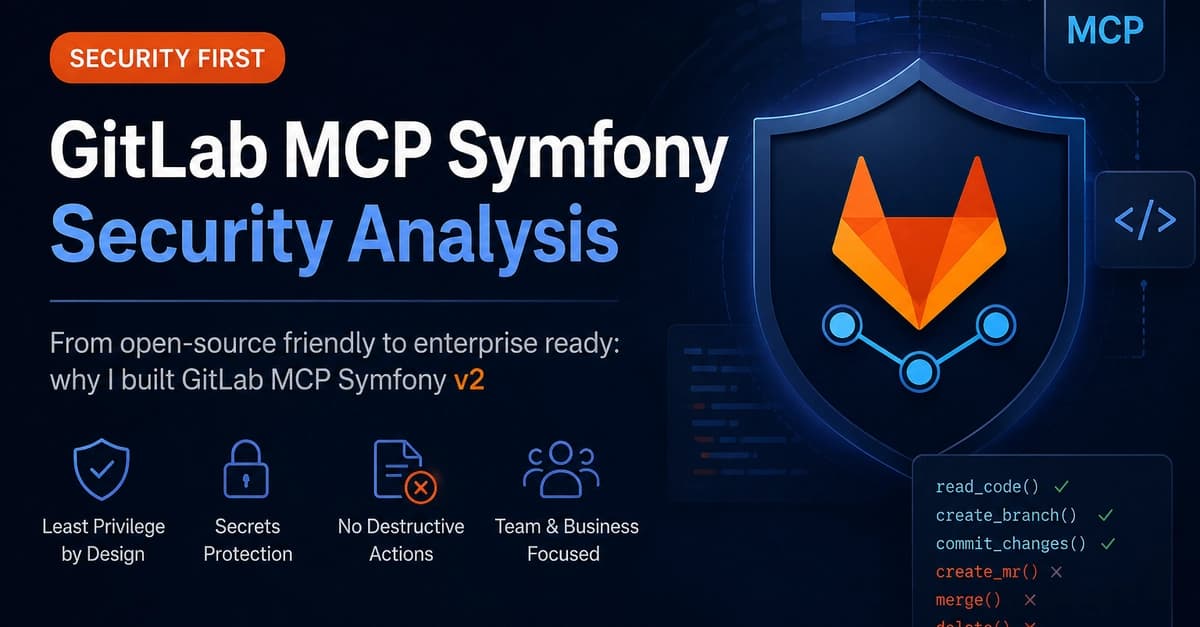
The Fix: Don't just disable tools via runtime options—remove them from the exposed MCP tool surface entirely. The secure V2 exposes only eight operations:
gitlab_list_projects
gitlab_get_project
gitlab_list_repository_tree
gitlab_read_repository_file
gitlab_list_branches
gitlab_create_branch
gitlab_prepare_commit
gitlab_create_commit
No tools for merge requests, merges, tags, project creation, deletion, force push, or CI/CD variable access. This reduced convenience is intentional.
Try It Now: Apply This to Your Claude Code Setup
Even if you're not using GitLab MCP Symfony, apply these principles to your own MCP servers:
- Audit your tool surface. List every tool your MCP server exposes. Delete any that aren't strictly necessary for coding tasks.
- Add fail-closed secret scanning. Use Gitleaks as a middleware layer before any file content reaches the LLM.
- Implement read limits. Track files and bytes read per project to detect large-scale exfiltration attempts.
- Block sensitive paths. Create an allowlist of readable file extensions and paths.
The Takeaway
Securing MCP for enterprise use isn't about making the LLM safer—it's about making the infrastructure resilient to a misbehaving LLM. Treat the model as untrusted, put security controls in the path, and reduce the tool surface to the bare minimum.
Source: dev.to