What Changed — Skills and Subagents for Data Science
Data scientists using Claude Code have long faced a pain point: every new analysis requires re-prompting the model with the same instructions for data cleaning, exploratory analysis, model selection, and deployment. The result is endless prompt tweaking that wastes hours.
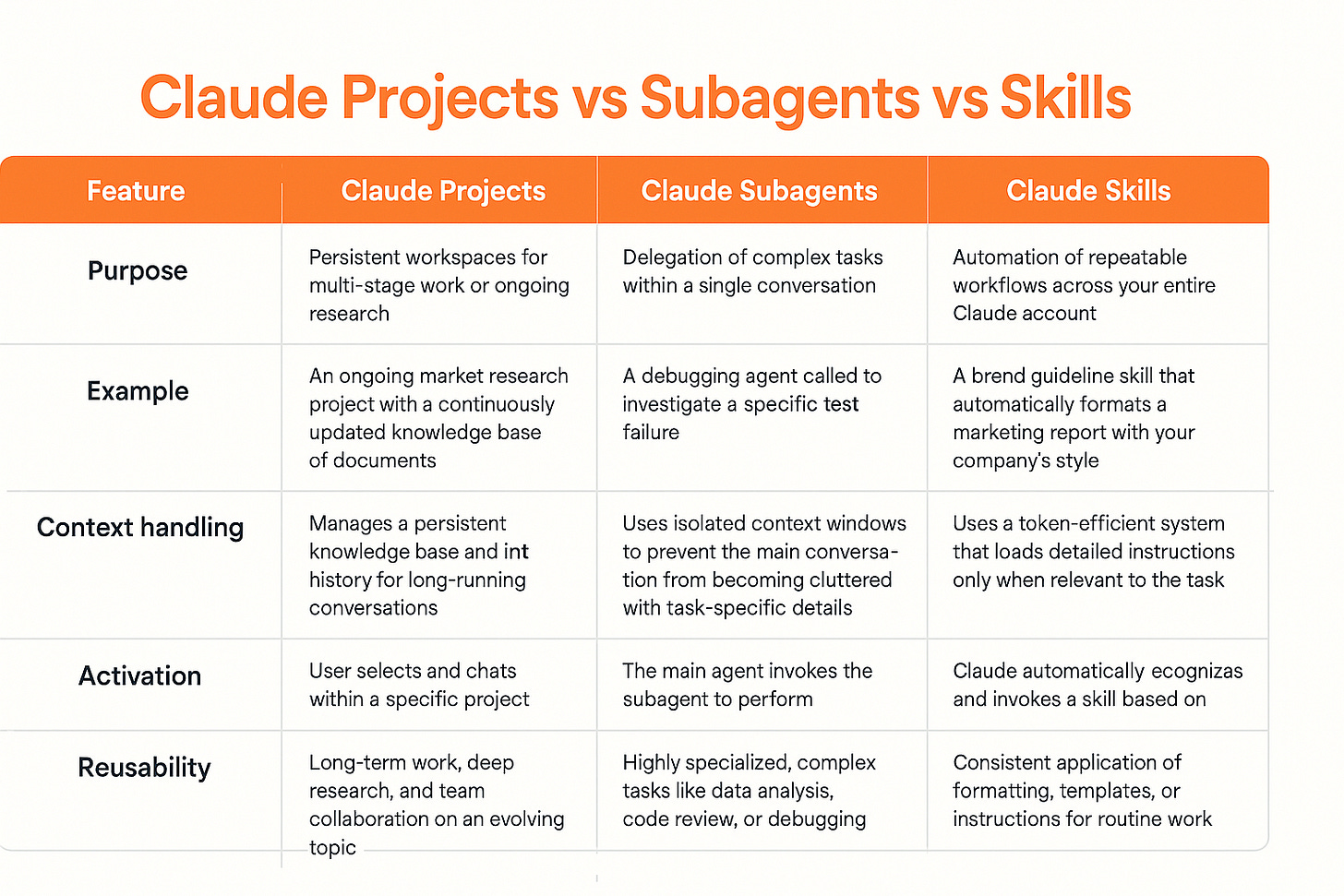
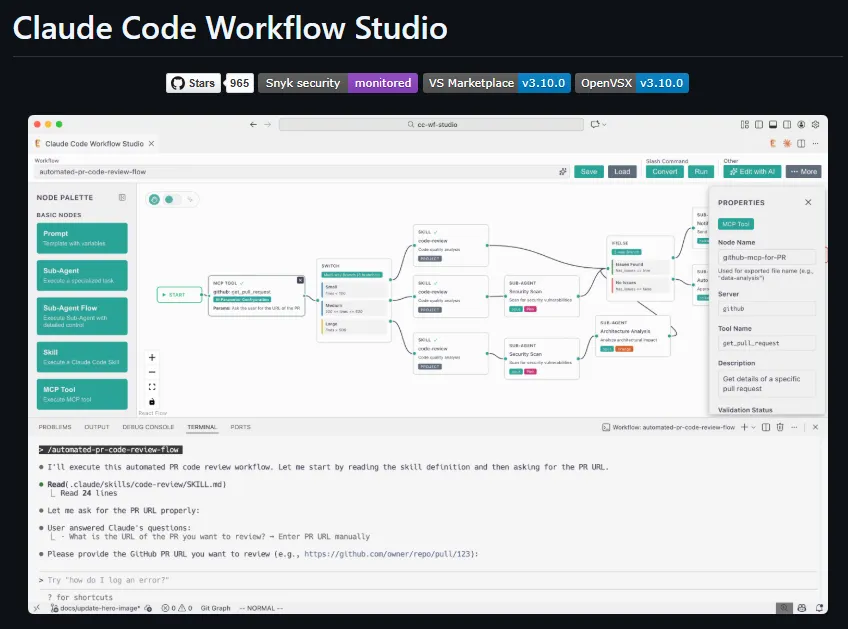
Claude Skills and Subagents address this directly. Skills are reusable modules that encapsulate a specific task or workflow — think of them as packaged prompts with standardized inputs and outputs. Subagents are autonomous instances of Claude that can invoke these Skills to execute multi-step workflows without manual intervention.
Together, they create a framework where a data scientist can define a Skill for "perform EDA on a CSV" once, then have a Subagent chain that Skill with a "build a regression model" Skill and a "deploy to AWS" Skill — all without writing a single new prompt.
What It Means For You — Concrete Impact on Daily Claude Code Usage
For Claude Code users, this is a fundamental shift in how you approach data science tasks. Instead of treating each analysis as a one-off conversation with Claude, you now build a library of Skills that represent your team's best practices.
Key benefits:
- Consistency: Every EDA follows the same steps, ensuring reproducible results.
- Speed: A Subagent can run a full data science pipeline in minutes, not hours.
- Collaboration: Share Skills across your team via your project's CLAUDE.md or a shared directory.
- Reduced token waste: Skills are optimized prompts — no more re-explaining context.
This is especially powerful for teams that frequently repeat similar analyses (e.g., weekly sales forecasting, customer churn modeling).
Try It Now — Build Your First Skill and Subagent
Step 1: Define a Skill in CLAUDE.md
Add this to your project's CLAUDE.md:
## Skills

### Skill: eda-baseline
- **Input**: CSV file path, target column name
- **Output**: Summary statistics, missing value report, correlation matrix, distribution plots
- **Prompt template**: "Perform exploratory data analysis on `{csv_path}`. Target column: `{target}`. Output summary stats, missing value percentages, a correlation heatmap, and distribution plots for numeric features. Save all outputs to `outputs/eda/`."

### Skill: train-classifier
- **Input**: Cleaned CSV path, target column, model type (random_forest, xgboost, logistic)
- **Output**: Trained model file, performance metrics (accuracy, precision, recall, F1)
- **Prompt template**: "Train a `{model_type}` classifier on `{csv_path}` with target `{target}`. Perform train/test split at 80/20. Output metrics to `outputs/models/metrics.json` and save model to `outputs/models/model.pkl`."

### Skill: deploy-to-sagemaker
- **Input**: Model file path, model name, instance type
- **Output**: SageMaker endpoint ARN
- **Prompt template**: "Deploy the model at `{model_path}` to AWS SageMaker with name `{model_name}` on instance `{instance_type}`. Return the endpoint ARN."
Step 2: Invoke a Subagent to chain Skills
From your terminal:
claude code --agent --skill eda-baseline --input "csv_path=data/raw.csv,target=price"
Or chain multiple Skills:
claude code --agent --pipeline "eda-baseline -> train-classifier -> deploy-to-sagemaker" \
  --input "csv_path=data/raw.csv,target=price,model_type=xgboost,instance_type=ml.m5.large"
Step 3: Automate with a Subagent script
Create a .claude-agent.yml file:
name: daily-forecast-pipeline
schedule: "0 6 * * 1"  # Every Monday at 6 AM
skills:
  - eda-baseline
  - train-classifier
  - deploy-to-sagemaker
inputs:
  csv_path: data/latest_sales.csv
  target: revenue
  model_type: xgboost
  instance_type: ml.m5.large
Then run:
claude code --agent --config .claude-agent.yml
gentic.news Analysis
This development aligns with Anthropic's broader push toward agentic workflows, following the release of Claude Agent in April 2026. The concept of Skills mirrors what we saw in the "Agent Harnessing" article (April 25), where infrastructure for AI agents becomes the key differentiator.
Notably, this approach competes directly with Cursor's reusable prompt templates and Copilot's custom instructions — but by packaging them as Skills that Subagents can chain autonomously, Claude Code offers a more powerful abstraction. The trend is clear: the future of AI-assisted data science isn't better prompts — it's composable, reusable workflows.
For teams already using Claude Code, this is the single biggest productivity multiplier since the introduction of MCP servers. If you haven't yet explored Skills and Subagents, start with one Skill for your most repetitive task. You'll never manually prompt for it again.