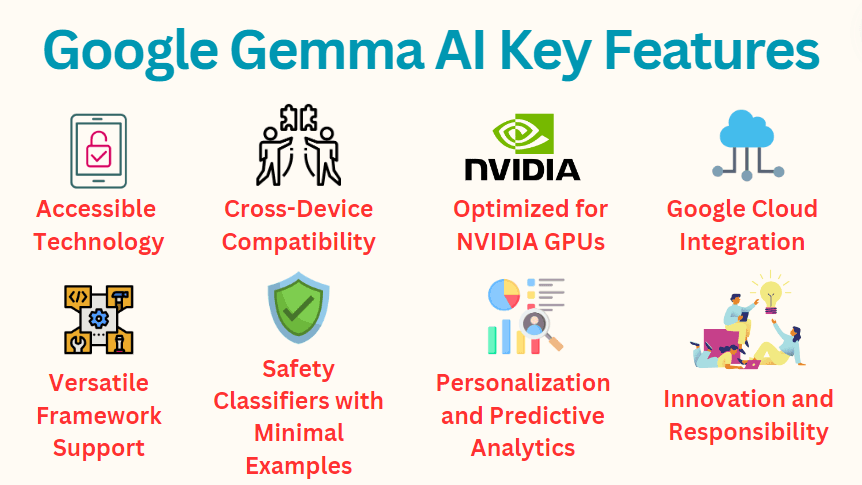
Google has integrated its latest Gemma 4 language model directly into Android Studio, making AI-powered coding assistance available within the official IDE for Android development. The integration appears through Android Studio's "Agent mode," allowing developers to access Gemma 4's capabilities for tasks like feature development, code generation, and refactoring without leaving their development environment.
What Happened
According to a social media post from Google's open-source advocate, Gemma 4 is now available in Android Studio. The integration enables developers to use the model through the IDE's Agent mode, which provides AI assistance for various development tasks. While specific features weren't detailed in the brief announcement, the mention of "develop features, vibe code Android apps, refa..." suggests capabilities around feature implementation, code generation ("vibe code"), and refactoring assistance.
Context
This integration represents Google's continued push to embed its AI models directly into developer tools. Android Studio is the primary integrated development environment for Android app development, used by millions of developers worldwide. The move follows industry trends of integrating large language models into IDEs, similar to GitHub Copilot in Visual Studio Code or Amazon CodeWhisperer across multiple editors.
Gemma 4 is Google's latest iteration of its open-weight language model family, positioned as a more capable alternative to earlier Gemma versions. By embedding it directly into Android Studio, Google creates a seamless experience for Android developers who want AI assistance without switching between tools or managing separate AI coding assistants.
Technical Implications
The integration likely works through Android Studio's existing Agent framework, which provides a plugin architecture for adding intelligent features to the IDE. Developers would access Gemma 4's capabilities through natural language prompts within the development environment, receiving code suggestions, refactoring recommendations, or feature implementations directly in their projects.
This approach offers several advantages:
- Context awareness: The model can access project-specific context from within the IDE
- Reduced friction: No need to copy-paste code between tools
- Native integration: Works with Android Studio's existing features and workflows
- Google ecosystem synergy: Tight integration with other Google services and Android SDKs
What This Means for Android Developers
For Android developers, this integration means AI assistance becomes a first-class citizen within their primary development tool. Rather than relying on third-party plugins or external services, they can access Google's latest language model directly within Android Studio. This could streamline workflows for tasks like:
- Generating boilerplate code for common Android patterns
- Refactoring existing code to follow best practices
- Implementing features based on natural language descriptions
- Debugging assistance with Android-specific context
The integration also suggests Google is prioritizing developer experience within its ecosystem, potentially offering more seamless AI features than what's available through generic coding assistants.
gentic.news Analysis
This move represents a strategic play by Google to lock developers into its ecosystem by offering superior, native AI tooling. While GitHub Copilot has dominated the AI coding assistant market since its 2021 launch, Google is leveraging its control over the Android development stack to create a more integrated alternative. The timing is notable—coming just months after Google's broader rollout of Gemini-powered features across its developer tools.
Historically, Google has struggled to gain traction with standalone developer tools against established competitors like GitHub (owned by Microsoft). By embedding AI directly into Android Studio—a tool already used by the vast majority of Android developers—Google bypasses the adoption challenge and creates immediate value for its existing user base. This follows Google's pattern of using Android as a wedge to enter adjacent markets, similar to how Chrome OS gained traction through integration with Google Workspace.
From a technical perspective, the choice of Gemma 4 rather than the larger Gemini models is interesting. It suggests Google is prioritizing latency and cost efficiency for IDE integration, where quick, context-aware suggestions matter more than broad reasoning capabilities. This aligns with our previous coverage of Google's edge AI strategy, where smaller, specialized models are deployed for specific use cases while larger models handle more complex tasks.
Looking forward, this integration could pressure Microsoft to deepen GitHub Copilot's integration with Visual Studio (its counterpart to Android Studio) and might accelerate similar moves from Amazon with CodeWhisperer in AWS tooling. For developers, the competition should lead to better AI coding features across all platforms, though it also risks fragmenting the AI assistant market along ecosystem lines.
Frequently Asked Questions
What is Gemma 4?
Gemma 4 is Google's latest open-weight language model, designed to be smaller and more efficient than the flagship Gemini models while maintaining strong performance on coding and reasoning tasks. It's part of Google's family of models that developers can run locally or through cloud APIs.
How do I access Gemma 4 in Android Studio?
Based on the announcement, developers can access Gemma 4 through Android Studio's "Agent mode." This likely involves enabling the feature in settings or through a dedicated panel within the IDE. Specific activation steps haven't been detailed yet but should appear in Android Studio's documentation or update notes.
Is this feature free to use?
Google hasn't announced pricing details for Gemma 4 integration in Android Studio. Some AI features in Google's developer tools are free (like earlier Gemini integrations in Firebase), while others require payment. Given the computational costs of running language models, some form of usage limits or paid tiers are likely, especially for commercial use.
How does this compare to GitHub Copilot?
GitHub Copilot is a general-purpose AI coding assistant that works across multiple IDEs, while Gemma 4 in Android Studio is specifically optimized for Android development within Google's ecosystem. The Google integration may offer better Android-specific context and tighter workflow integration but could be limited to Android Studio rather than available across editors.


