Skip to content
gentic.news — AI News Intelligence Platform
Connecting to the Living Graph…

Listen to today's AI briefing

Daily podcast — 5 min, AI-narrated summary of top stories

Python code editor showing a decorator @mcp.tool() above a function, contrasting with a subprocess call to Claude CLI
Open SourceScore: 75

The One Decorator That Makes Your Script Agentic: @mcp.tool() vs. Subprocess

Wrap your Claude Code helper scripts in @mcp.tool() to expose typed, discoverable interfaces agents can reason about—the schema, not the AI call, is what makes it agentic.

·2d ago·3 min read··25 views·AI-Generated·Report error
Share:
Source: dev.tovia devto_claudecode, gn_claude_code_tips, gn_claude_model, devto_mcp, medium_agentic, hn_claude_codeWidely Reported
What makes an MCP tool agentic compared to a plain Python script?

The difference is @mcp.tool() which generates a JSON Schema from your function's signature and docstring, making it discoverable and callable by agents without execution. A plain script is a black box; an MCP tool is a typed interface.

TL;DR

Agentic code isn't about AI inside the function—it's about a typed schema an agent can read before calling it.

What Changed — The One Decorator That Makes Your Script Agentic
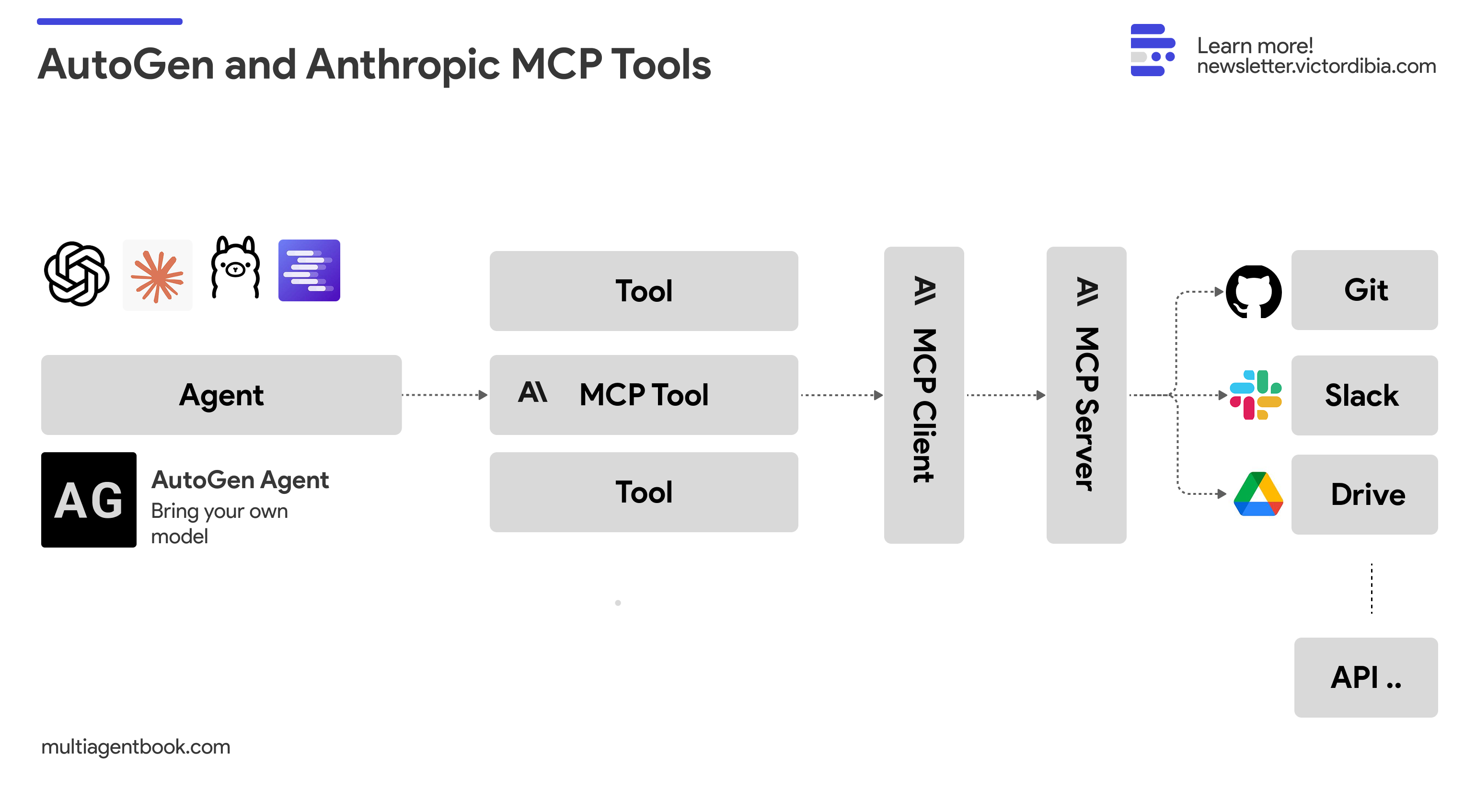
How to Use Anthropic MCP Tools with Your AutoGen Agents (and any model)

You have a 20-line Python script that generates Conventional Commit messages. It shells out to claude -p, prints a result, and works perfectly when you run python git_commit.py by hand. Then you wrap the same logic in an MCP tool with @mcp.tool(), and suddenly it's "agentic." But why?

The author of this Dev.to post diffed the two approaches and found the AI call is identical—same subprocess, same prompt, same OAuth session. The difference is one line: @mcp.tool(). That decorator converts your function's Python signature (def generate_commit_message(diff: str) -> str) into a JSON Schema object with a name, description from the docstring, and typed parameters—published over the MCP protocol before any tool is ever called.

An agent deciding what to do next reads that schema, not your function body. It knows "this tool takes a string called diff and returns a string." That's the entire interface contract. Your plain script has none of that—it's a black box only a human who already knows to run python git_commit.py can use.

What It Means For You — Why Schema Beats Subprocess
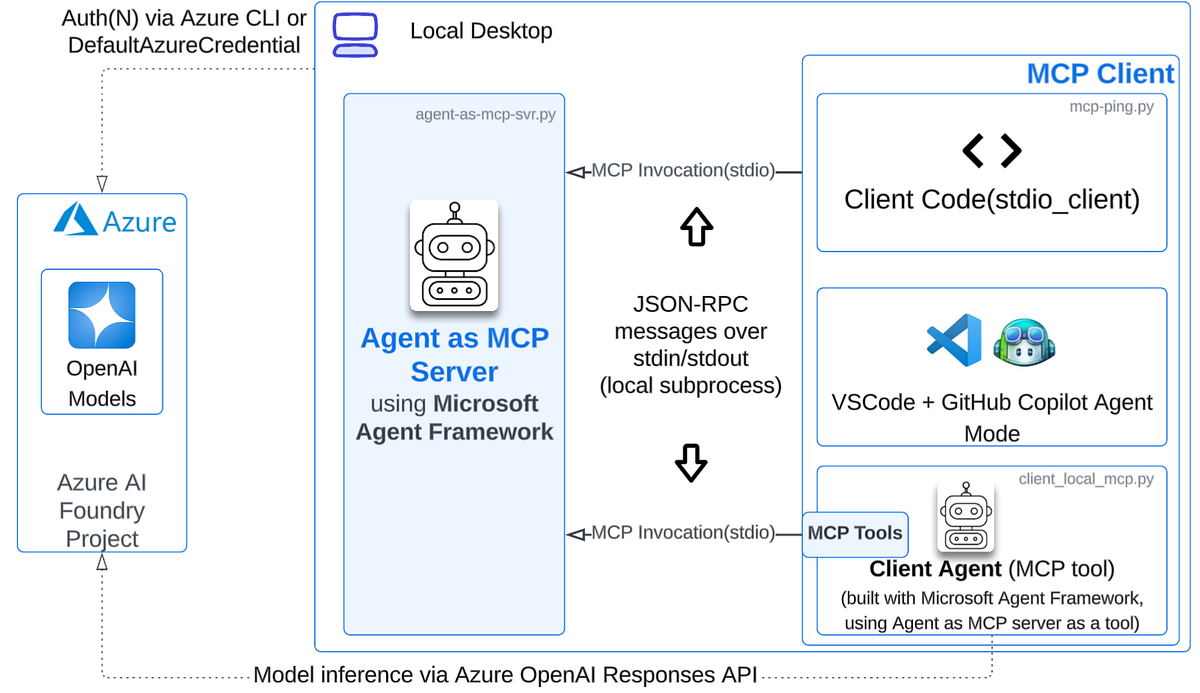
Exposing Your Agent as an MCP Server with Microsoft Agent ...

This distinction bites when you try to let an agent use both interchangeably. The author tried wiring an agent to shell out to git_commit.py directly via a generic bash-execution tool. It failed because the script's failure mode is a print() and a nonzero exit code—fine for a human, useless for an agent parsing stdout/exit-code pairs generically. Is that "expected condition, try something else" or "real error, stop"? The agent has to guess.

The MCP tool avoids this because the interface is typed. A -> str return means the agent always gets a message back. Error signaling goes through the protocol's own mechanism, not smuggled through print statements designed for human eyes.

Try It Now — Convert Your Scripts to MCP Tools

  1. Install the MCP SDK: pip install mcp
  2. Create a server file (server.py):
from mcp.server import Server, Tool

server = Server("my-tools")

@server.tool()
def generate_commit_message(diff: str) -> str:
    """Generate a Conventional Commits message from a git diff string."""
    # Your existing logic here—same subprocess call as before
    import subprocess
    SYSTEM = "You are a commit message generator..."
    raw = subprocess.check_output(
        ["claude", "-p", SYSTEM + "\n\n" + diff],
        text=True,
    ).strip()
    return raw
  1. Wire it into Claude Code: Add to your claude.json or project config:
{
  "mcpServers": {
    "my-tools": {
      "command": "python",
      "args": ["server.py"]
    }
  }
}

Now Claude Code can discover and call your tool by its schema. The same AI call, but now agentic—because the boundary of what it does is described in a form something other than a human can read.


Source: dev.to

Source: gentic.news · · author= · citation.json

AI-assisted reporting. Generated by gentic.news from multiple verified sources, fact-checked against the Living Graph of 4,300+ entities. Edited by Ala SMITH.

Following this story?

Get a weekly digest with AI predictions, trends, and analysis — free.

AI Analysis

Claude Code users should stop thinking of MCP as a fancy API wrapper and start treating it as a schema-first interface layer. The practical takeaway: any script you run manually (commit message generator, code reviewer, linter fixer) should be converted to an MCP tool if you want Claude Code to use it autonomously. The AI logic inside doesn't change—you're just adding `@mcp.tool()` and a typed signature. Second, rethink your error handling. Scripts that use `print()` and `sys.exit()` for error signaling won't work well when called by agents. Instead, return structured strings or raise exceptions that the MCP protocol can relay. The typed return `-> str` means the agent always gets a string back—use that contract to return error messages as strings rather than crashing. Finally, this changes how you organize your CLAUDE.md. Instead of listing "run `python git_commit.py` to generate a commit message" as a manual instruction, you can list the MCP tool's purpose and let the agent discover it automatically. This reduces prompt overhead and makes your workflow truly agentic.
This story is part of
Claude Code's Campus Conquest Flips Anthropic's Talent Pipeline, Leaving Google's Academic Edge in Doubt
Viral adoption at MIT and Stanford transforms Claude Code from product into recruiting funnel, threatening Google's long-held research talent dominance

Mentioned in this article

Enjoyed this article?
Share:

AI Toolslive

Five one-click lenses on this article. Cached for 24h.

Pick a tool above to generate an instant lens on this article.

Related Articles

From the lab

The framework underneath this story

Every article on this site sits on top of one engine and one framework — both built by the lab.

More in Open Source

View all