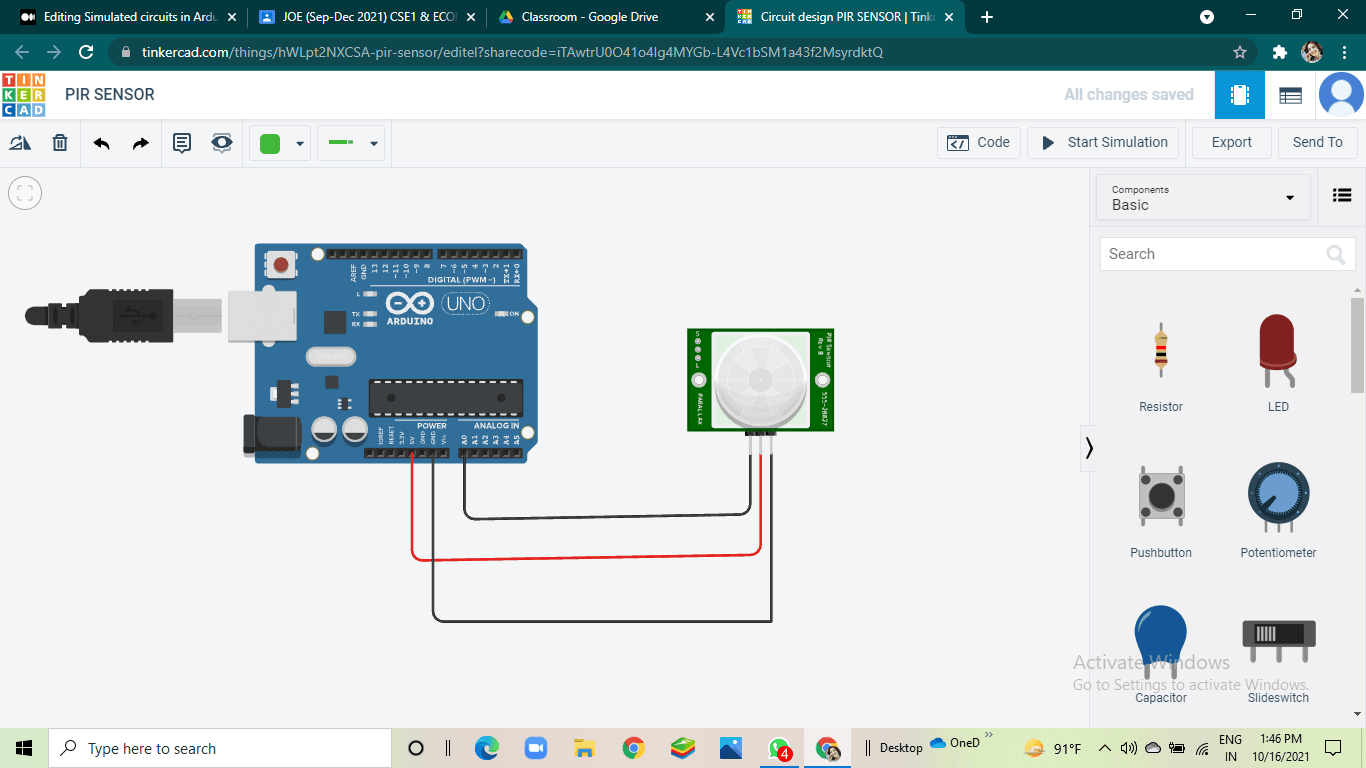
Autodesk's Tinkercad platform is positioning itself as a comprehensive, zero-setup solution for hardware prototyping by integrating circuit design, Arduino code simulation, and 3D modeling into a single browser-based environment. The platform eliminates the need for physical labs, specialized software installations, or initial hardware investment, targeting both beginners and professionals for rapid prototyping.
Key Takeaways
- Autodesk's Tinkercad platform allows users to design circuits, simulate Arduino code, and create 3D models entirely within a web browser, requiring no local installation.
- This lowers the barrier to entry for hardware prototyping and embedded systems development.
What Tinkercad Provides

Tinkercad Circuits, a component of the larger Tinkercad suite, functions as a virtual electronics lab. Users can drag and drop components (resistors, LEDs, microcontrollers, sensors) onto a virtual breadboard, wire them together, and write code for simulated microcontrollers—primarily Arduino boards. The platform then runs a simulation, allowing users to see how their circuit and code would behave in real time, such as watching an LED blink according to their programmed logic.
This is coupled with Tinkercad's core 3D modeling capabilities, enabling users to design enclosures or mechanical parts for their electronic projects within the same ecosystem. All work is saved to the cloud, accessible from any standard web browser.
Technical Details & Workflow
The platform's simulation engine interprets written code (using a blocks-based visual programming interface or standard Arduino C/C++) and models the electrical behavior of the connected virtual components. This allows for debugging logic and circuit design flaws before any physical components are sourced or soldered.
For education and onboarding, Tinkercad offers interactive tutorials and starter projects. For advanced users, it supports importing custom 3D models (STL files) and provides features for designing Printed Circuit Board (PCB) layouts, though its primary strength remains in schematic and functional simulation.
Target Audience & Practical Use Cases
Tinkercad's primary audience is multifaceted:
- Educators and Students: Provides a safe, cost-effective way to teach electronics and embedded programming without a lab full of physical components.
- Hobbyists & Makers: Lowers the financial and spatial barrier to entry for experimenting with hardware ideas.
- Professional Prototypers: Allows for rapid validation of circuit concepts and code logic during the early ideation phase of product development.
The platform is particularly useful for verifying the interaction between software and hardware in embedded systems projects involving sensors, actuators, and displays, all before committing to a physical prototype.
Limitations & Considerations

While powerful for simulation, Tinkercad has boundaries. The simulation cannot perfectly replicate all real-world electronic phenomena, such as advanced signal noise, precise power characteristics, or the full behavior of extremely complex components. It is a tool for functional validation, not a substitute for rigorous testing on physical hardware, especially for mission-critical or production-bound designs. The component library, while extensive, is not exhaustive.
gentic.news Analysis
Tinkercad's evolution from a simple 3D modeling tool for beginners to a unified hardware prototyping suite reflects a broader industry trend: the democratization and virtualization of development environments. This mirrors the trajectory seen in software development, where cloud-based IDEs (like GitHub Codespaces) and simulated testing environments have become standard. For hardware, this reduces the massive upfront cost and logistical friction that has traditionally kept embedded systems development more niche than software.
This development is strategically significant for Autodesk, which holds a dominant position in professional CAD (Computer-Aided Design) and EDA (Electronic Design Automation) with tools like Fusion 360 and Eagle. Tinkercad acts as a funnel, introducing users to Autodesk's ecosystem at the beginner level with a free, accessible tool. Users who outgrow Tinkercad's capabilities are natural candidates to transition to Autodesk's more powerful (and costly) professional suites. This creates a seamless pipeline from student to professional within a single vendor's ecosystem, a powerful long-term user acquisition strategy.
Furthermore, the rise of browser-based, collaborative design tools aligns with the remote and distributed work trends accelerated in recent years. The ability for a team to collaboratively iterate on a circuit design in real-time, without being in the same physical space or having identical local software setups, is a non-trivial productivity boost.
Frequently Asked Questions
Is Tinkercad Circuits really free?
Yes, the core Tinkercad platform, including Tinkercad Circuits, is free to use with an Autodesk account. It is supported by Autodesk's broader business model, which aims to onboard users into their ecosystem.
Can I simulate any microcontroller, or just Arduino?
Tinkercad Circuits is heavily optimized for the Arduino ecosystem, simulating boards like the Uno, Mega, and Leonardo. While it offers some other basic components, its depth and tutorial support are strongest for Arduino-based projects.
Can I export my designs from Tinkercad to manufacture a real PCB?
Tinkercad has basic PCB design features, allowing you to create a layout from your circuit. You can export standard file formats (like Gerber files) that can be sent to PCB manufacturing services. However, for complex, multi-layer, or high-frequency designs, dedicated EDA software like KiCad or Autodesk's own Eagle/Fusion 360 Electronics would be more appropriate.
How does Tinkercad compare to other circuit simulators?
Tinkercad's major differentiator is its integration (3D modeling + circuits) and its zero-install, beginner-friendly browser interface. It is less powerful for advanced analog or mixed-signal simulation than desktop tools like LTspice or professional EDA suites. Its value is in accessibility, speed for conceptual prototyping, and educational use, not in high-fidelity, production-grade simulation.