A new web platform called Velxio is removing a primary barrier to entry for embedded systems and IoT development: the need for physical hardware. The service provides a fully functional, browser-based emulator that allows developers and learners to write, test, and run code for popular microcontroller platforms without owning a single device.
What Velxio Offers
Velxio positions itself as a comprehensive, zero-friction development environment for embedded programming. Its core value proposition is direct emulation of several key hardware architectures within a standard web browser.
Supported Platforms:
- Arduino: The ubiquitous open-source electronics platform based on easy-to-use hardware and software.
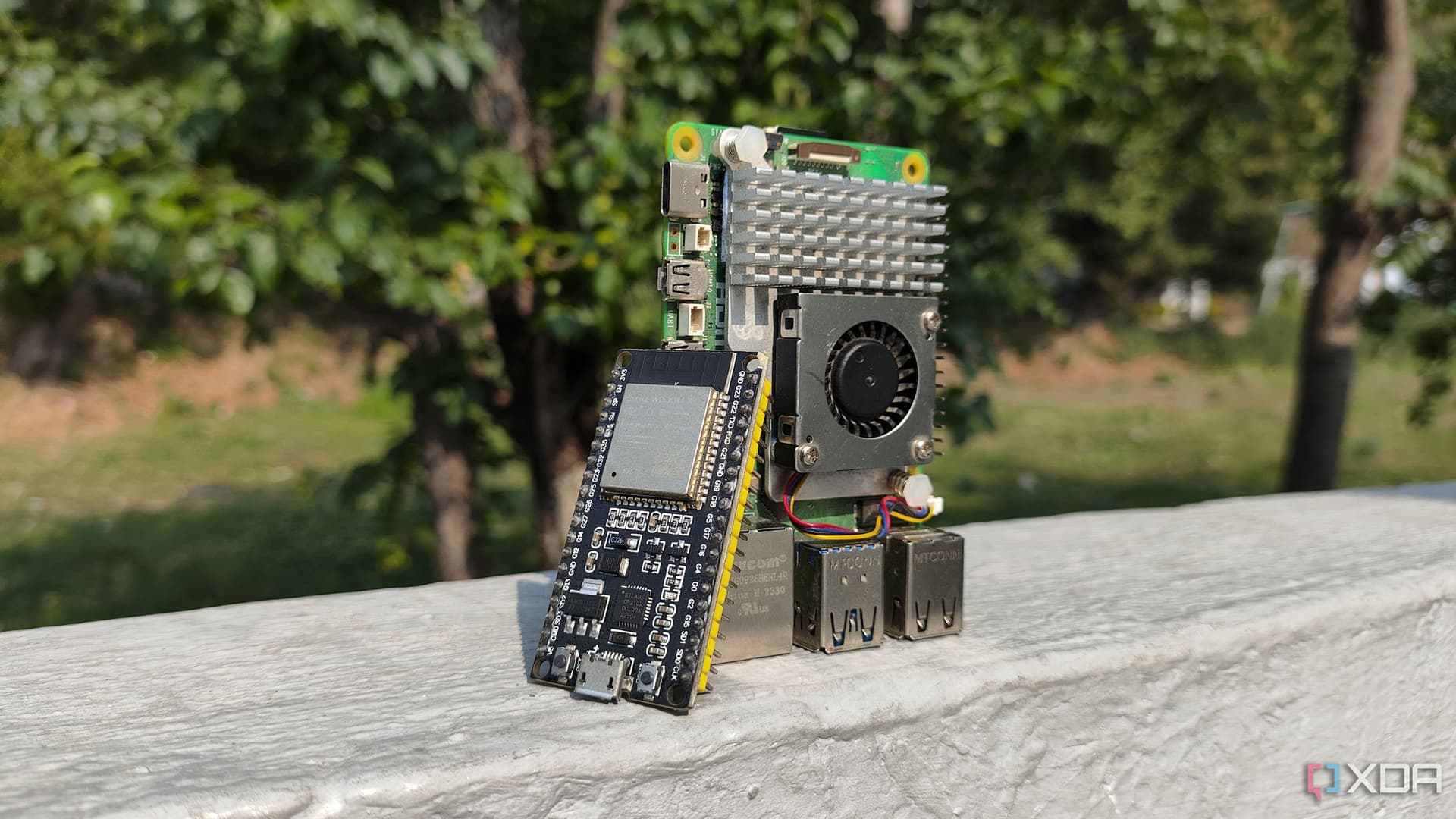
- ESP32: A series of low-cost, low-power system-on-a-chip microcontrollers with integrated Wi-Fi and dual-mode Bluetooth, widely used in IoT projects.
- Raspberry Pi: The popular series of small single-board computers.
- RISC-V: The open-standard instruction set architecture (ISA).
Key Features & Claims:
- Real Emulation: The platform claims to run "real emulation," suggesting it simulates the hardware behavior at a level deeper than simple code execution, potentially mimicking GPIO pins, peripherals, and timing.
- Component Library: It includes emulation for "48+ components," which likely refers to sensors, displays, motors, and other common peripherals that can be virtually connected to the emulated boards.
- Zero-Barrier Access: The service requires no software installation, no user account creation, and is completely free. Development can begin instantly by visiting the website.
Technical Details and Practical Use
While the source announcement is brief, the implications are significant for education and rapid prototyping. For learners, the immediate access to a simulated Arduino environment removes cost and logistical hurdles. For professional developers, it offers a quick way to validate logic or test libraries before deploying to physical hardware.
A visit to the linked website (https://velxio.com) confirms the offering. The interface presents a code editor alongside a visual representation of the selected board (e.g., an Arduino Uno) and a palette of simulated components like LEDs, buttons, and sensors that can be dragged and dropped to create virtual circuits. Code compiled in the browser appears to execute within the emulated environment, with visual feedback on component states.
How It Compares
Browser-based Arduino simulators are not entirely new. Platforms like Tinkercad Circuits (from Autodesk) and Wokwi have offered similar functionality, often integrated into educational workflows. However, Velxio's explicit support for ESP32, Raspberry Pi, and RISC-V alongside Arduino in a single, free, no-login platform appears to be a differentiating combination.
Arduino Emulation Yes Yes Yes ESP32 Emulation Yes Limited/No Yes Raspberry Pi Emulation Claimed No No (Focus on MCUs) RISC-V Emulation Claimed No No Component Library 48+ Extensive Extensive Account Required No Yes (Autodesk) Yes for saving Cost Free Free FreemiumVelxio's "no account" policy is a notable contrast, prioritizing absolute ease of initial access.
What to Watch
The success of Velxio will hinge on the depth and accuracy of its emulation. The term "real emulation" sets a high bar. Developers will test whether timing-critical code, interrupt service routines, and communication protocols (I2C, SPI) behave as they would on real silicon. The long-term sustainability of a free, no-login model is also a key question. Potential paths could include offering premium features, paid team workspaces, or integration with hardware marketplaces.
For now, the platform delivers on its primary promise: eliminating the "hardware excuse" for anyone curious about embedded programming. It provides an immediate sandbox for experimentation and learning.
gentic.news Analysis
Velxio's launch is a direct response to a persistent friction point in hardware-adjacent software development: the procurement and setup loop. This trend of democratizing access through high-fidelity simulation is accelerating. It aligns with the broader movement of cloud-based development environments (like GitHub Codespaces, Replit) that remove local machine dependencies. For the embedded world, this is a logical next step.
This development intersects meaningfully with the AI and ML engineering community we serve. ESP32s and Raspberry Pis are fundamental deployment targets for TinyML models. Engineers training models for edge inference often face a iterative cycle of software simulation and physical hardware testing. A robust, browser-based emulator for these targets could potentially streamline the early validation phase of TinyML pipelines, allowing for faster iteration on code before burning it to a device. While Velxio's current focus isn't on ML workloads, its existence creates a more accessible on-ramp for practitioners looking to move models to the edge.
The "completely free" and "no account" stance is a bold user acquisition strategy. It suggests Velxio may be prioritizing rapid adoption and network effects over immediate monetization, a common playbook in developer tools. The challenge will be maintaining performance and expanding the component library without a clear revenue stream. If the emulation is robust, Velxio could become a standard tool in introductory engineering courses and a go-to for quick IoT proof-of-concepts, putting pressure on existing freemium simulators to simplify their own access models.
Frequently Asked Questions
Is Velxio really free with no hidden costs?
Based on the official announcement and the live website, Velxio is currently completely free to use. It does not require an account or subscription. There is no mention of tiered plans or premium features at launch. The long-term business model remains to be seen, but for now, it operates as a free service.
How accurate is the Velxio emulation compared to real hardware?
The source claims "real emulation," which suggests it aims to simulate hardware behavior closely. For basic GPIO toggling, sensor reading, and LED blinking common in beginner projects, it is likely very accurate. For advanced, timing-critical applications involving specific interrupts or low-level peripheral communication, some divergence from physical hardware behavior is possible, as is the case with most emulators. It is best for learning, prototyping, and logic validation, with final testing recommended on actual hardware.
Can I use Velxio to learn Arduino programming as a complete beginner?
Absolutely. This is one of Velxio's primary use cases. By removing the need to purchase an Arduino board, components, and cables, it allows anyone with an internet connection to immediately start writing and testing code. You can experiment with the 48+ virtual components to build circuits and see the results of your code in real-time, making it an ideal, risk-free learning environment.
What platforms and browsers does Velxio support?
As a web-based application, Velxio should run on any modern browser (Chrome, Firefox, Safari, Edge) on desktop operating systems (Windows, macOS, Linux). Performance may vary depending on the complexity of the emulation and your computer's resources. Mobile browser support is not mentioned, but the interactive nature of dragging components and coding likely makes a desktop or laptop experience preferable.