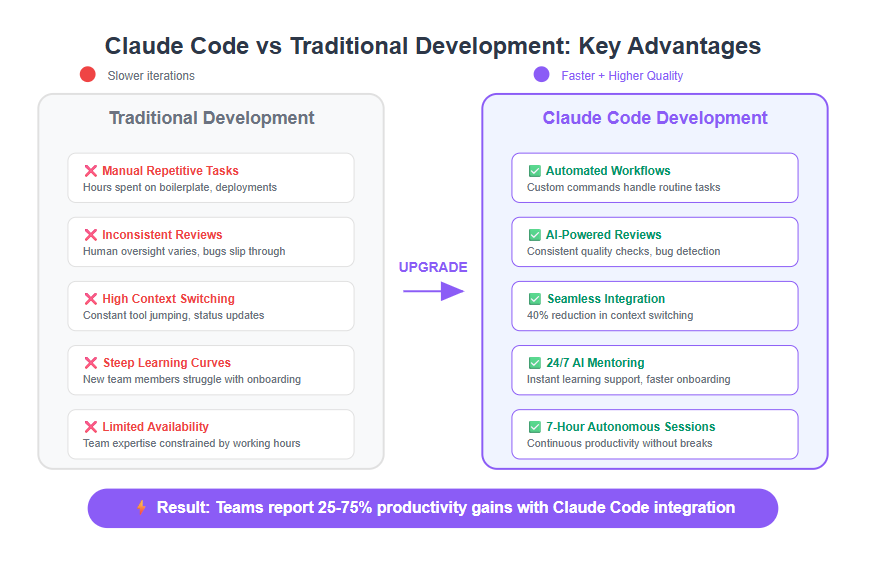
You've seen them everywhere: "300 Powerful Claude Prompts That Replace Hours of Manual Work." These generic prompt lists promise magic solutions but deliver frustration when you try them in Claude Code. Here's why they don't work—and what actually does.
The Claude Code Difference: Context Is Everything
Claude Code isn't just Claude in a terminal. It's an agentic tool with access to your entire codebase, MCP servers, and persistent memory. When you run claude code "refactor this function", Claude has immediate context:
- Your project structure via
treecommands - File contents it can read and edit
- Git history and current branch status
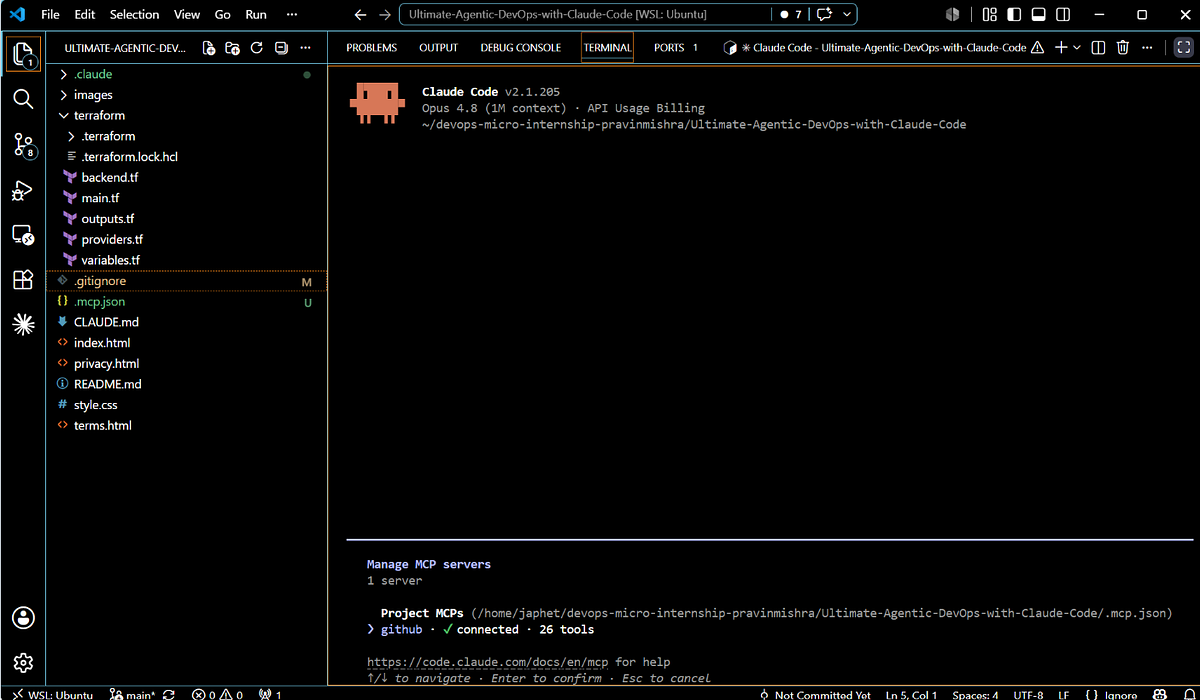
- Any MCP servers you've configured (databases, APIs, documentation)
Generic prompts like "Write me a React component" ignore this context. They assume you're starting from scratch in a chat interface, not working within an existing codebase with specific patterns and dependencies.
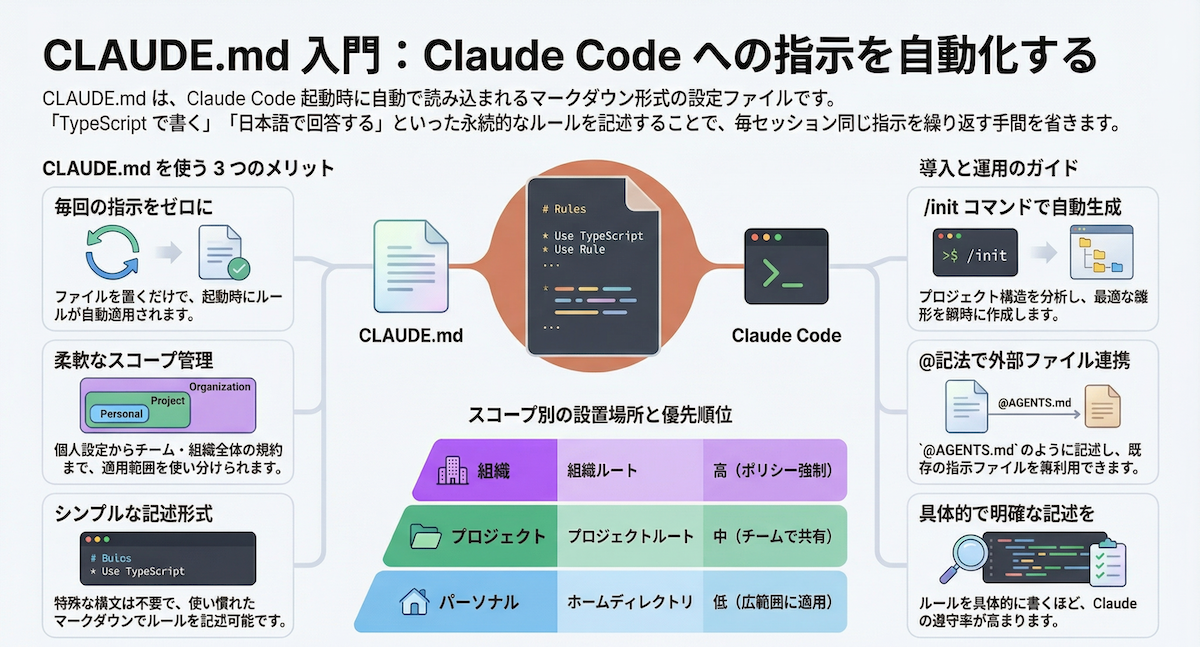
What Actually Works: CLAUDE.md Files
Instead of copying prompts, create a CLAUDE.md file in your project root. This file tells Claude Code how to work with your specific codebase:
# Project Guidelines

## Architecture
- Use TypeScript with strict mode
- Follow React hooks pattern
- API calls go through `/src/lib/api.ts`

## Code Style
- 2-space indentation
- PascalCase for components
- camelCase for functions
- Use async/await, not .then()

## Testing
- Write Jest tests for new features
- Mock API calls with MSW
- Test files live next to source files
When you run claude code "add user profile page", Claude reads CLAUDE.md first and follows your conventions. This is 10x more effective than any generic prompt.
MCP Servers: Your Real "Prompt Library"
Model Context Protocol servers give Claude Code capabilities no prompt can provide:
# Install documentation servers
claude code mcp install gitmcp
claude code mcp install microsoft-learn

# Install database tools
claude code mcp install postgres-mcp

# Install web search (free via DuckDuckGo)
claude code mcp install duckduckgo-search
With these installed, you can say:
claude code "Check the PostgreSQL docs for JSONB indexing best practices"
claude code "Search for recent Next.js 15 migration guides"
claude code "Query our production database schema for user table columns"
These aren't prompts—they're capabilities. The MCP server handles the heavy lifting, not your carefully crafted prompt.
The /dream Command: Automatic Skill Building
Claude Code's /dream command (released March 2024) automatically consolidates what Claude learns about your workflow into persistent memory. Instead of writing prompts, let Claude build its own understanding:
# After a coding session, consolidate learnings
claude code /dream

# This creates memory of:
# - Your common refactoring patterns
# - Testing preferences
# - Error handling approaches
# - Deployment workflows
Next time you work on a similar task, Claude remembers. No prompt needed.
Specific > Generic: Real Examples That Work
Instead of "Write documentation," use:
claude code "Generate JSDoc comments for all exported functions in src/utils/"
Instead of "Debug my code," use:
claude code "Run the test suite and show me which tests fail with stack traces"
Instead of "Optimize performance," use:
claude code "Profile the dashboard load with Chrome DevTools protocol and suggest optimizations"
These work because they leverage Claude Code's specific capabilities: file access, command execution, and MCP integrations.
Your Action Plan
- Delete your prompt lists - They're taking up mental space without providing value
- Create a
CLAUDE.mdfile in every project - This is your real "prompt" - Install 3 MCP servers this week - Start with GitMCP, your database, and DuckDuckGo Search
- Use
/dreamweekly - Let Claude build its own understanding of your workflow - Be specific in commands - Reference actual files, functions, and tools
Claude Code succeeds when you treat it as a team member with access to your tools, not as a magic box that responds to perfect incantations. The infrastructure is there—use it.