What Changed — The New /review Command
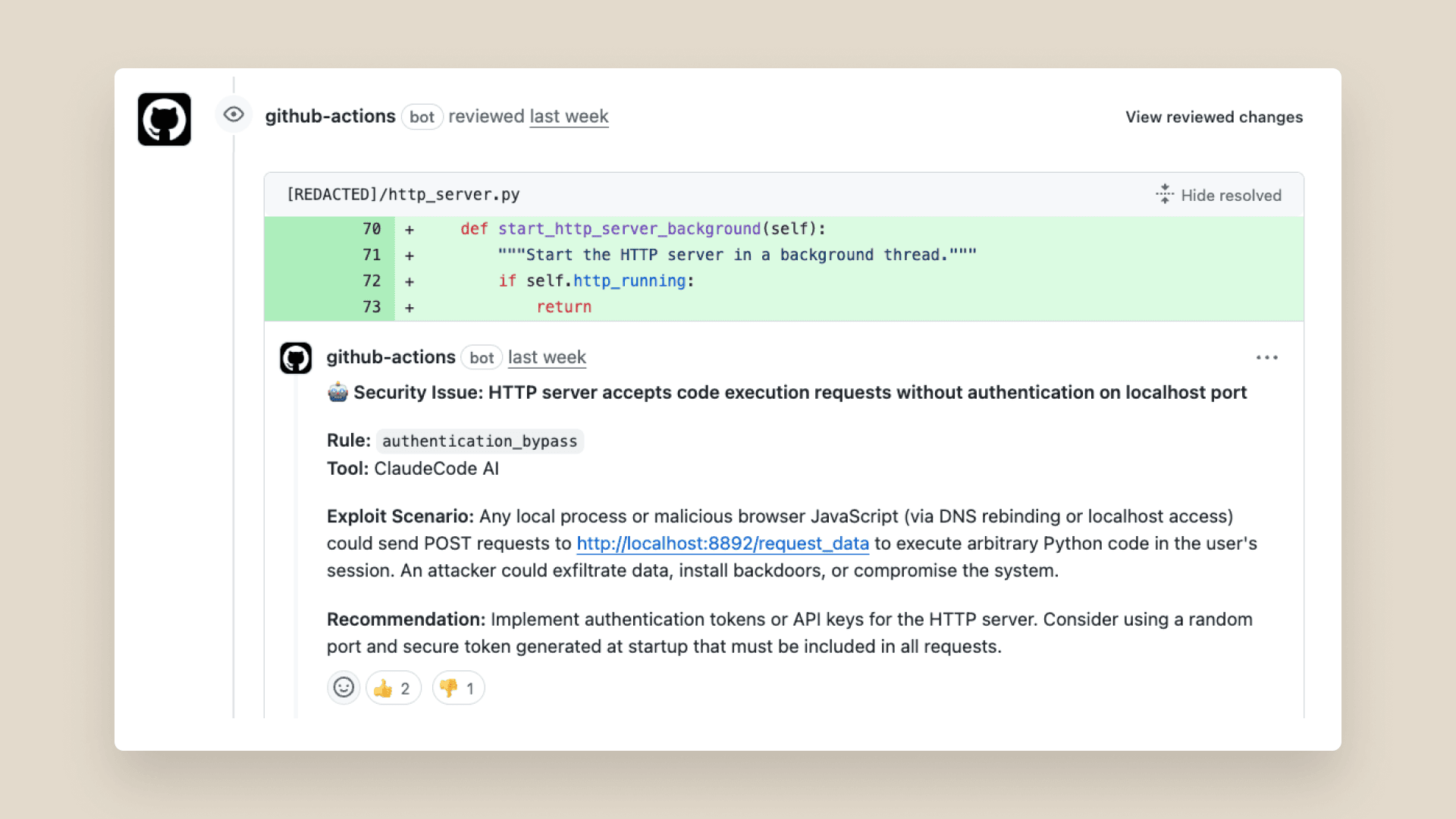
Anthropic has officially launched a native code review feature within Claude Code. This isn't a separate tool or API—it's integrated directly into the Claude Code workflow you already use. The feature is documented at code.claude.com/docs/en/code-review and has sparked immediate discussion about its cost and impact on engineering teams.
What It Means For You — A Scalable Second Pair of Eyes
For daily Claude Code users, this means you can now request structured code reviews without leaving your development environment. The key insight from early feedback is that this feature works best as a scalable second pair of eyes, not a replacement for senior engineering judgment.
Developers are reporting two main concerns: cost (running full reviews on large codebases) and the potential to undermine senior engineers who provide critical architectural guidance. The solution lies in how you use the tool.
How To Apply It — Smart, Targeted Review Workflows
1. Use the /review Command with Scope Flags
Don't run /review on your entire repository. Use the new scope flags to target specific changes:
# Review only staged changes (most cost-effective)
claude code /review --staged

# Review changes in a specific feature branch
claude code /review --branch feature/auth-overhaul

# Review a single file with context from related files
claude code /review src/components/LoginForm.tsx --context 3
The --context flag is crucial—it tells Claude to consider only the 3 most relevant files instead of analyzing your entire codebase, dramatically reducing token usage.
2. Configure Your CLAUDE.md for Review Focus
Add a [CodeReview] section to your CLAUDE.md file to guide the AI's review priorities:
[CodeReview]
Primary Focus:
- Security vulnerabilities (SQL injection, XSS, auth flaws)
- Performance anti-patterns (N+1 queries, large renders)
- API contract consistency
- Breaking changes to existing functionality

Secondary Focus:
- Code style violations
- Missing tests for critical paths
- Documentation gaps for public APIs

Ignore:
- Subjective style preferences already covered by linter
- Minor syntax variations
- Test coverage for trivial helper functions
This focuses the AI on high-value issues that senior engineers care about most, avoiding nitpicking that wastes tokens and developer time.
3. Chain Reviews with Human Workflows
The most effective pattern emerging is AI-first, human-final review chains:
# Step 1: AI catches obvious issues
claude code /review --staged --output review-summary.md

# Step 2: Senior engineer reviews AI summary + code
# (Saves them time on trivial issues)
Senior engineers report this workflow actually enhances their role—they spend less time on syntax issues and more time on architecture, mentoring, and complex logic problems.
4. Monitor Costs with the New /usage Flag
Claude Code now includes better cost tracking. Run this before and after reviews:
# Check current session usage
claude code /usage

# Run your targeted review
claude code /review --staged

# See the impact
claude code /usage --detail
Teams using this approach report reducing review-related token usage by 60-80% compared to naive whole-repo reviews.
When NOT to Use /review
- Large refactors: The AI lacks full architectural context
- Greenfield projects: Senior guidance is more valuable early on
- Security-critical code: Always require human security review
- Team consensus building: Use AI to check technical issues, not settle debates
The developers getting the most value from this feature treat it as an automated linter on steroids—catching real bugs and anti-patterns that slip through traditional CI, while leaving strategic decisions to humans.