What Happened
On April 8, 2026, Anthropic's status system automatically reported an "elevated rate of errors" for Claude Sonnet 4.6. This incident was posted to the ClaudeAI subreddit within 2 minutes of detection via an automated bot.
The official incident page is at status.claude.com/incidents/lhws0phdvzz3. This follows a pattern of increased Claude Code coverage in our reporting—the tool has appeared in 64 articles this week alone, reflecting its growing importance in developer workflows.
What This Means for Your Claude Code Workflow
When Sonnet 4.6 experiences issues, your Claude Code sessions may fail to start, produce incomplete responses, or return error messages. This is particularly disruptive because:
- Sonnet 4.6 is Claude Code's default model for many users due to its balance of capability and speed
- Multi-file editing sessions can be interrupted mid-task
- MCP server integrations that rely on Sonnet may fail
What to Do Right Now
1. Bookmark the Status Dashboard
Add status.claude.com to your bookmarks bar. This dashboard shows real-time status for all Claude services, including:
- Claude API
- Claude Web
- Claude Desktop
- Claude Code
During incidents, refresh this page instead of guessing what's wrong.
2. Check the Performance Megathread
The Reddit Performance Megathread (linked in the source) shows what other developers are experiencing. Search for "Claude Code" to see if your specific issue is widespread.
3. Switch Your Claude Code Model
If Sonnet 4.6 is having issues, switch to another model immediately:
# Check your current model
claude code config get model

# Switch to Claude 3.5 Haiku (faster, less capable)
claude code config set model=claude-3-5-haiku-20241022

# Or switch to Claude Opus 4.6 (more capable, slower)
claude code config set model=claude-4-opus-20260220
Pro tip: Create aliases for quick switching:
# Add to your .bashrc or .zshrc
alias claude-sonnet="claude code config set model=claude-4-sonnet-20260220"
alias claude-haiku="claude code config set model=claude-3-5-haiku-20241022"
alias claude-opus="claude code config set model=claude-4-opus-20260220"
4. Adjust Your Expectations
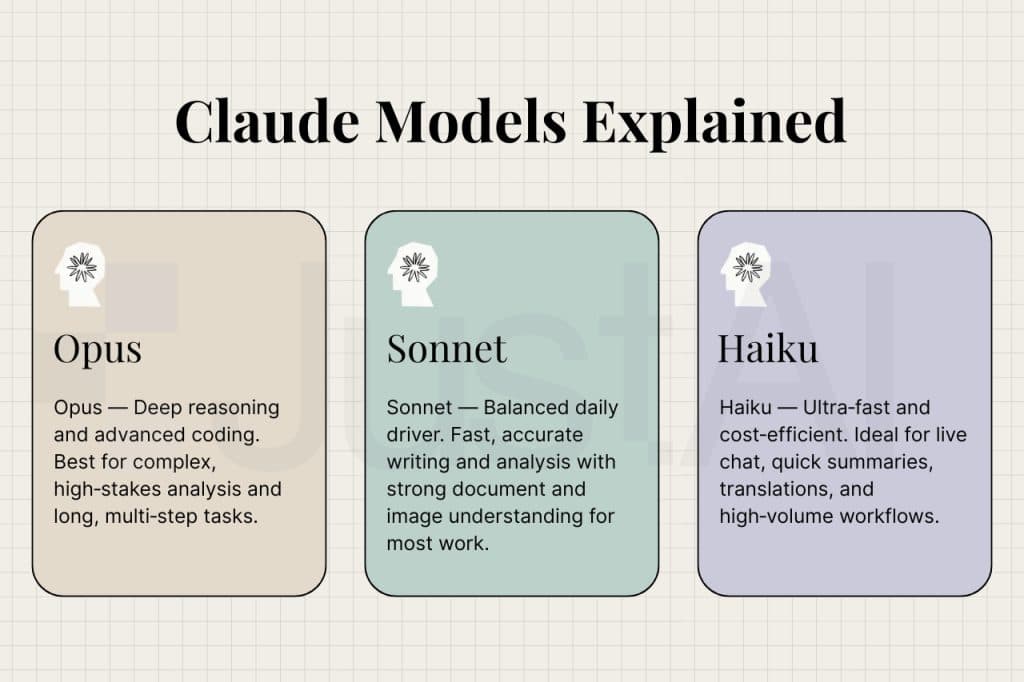
Different models have different strengths:
- Haiku: Best for simple edits, file navigation, and quick tasks
- Sonnet: Balanced for most coding work (when available)
- Opus: Use for complex refactoring, architecture decisions, and debugging tricky issues
If you're working on a complex task and Sonnet is down, switch to Opus and accept the slower response time.
Long-Term Preparedness
Create a CLAUDE.md Fallback Section
Add this to your project's CLAUDE.md:
## Model-Specific Instructions

### When Using Haiku (Sonnet 4.6 fallback):
- Break complex tasks into smaller steps
- I'll ask for clarification more often
- Focus on one file at a time

### When Using Opus (for complex work):
- You can handle multi-file refactors
- Explain your reasoning in detail
- Suggest architectural improvements
Monitor MCP Server Compatibility
Some MCP servers may be optimized for specific Claude models. If you experience issues with a server during a Sonnet outage:
- Check if the server has model-specific instructions
- Consider disabling non-essential servers until the incident resolves
- Report issues to the MCP server maintainer
The Bigger Picture
This incident highlights the importance of model diversity in your AI-assisted workflow. While Sonnet 4.6 has been Claude Code's workhorse model, having fallback options is essential for uninterrupted productivity.
Remember: Claude Code's architecture is built on the Model Context Protocol (MCP), which connects to various AI backends. This modular design means you're not locked into a single model when issues arise.
Action items for today:
- Bookmark status.claude.com
- Add model-switching aliases to your shell config
- Update your CLAUDE.md with model-specific guidance
- Test Haiku and Opus with your common workflows so you're ready when needed