Key Takeaways
- Claude Code needs explicit coordinate systems and 2D decomposition for 3D tasks.
- Use step-by-step validation and visual anchors to cut errors.
- Try these 5 prompt patterns now.
The Problem: Claude Code's 3D Blind Spot
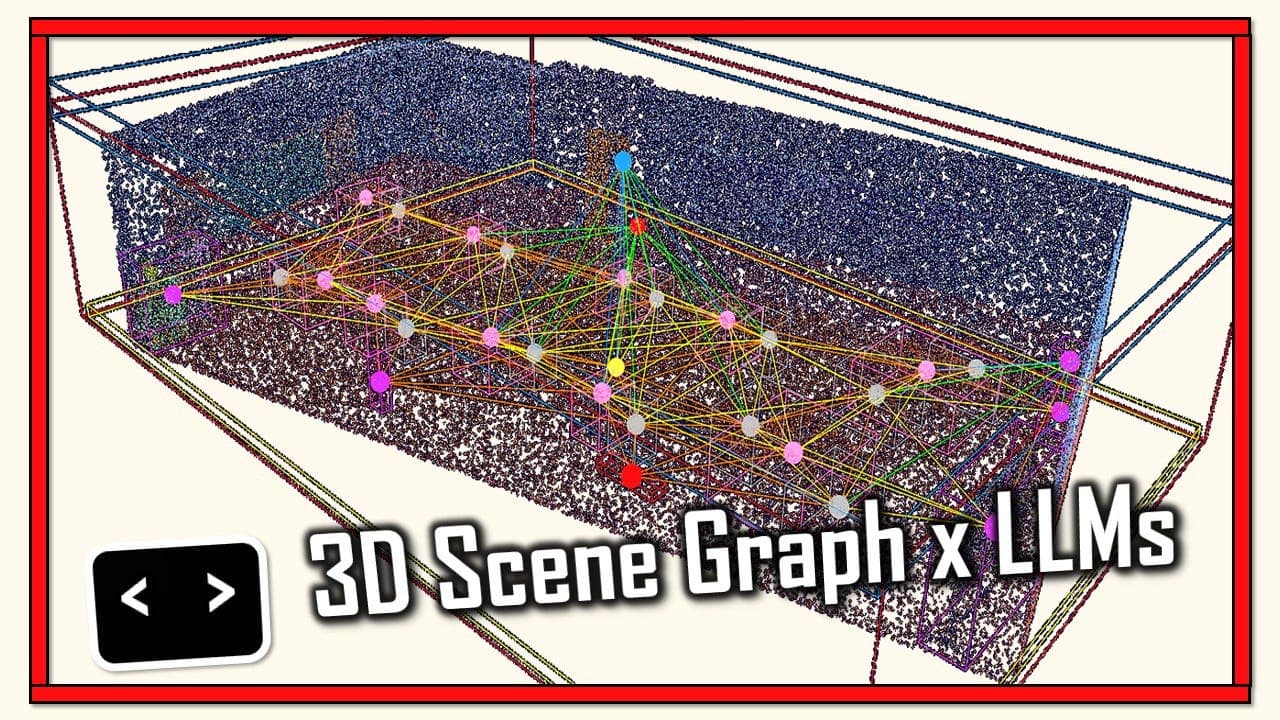
A developer on r/Anthropic asked: "Has anyone had any approaches that help to improve spatial reasoning in coding tasks, particularly in 3D space? Harnesses, loops, or anything else?" The silence in that thread speaks volumes. Claude Code, for all its power, struggles with 3D reasoning. It's not alone — LLMs are notoriously bad at spatial transformations, rotations, and coordinate math. But you can work around it.
Why Claude Code Fails at 3D
LLMs process text, not space. When you ask Claude Code to "rotate this object 90 degrees around the Y-axis," it has no internal 3D model. It's pattern-matching on text. The result? Inverted normals, wrong vertex orders, and collision detection that's off by half a unit.
The key insight: Claude Code needs you to externalize the spatial reasoning. Don't expect it to "see" the 3D space. Give it the math, the coordinates, and the steps.
5 Prompt Patterns That Actually Work
1. Explicit Coordinate Systems
Instead of: "Move the camera to the right of the object"
Try: "Move the camera from (0, 0, 5) to (3, 0, 5) in a right-handed coordinate system where +X is right, +Y is up, +Z is toward the viewer."
Why it works: You're removing ambiguity. Claude Code doesn't have to guess what "right" means relative to the object's orientation.
2. Decompose 3D into 2D Slices
Spatial reasoning is hard in 3D, but Claude Code handles 2D much better. Break the problem into slices.
Bad: "Check if these two 3D boxes overlap."
Good: "Check if boxes A and B overlap. First, project both onto the XY plane and check for 2D overlap. Then project onto the XZ plane. Then YZ. If all three overlap, they intersect."
This turns one hard 3D problem into three easy 2D problems. Claude Code can reason about each slice independently.
3. Step-by-Step Validation with Visual Anchors
Don't ask for the final answer in one shot. Have Claude Code generate intermediate results you can verify.
For example, when writing a function to rotate a mesh:
- First, have it output the rotation matrix.
- Then, apply it to a single known vertex and show the result.
- Then, verify the result against your expected value.
This is the "loop" the Reddit user mentioned. Claude Code can catch its own errors if you force it to check its work.
4. Reference Concrete Examples
LLMs are better at analogy than abstraction. Give Claude Code a concrete example of what you want.
"Here's a working function that rotates a 2D point around the origin. Write a similar function for 3D, using the same structure."
Claude Code can pattern-match on the structure, even if the math is different.
5. Use a Harness for Verification
Don't trust Claude Code's output blindly. Write a test harness that verifies spatial properties mathematically.
For example, after generating a rotation function, have Claude Code write a test that checks: "Does rotating a point by 90 degrees and then by -90 degrees return the original point?" This catches sign errors and axis confusion.
Putting It All Together: A Real Example
Let's say you need Claude Code to write a function that checks if a point is inside a 3D bounding box.
Weak prompt: "Write a function to check if a point is inside a 3D box."
Strong prompt: "Write a function is_point_in_box(point, box_min, box_max) that returns True if the point is inside the axis-aligned bounding box defined by box_min and box_max. Use a right-handed coordinate system. The function should check each axis independently: x >= box_min.x and x <= box_max.x, same for y and z. Then write a test that verifies the function with the point (1, 1, 1) and box from (0, 0, 0) to (2, 2, 2)."
Claude Code will nail this because you've removed all ambiguity.
What About "Harnesses and Loops"?
The Reddit user asked about harnesses and loops. Here's the practical answer:
- Harness: A test suite that validates spatial output. Run it after every Claude Code generation. This is your safety net.
- Loops: Have Claude Code iterate. Generate a solution, test it, feed the errors back, regenerate. This is Claude Code's own feedback loop, and it works surprisingly well for spatial tasks.
In practice, a loop like this works:
claude -p "Write a function to rotate a 3D point around the Y-axis. Then write a test that checks the rotation is correct for known angles. Run the test and fix any errors."
Claude Code will run the test, see the failure, and correct the math. It's not perfect, but it catches the most common errors.
The Bottom Line
Claude Code's spatial reasoning is weak, but you can compensate. Explicit coordinates, 2D decomposition, step-by-step validation, concrete examples, and verification harnesses turn a 3D task from a guessing game into a structured problem. Your prompts are the difference between garbage and working code.
Try these patterns on your next 3D task. The Reddit thread had no answers — now you have five.
Source: reddit.com