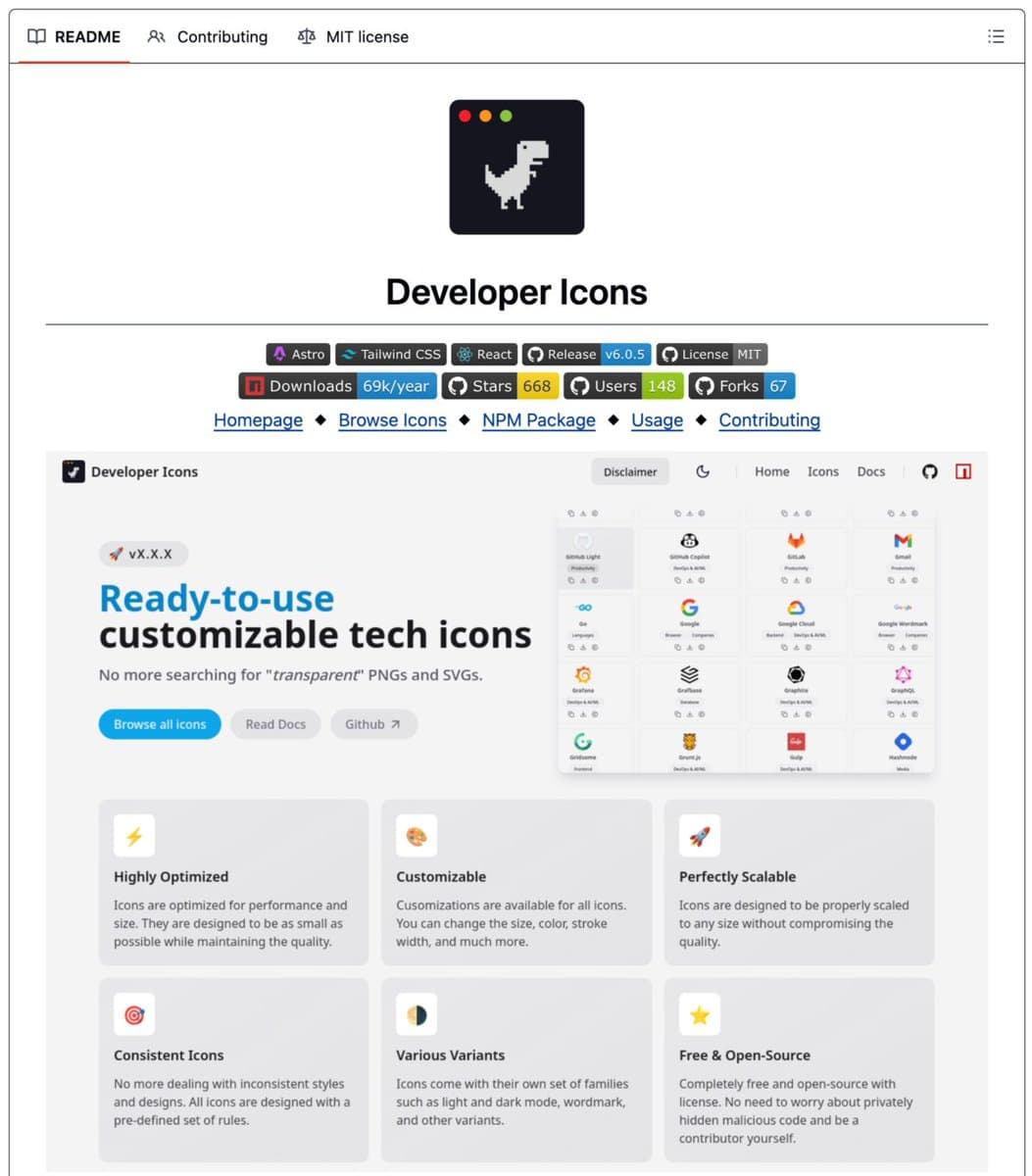
A new open-source library called Developer Icons aims to solve a persistent, low-grade annoyance for developers and designers: finding clean, consistent, and scalable SVG icons for the technologies they use. Announced via a social media post, the project is not just another collection of logo files. It is a fully-typed React component library that provides customizable, optimized SVG icons for every major framework, language, and tool.
The core promise is to eliminate the time developers typically waste hunting for a matching set of logos—like a clean Postgres icon that doesn't look blurry next to a Tailwind CSS logo—by enforcing a single design system and optimization pipeline across the entire set.
What's New
Developer Icons ships as an npm package (npm i developer-icons) and provides a collection of icons as named React components (e.g., HtmlIcon, JavascriptIcon, ReactIcon). The key differentiators from generic SVG packs are:
- Component-Based & Fully Typed: Icons are imported as typed React components, providing IntelliSense and type safety in TypeScript projects.
- Built-in Customization: Each component accepts standard SVG props for customizing
size,color,strokeWidth, and style. - Design Consistency: All icons follow consistent design rules, including stroke widths and scaling, so they visually belong together when used in groups.
- Optimized Assets: Icons are processed with SVGO (SVG Optimizer), keeping file sizes minimal without losing quality.
- Variants Included: The library includes light mode, dark mode, and wordmark variants for supported brands.
- Framework Agnostic: While built as React components, the raw SVGs are available for use in other frameworks like Next.js, Astro, or design tools like Figma.
The usage is designed to be zero-config:
import { JavascriptIcon, PostgresIcon } from "developer-icons";
// In your JSX
<JavascriptIcon size={52} />
<PostgresIcon color="#336791" />
Technical Details
The library is built with a modern web development stack: Astro, React, TypeScript, Tailwind CSS, and Vite. It is MIT licensed and, at the time of announcement, has been developed by 17 contributors with 40 releases shipped, indicating active maintenance.
The optimization via SVGO is a critical technical detail. SVGO is a Node.js-based tool for optimizing SVG vector graphics files by removing redundant data (like editor metadata, comments, hidden elements, and default or non-optimal values). This results in "microscopic" file sizes ideal for web performance.
How It Compares
The problem Developer Icons solves is fragmentation. Previously, developers might source icons from multiple places:
- Official Brand Assets: Often inconsistent in style (some are flat, some have gradients, different stroke weights).
- Community Packs (e.g., Devicon, Simple Icons): While comprehensive, they often require manual handling—downloading SVGs, potentially converting to components, and ensuring visual consistency.
- Design Tool Kits: Icons from Figma communities or similar platforms may not be optimized for code and lack a programmatic API.
Developer Icons consolidates this into a single, developer-experience-first package. Its direct competitor in spirit is React Icons, a popular library that bundles several icon sets (like Font Awesome, Feather Icons) into React components. However, React Icons is a general-purpose icon library, while Developer Icons is specifically curated for technology logos and brand assets with a enforced consistent design language.
Primary Focus Tech logos & frameworks Mixed / Tech logos General icons (includes tech) Delivery Typed React Components Raw SVG files React Components Design Consistency Enforced across set Inconsistent between sources Varies by source icon set Optimization Pre-optimized with SVGO Often unoptimized Bundled, but optimization varies Customization API Standard SVG props Manual SVG editing Component props Variants (Light/Dark) Built-in Rarely NoWhat to Watch
The success of such a library hinges on completeness and maintenance. The initial announcement does not list the total number of icons or supported technologies. The key questions for adoption will be:
- How quickly does the library add icons for emerging technologies?
- How are design updates to official brand logos handled?
- Can the consistent design system hold up across hundreds of disparate brand identities?
For developers, the value proposition is clear: it reduces friction in building personal websites, documentation, project dashboards, and slides where displaying tech stacks is common. The MIT license makes it suitable for both personal and commercial use.
gentic.news Analysis
This release is a microcosm of a larger trend in the developer tooling ecosystem: the productization of developer experience (DX). The focus isn't on a novel technical breakthrough but on eliminating a specific, well-known pain point through thoughtful API design and consolidation. This mirrors the success of tools like Tailwind CSS, which solved CSS consistency, or shadcn/ui, which provided a high-quality, customizable component blueprint.
The open-source model here is strategic. By building a community of 17 contributors, the project distributes the maintenance burden of keeping up with brand changes and adding new icons—a task that would be unsustainable for a single maintainer. This follows the pattern of successful DX-focused projects like Iconify, which aggregates icon sets, though Developer Icons takes a more opinionated, design-focused approach.
In the context of AI and ML development, consistent, scalable iconography is surprisingly relevant. AI project portfolios, model cards, documentation for libraries like PyTorch or TensorFlow, and AI tool dashboards all benefit from polished presentation. A library like this lowers the barrier to making these projects look professionally built, which matters in an increasingly competitive landscape. While not an AI development itself, it's a tool that enables AI engineers to build better interfaces for their work more efficiently.
Furthermore, the stack choice (Astro, Vite, TypeScript) signals it's built for the modern web, where many AI demo interfaces and developer tools are now hosted. The component-based approach aligns perfectly with the React-based frameworks that dominate interactive AI web applications (e.g., Next.js apps for GPT wrappers, Gradio dashboards).
Frequently Asked Questions
Is Developer Icons free for commercial use?
Yes. Developer Icons is released under the MIT License, which is a permissive open-source license. This allows you to use, copy, modify, merge, publish, distribute, and use the software commercially, with minimal restrictions (typically just requiring preservation of copyright and license notices).
How do I add an icon for a technology that's missing?
As an open-source project hosted on GitHub, you can likely contribute new icons by submitting a pull request. The process would involve creating the SVG asset according to the project's design and optimization guidelines, adding the React component, and ensuring it is properly typed. Check the project's repository for contributing guidelines.
Can I use these icons in a Vue.js, Svelte, or plain HTML project?
While the primary export is React components, the announcement notes that you can download the raw SVGs for use in other frameworks or tools like Figma. You would need to handle the SVG embedding and customization manually in those environments, as the prop-based API is specific to the React component layer.
How does this compare to using an icon font for tech logos?
Icon fonts (like FontAwesome) are another method, but they have drawbacks for logos: they are monochromatic, can have rendering issues, and bundle many icons you may not need. SVG-based solutions like Developer Icons offer multi-color support (where the brand logo requires it), better scalability, and finer design control. They also allow for tree-shaking, so you only bundle the icons you actually import.


