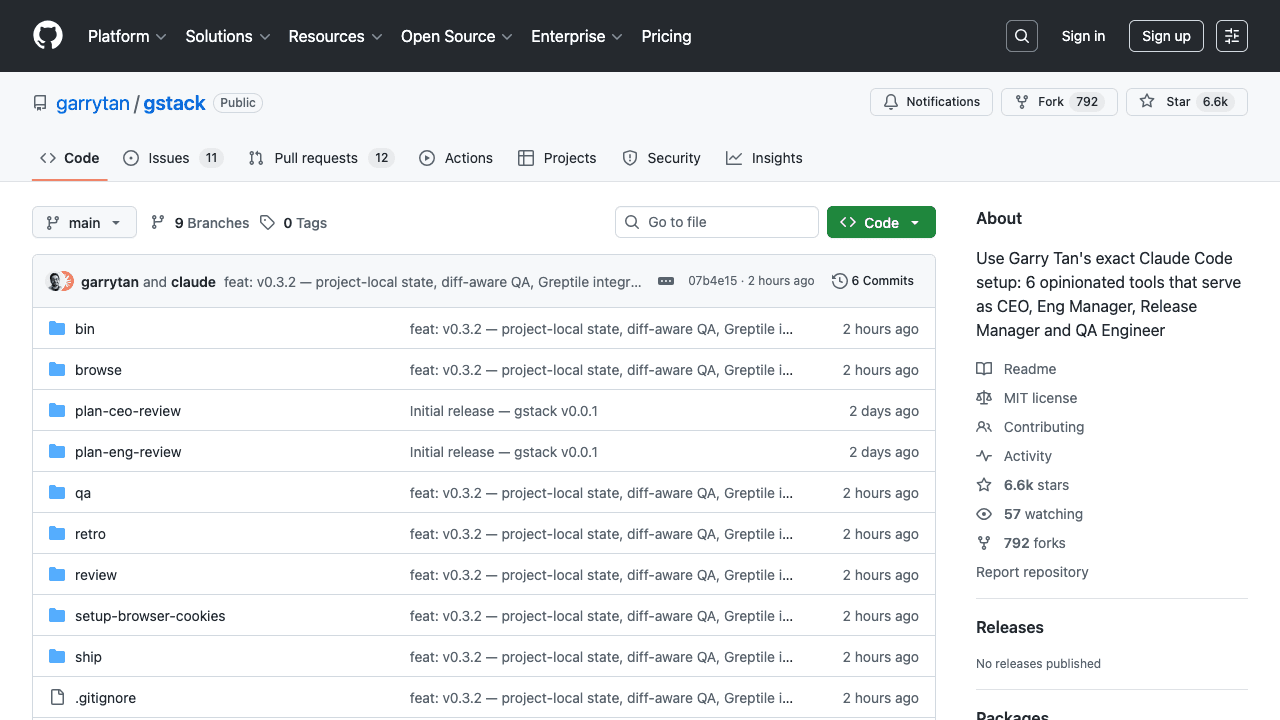
Garry Tan, President & CEO of Y Combinator, has open-sourced his exact Claude Code setup—gstack—and it's a game-changer for how developers can structure agentic workflows. In the last 60 days, using this system, he's written over 600,000 lines of production code (35% tests) while managing YC, demonstrating what's possible with today's tooling.
What gstack Actually Is
gstack isn't just another collection of prompts. It's a structured software factory that assigns specific roles to Claude Code through slash commands. Tan describes it as "thirteen specialists, all as slash commands, all Markdown, all free." The core philosophy is moving beyond a single, general-purpose AI assistant to a team of specialized agents:
/plan-ceo-review– Rethinks the product from a strategic perspective/review– Acts as a paranoid reviewer hunting for production bugs/qa– Opens a real browser and clicks through your app- Plus roles for engineering management, design review, and release engineering
Why This Structure Works
The magic is in the separation of concerns. Instead of asking Claude to "implement this feature," you delegate discrete phases of work to specialists. This mirrors how high-performing engineering teams operate and prevents the "AI slop" where a single agent might make architectural compromises.

Tan's setup uses CLAUDE.md to enforce TDD and incremental commits, but the real breakthrough is the hooks (PostToolUse, Stop) for automated checks. These hooks create guardrails that ensure quality without constant manual oversight.
How To Install and Use It Right Now
Requirements: Claude Code, Git, Bun v1.0+
Installation (30 seconds):
git clone https://github.com/garrytan/gstack.git ~/.claude/skills/gstack
cd ~/.claude/skills/gstack
./setup
Then add a gstack section to your project's CLAUDE.md to activate the skills for that repository.
Immediate workflow to test:
- Run
/plan-ceo-reviewon any feature idea - Run
/reviewon any branch with changes - Run
/qaon your staging URL
Tan promises "first useful run in under 5 minutes on any repo with tests already set up."
Who Should Use This
- Founders and technical CEOs who want to ship like a team of twenty
- First-time Claude Code users – gstack provides structure instead of a blank prompt
- Tech leads and staff engineers – brings rigorous review, QA, and release automation to every PR

The system is particularly valuable for maintaining production-quality standards while moving at unprecedented speed. As Tan notes: "We are at the dawn of something real — one person shipping at a scale that used to require a team of twenty."
Making It Yours
Since gstack is MIT-licensed, you're encouraged to fork and adapt it. The skills are written in Markdown, making them easy to modify. This isn't a black box—it's a starting point for building your own optimized agentic workflow.
Tan's contribution isn't just the code; it's demonstrating what's possible with today's Claude Code when you think in terms of managed specialization rather than general assistance.