The Leak That Revealed The Engine
Last week, an accidental source code leak gave us the first clear look under the hood of Claude Code. It wasn't just a static prompt file. The system prompt you rely on for every coding session is a dynamically assembled context built from multiple, often conditional, components. This follows a trend of increasing transparency around Claude's inner workings, as seen in our recent coverage of Anthropic's paper on emotion concepts in LLMs.
The Component Blueprint
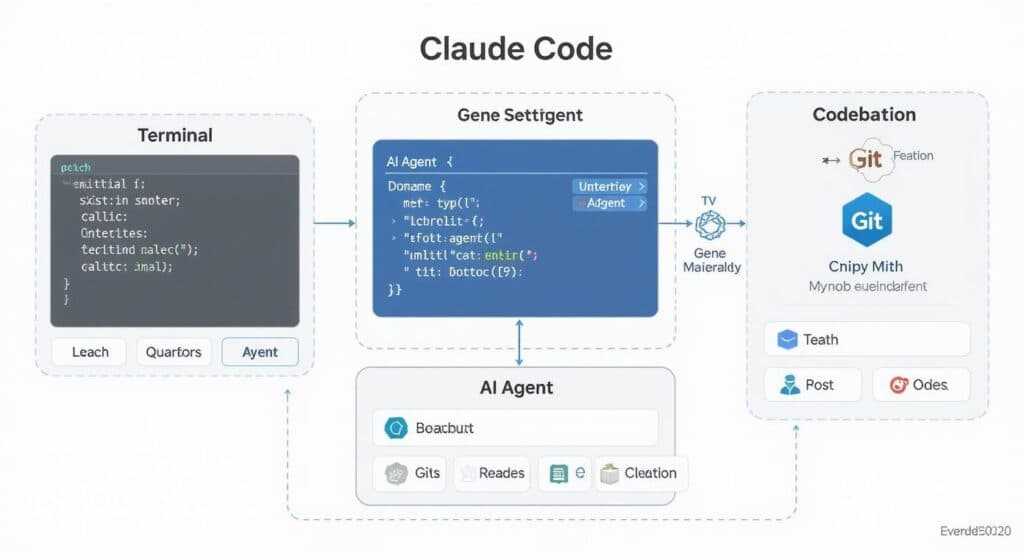
Based on analysis of the leaked code, here’s what gets assembled every time you hit 'Enter':
- Core System Instructions (Always Present): The foundational rules and identity of Claude Code. This is the solid base.
- Conditional Tool Definitions: Descriptions for ~50 built-in tools (excluding MCP servers!). A tool's description is only included if it's available and relevant to the current context. This is a major token-saving strategy.
- User Configuration: Your
CLAUDE.mdorAGENT.mdfiles are injected here. This aligns with our recent article on how Anthropic's team uses skills as knowledge containers, treating these files as the primary vessel for your personal context. - Managed Conversation History: This isn't just a raw log. About a dozen different methods handle compaction, offloading, and summarization of past messages, reasoning, and tool calls. This engineering is crucial for staying within context window limits over long sessions.
- Attachments & Parameters: Special markers appended to user messages. These can indicate if you're still in
/planmode, list remaining tasks, or specify user-mentioned files, MCPs, agents, or skills. - Skills: Finally, any activated or relevant skills are appended to the context.
When you type an instruction, this entire assembly line runs to construct the precise context sent to Claude Opus or Sonnet. The goal is singular: maximize the odds of a successful, accurate response.
What This Means For Your Workflow
Understanding this architecture explains several best practices and recent updates:
- Why Elaborate Personas Hurt Performance: As covered in our April 1st performance guidance, lengthy, flowery personas in your
CLAUDE.mdwaste precious tokens in the always-present core instructions, stealing space from crucial tool definitions and conversation history. - The Power of
CLAUDE.md: YourCLAUDE.mdfile is injected directly into the system prompt assembly. This makes it the most powerful lever you have to shape Claude Code's behavior for your project. Keep it concise and actionable. - How Conversation Management Works: The "managed history" component is why Claude Code can handle long sessions without completely losing the thread. It's actively summarizing and offloading parts of the conversation to stay within limits.
Actionable Insights for Developers
- Audit Your
CLAUDE.md: Strip out any superfluous text. Focus on project-specific rules, patterns, and file structures. Every token saved here leaves more room for accurate tool use and history context. - Use Attachments Intentionally: When using features like
/plan, recognize that special mode markers are being attached to your messages. Ending a plan correctly cleans up this context. - Trust the Tool Filtering: Don't try to manually describe tools in your prompts. Claude Code's engine conditionally includes the exact tool definitions needed, which is more reliable and token-efficient.
- Leverage Skills for Complexity: For advanced, reusable behaviors, package them as Skills. They are designed to be cleanly appended to this system context, much like MCP servers extend tool access.
The leak reveals that Claude Code is far more than a simple chat wrapper. It's a sophisticated context engineering harness where the system prompt is the live, compiled output of a complex application. Your effectiveness with it depends on understanding what feeds into that engine.