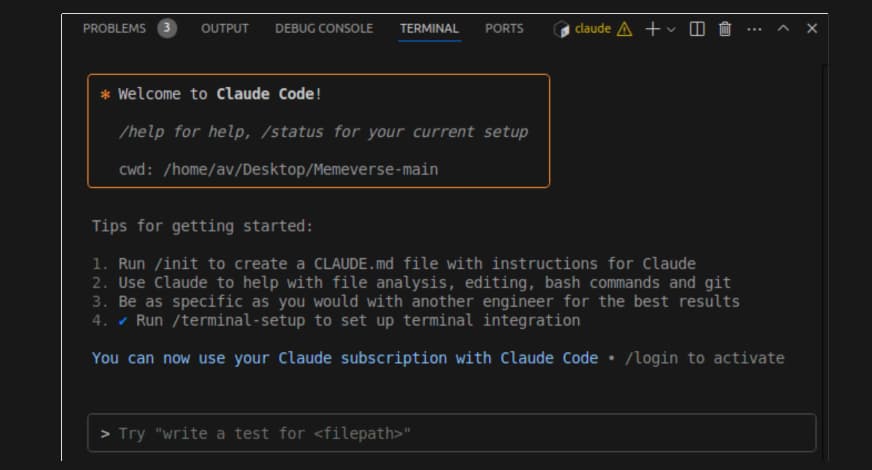
A developer on Hacker News recently voiced frustration with Claude Code's remote control feature: "It's constantly going down. I'll kick off a task, walk away, come back and the connection dropped with no way to recover the session." They also highlighted a critical limitation: "You can't see anything visual. If I ask Claude to build a UI component, I have no way to see what it actually looks like on my machine."
This isn't just a minor inconvenience—it's a workflow blocker for anyone doing frontend development with Claude Code. But there are concrete solutions you can implement today.
The Core Problem: Remote Sessions vs. Local Development
Claude Code's remote control feature, launched as part of its Computer Use capabilities in March 2026, allows Claude to execute commands on your machine. However, as the developer experienced, these sessions can be unstable and lack visual feedback mechanisms.
This follows Claude Code's March 30th launch of Computer Use feature with app-level permissioning, which expanded attack surfaces but also introduced new reliability challenges. The architecture is built on Model Context Protocol (MCP) to connect to various AI backends, which can sometimes lead to connection instability.
Solution 1: Local Preview Servers for Visual Feedback
When Claude builds a UI component, you need to see it. Here's how:
For React/Next.js projects:
# In your CLAUDE.md or when starting a session
I'm building UI components. After each change, run:
npm run dev
# or
next dev

# Then open http://localhost:3000 in your browser
For static HTML/CSS/JS:
# Use Python's simple HTTP server
python3 -m http.server 8000

# Or use the built-in VSCode Live Server extension
# Ask Claude to install it if you don't have it
code --install-extension ritwickdey.liveserver
Prompt Claude to maintain the server:
After making UI changes, keep the dev server running and tell me the URL to preview.
If the server stops, restart it automatically.
Solution 2: Session Recovery and Stability
Connection drops are frustrating, but you can minimize their impact:
Use the --session flag for recovery:
claude code --session my-project-session
This creates a named session that's easier to track. If the connection drops, you can attempt to reconnect to the same session context.
Implement checkpointing in your workflow:
# In your CLAUDE.md
Workflow Rules:
1. Commit changes every 15 minutes with descriptive messages
2. After each major change, run `git status` and summarize progress
3. If connection drops, I can continue from the last commit
Monitor connection health:
# Add this to your shell profile to check Claude Code status
alias claude-status="curl -s https://status.anthropic.com/api/v2/status.json | jq '.status.description'"
Solution 3: Hybrid Local/Remote Workflow
Instead of relying entirely on remote control, use a hybrid approach:
- Use Claude Code for planning and code generation
- Execute non-critical commands locally
- Use git as your synchronization layer
Example workflow:
# Step 1: Claude generates the component
claude code "Create a responsive navbar component with React and Tailwind"

# Step 2: Review the generated code
# Step 3: Run tests and preview locally
npm test
npm run dev

# Step 4: Ask Claude to fix issues based on your visual feedback
claude code "The navbar looks good but the mobile menu doesn't close on click. Fix it."
Solution 4: MCP Servers for Better Integration
Since Claude Code is built on Model Context Protocol, you can enhance its capabilities with specific MCP servers:
For better file watching:
# Install chokidar MCP server for better file system monitoring
npm install -g mcp-server-chokidar

# Configure in your Claude Code settings
{
  "mcpServers": {
    "fileWatcher": {
      "command": "npx",
      "args": ["mcp-server-chokidar"],
      "env": {
        "WATCH_PATHS": "./src/**/*.{js,jsx,ts,tsx,css}"
      }
    }
  }
}
This aligns with our April 4th coverage of "Conductor MCP: Orchestrate Multiple Claude Code Sessions from a Single Terminal"—the MCP ecosystem is rapidly evolving to address these exact workflow issues.
When Remote Control Makes Sense (And When It Doesn't)
Use remote control for:
- Automated refactoring across multiple files
- Database migrations
- Build process optimization
- Dependency updates
Avoid remote control for:
- UI component development (use local preview instead)
- Critical production changes
- Long-running tasks without checkpoints
The Bottom Line
Claude Code's remote control is powerful but imperfect. By implementing local preview servers, using session management, adopting a hybrid workflow, and leveraging MCP servers, you can work around the current limitations while Anthropic improves the stability.
Remember: Claude Code appeared in 59 articles this week alone, showing rapid development. The issues mentioned will likely be addressed in upcoming updates, but you don't need to wait—these solutions work today.
Start with this in your CLAUDE.md:
# UI Development Protocol
1. Always start a local dev server after UI changes
2. Provide the localhost URL for visual review
3. Commit changes every 15-20 minutes
4. Use `--session ui-work` for session persistence
5. If connection drops, check git status and continue


