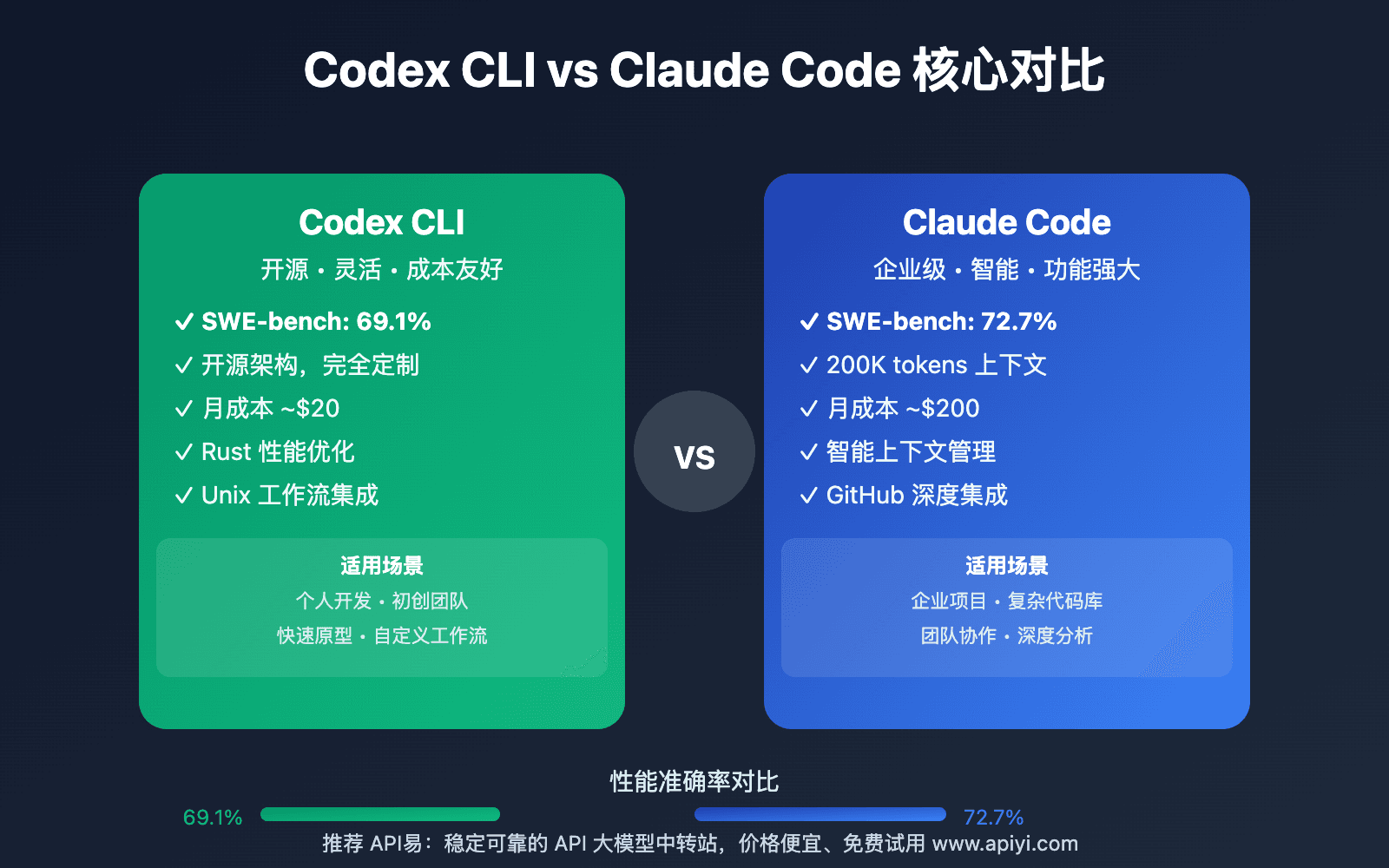
The Technique: Parallel Model Comparison
A developer has created a tool that displays Claude Code and Codex (OpenAI's code generation model) reviews side-by-side for the same codebase. This isn't about which model is "better" overall—it's about identifying their specific strengths in different coding scenarios.
While Claude Code typically uses Claude 3.5 Sonnet or Claude Sonnet 4.6 models (as referenced in our knowledge graph), this comparison tool lets you see how different AI coding assistants approach the same problem. The side-by-side view reveals patterns in:
- Code style preferences (Claude tends toward more verbose, well-documented code vs. Codex's often more concise output)
- Architecture suggestions (how each model approaches refactoring decisions)
- Security considerations (different emphasis on vulnerability detection)
- Performance optimizations (varying approaches to algorithm efficiency)
Why It Works: Contextual Model Selection
Our knowledge graph shows Claude Code has been mentioned in 473 articles with 60 appearances just this week—it's clearly a dominant tool in the AI coding space. But dominance doesn't mean universal superiority. Different models excel at different tasks:
Claude Code (typically Claude models) shines at complex reasoning, multi-file edits, and understanding broader architectural implications. This aligns with our April 6 article "Opus+Codex Crossover Point" which found pure Opus models work best below 500 lines.
Codex (powering GitHub Copilot) often produces faster, more idiomatic code for common patterns it's seen frequently during training.
By comparing outputs directly, you can develop intuition for when to:
- Use Claude Code for architectural decisions and complex refactors
- Switch to Codex/Copilot for rapid boilerplate generation
- Run both and synthesize the best suggestions
How To Apply It: Your Comparison Workflow
You don't need the specific comparison tool to implement this approach. Here's how to create your own side-by-side review process:
Option 1: Manual Comparison
# Get Claude Code's review
claude code review --file ./src/main.js --output claude_review.md

# Get Codex/Copilot's review (via different interface)
# Then manually compare the two output files
Option 2: Prompt Engineering for Direct Comparison
Add this to your CLAUDE.md:
## Code Review Protocol

When reviewing code, please:
1. First analyze the code as you normally would
2. Then speculate: "If Codex were reviewing this, it might emphasize..."
3. Highlight areas where different AI models might give conflicting advice
4. Explain which approach you recommend and why
Option 3: Use the Crossover Rule from Our Previous Coverage
Based on our April 6 article "Opus+Codex Crossover Point":
- For files under 500 lines: Trust Claude's deeper analysis
- For files 500-800 lines: Compare both approaches
- For files over 800 lines: Claude for architecture, Codex for implementation patterns
What This Means For Your Daily Work
Stop treating AI coding assistants as monolithic "best tool" decisions. Start thinking in terms of:
- Task-specific superiority: Use Claude Code when you need to understand complex dependencies across files (leveraging its MCP architecture mentioned in 32 sources)
- Speed vs. depth tradeoffs: Codex often suggests fixes faster for common errors; Claude provides more thorough explanations
- Synthesis as a skill: The best developers will learn to take Codex's implementation speed and combine it with Claude's architectural thinking
This follows Claude Code's March 30 launch of Computer Use feature with app-level permissioning—the platform is expanding its capabilities, but that doesn't mean it's always the right tool for every job.
Try This Today
- Pick a medium-complexity file in your current project
- Get reviews from both Claude Code and Codex/Copilot
- Note where they agree (probably correct) and disagree (requires your judgment)
- Add your findings to your team's
CLAUDE.mdas model selection guidelines
The pattern is clear from our knowledge graph trends: Claude Code usage is exploding (60 articles this week), but smart developers use multiple tools strategically, not religiously.