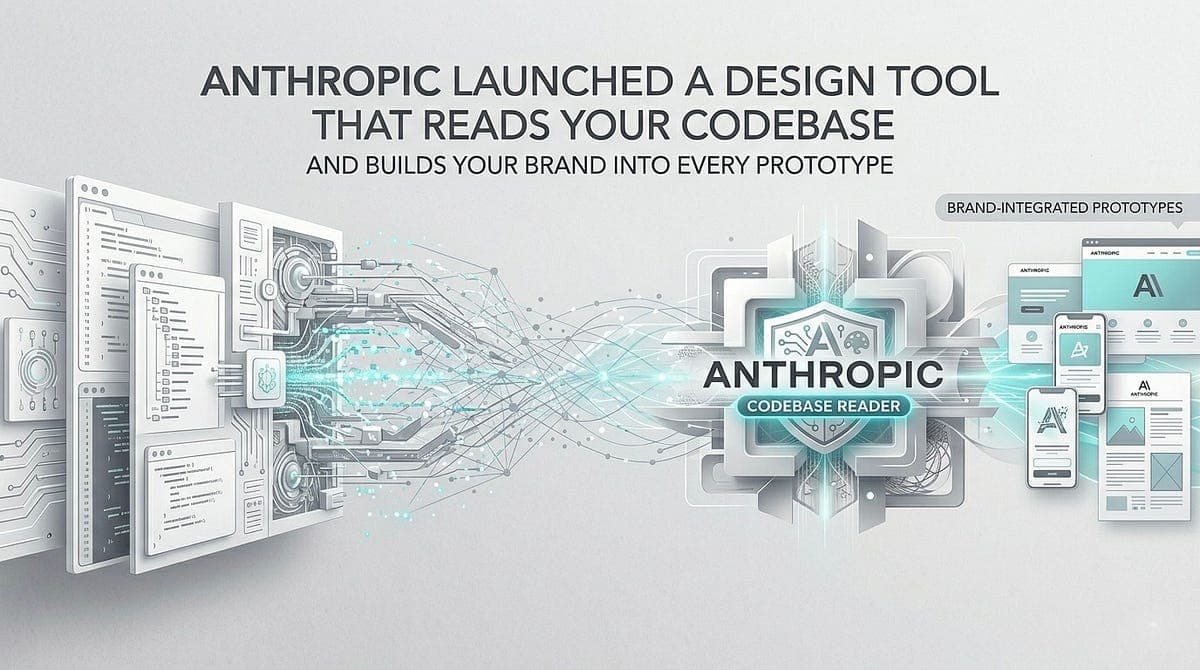
Anthropic launched Claude Design on April 17, 2026, and Figma stock dropped 7% within hours. The visual workspace reads your codebase to enforce brand consistency across every prototype, deck, and asset.
Key facts
- Launched April 17, 2026 in research preview.
- Opus 4.7 scores 98.5% on XBOW visual acuity benchmark.
- Opus 4.6 scored 54.5% on the same benchmark.
- Figma stock dropped 7% on announcement day.
- Claude Code generates $2.5B annualized revenue.
What Claude Design Is — and Where It Lives
Claude Design is a visual workspace launched on April 17, 2026 by Anthropic Labs, the experimental products division inside Anthropic. It lives at a dedicated URL — claude.ai/design — not buried inside the regular Claude chat interface. It has its own canvas, its own project structure, its own export menu, and its usage is metered separately from your standard chat or Claude Code limits. [According to the source]
It is currently in research preview, which means it is real and available, but Anthropic has not declared it production-ready. Known issues exist. Limits apply.
The tool is available to Claude Pro, Max, Team, and Enterprise subscribers. On the free tier, access is not included. For Enterprise customers, Claude Design is turned off by default — admins must explicitly enable it in Organization settings. Enterprise customers on usage-based pricing receive a one-time credit covering approximately 20 prompts, expiring on July 17, 2026.
The model powering it is Claude Opus 4.7, released the day before Claude Design launched (April 16, 2026). This wasn't coincidental. Claude Design's capabilities — particularly around reading design mockups, interpreting screenshots, and generating visual interfaces at high fidelity — are directly dependent on the vision improvements in 4.7. [According to the source]
What You Can Build With It
Anthropic describes six categories of output that teams have been using Claude Design for, based on pre-release customer usage:
- Realistic interactive prototypes. Designers can turn static mockups into shareable, interactive prototypes that can be user-tested without code review or pull requests.
- Product wireframes and mockups. Product managers can sketch feature flows in Claude Design and either hand them off directly to Claude Code for implementation or share them with designers for refinement.
- Design explorations. Experienced designers can use Claude Design to rapidly generate a wide range of visual directions that they can present to stakeholders before committing to one.
- Pitch decks and presentations. Founders and account executives can go from a rough outline to a complete, on-brand deck and export as a PPTX file or send directly to Canva.
- Marketing collateral. Marketers can create landing pages, social media assets, and campaign visuals, then loop in designers to polish.
- Frontier design. Anyone can build code-powered prototypes that include voice, video, shaders, 3D elements, and built-in AI.
The Underlying Model: Why Opus 4.7 Changes What's Possible
Claude Design isn't just a new interface sitting on top of an existing model. It was built around the specific vision capabilities introduced in Claude Opus 4.7, and understanding those changes explains why certain things work in Claude Design that didn't work before. [According to the source]
Opus 4.6 accepted images up to 1,568 pixels on the long edge — approximately 1.15 megapixels. Opus 4.7 accepts images up to 2,576 pixels on the long edge, roughly 3.75 megapixels. That's a 3x increase in resolution capacity. In practical terms, this means Claude can now correctly read small text in screenshots, accurately interpret dense UI mockups, parse architectural diagrams without losing detail, and analyze high-fidelity design files at the level of detail that design work actually requires.
The accuracy improvement is more dramatic than the resolution change. On the XBOW visual acuity benchmark, Opus 4.7 scores 98.5% versus 54.5% for Opus 4.6 — a 44-percentage-point jump. At full resolution, Opus 4.7 scores 79.5% on visual navigation without tools versus 57.7% for Opus 4.6. [According to the source]
Anthropic describes the model as "more tasteful and creative when completing professional tasks, producing higher-quality interfaces, slides, and docs." That phrasing — "tasteful" — is unusual in technical documentation. It signals that Opus 4.7 was specifically tuned for aesthetic judgment in visual work, not just visual comprehension.
How the Workflow Actually Works
The Claude Design interface is built around two panes: a chat panel on the left and a live canvas on the right. You write a prompt, Claude generates the design on the canvas, and you keep refining from there.
Anthropic describes the creative loop in five steps: create a project with relevant context, describe what you want, review the output, iterate through chat and comments, and export or share.
What stands out about the refinement loop is the variety of control mechanisms available. You can type follow-up instructions in the chat panel. You can leave inline comments directly on specific elements of the canvas. You can make direct text edits by clicking into the design. And Claude generates custom adjustment sliders — specific to the design you just created — that let you tweak spacing, corner radius, color values, and layout density in real time. These are not generic property panels. They are generated by Claude based on what it built, which means the controls match the actual design parameters in front of you. [According to the source]
A behavior worth noting: when a prompt is too vague to act on confidently, Claude Design pauses before generating anything and asks clarifying questions. What's the audience? Is this mobile or desktop? What tone — formal or casual? This delays the first output by a minute but significantly improves its usefulness. Most AI design tools guess and produce a first draft you immediately want to undo.
One known issue in the current research preview: inline comments occasionally disappear before Claude reads them. Anthropic's documented workaround is to paste the comment text into the chat panel instead. [According to the source]
The Brand System: What "Built In" Actually Means
One of Claude Design's most substantive features — and the one most relevant to enterprise teams — is its approach to brand consistency.
During onboarding, Claude builds a design system for your team by reading your existing codebase and design files. Every project created after that automatically inherits your organization's colors, typography, and component libraries without re-uploading them each time. Teams can also maintain more than one design system and switch between them, which matters for agencies or companies managing multiple brands.
The web capture tool extends this further: you can point Claude Design at any live website URL, and it pulls in the visual elements — colors, typography, layout patterns — directly from the site. This means prototypes can match the look and feel of a real production product rather than a blank-canvas approximation.
For Enterprise organizations, this feature is off by default. Admins must enable it in Organization settings. The caution is deliberate. Allowing Claude to read a company's codebase and design files is a significant access grant, and Anthropic is treating it as an opt-in rather than an assumption.
The practical outcome, when enabled, is that a product manager or marketer with no design background who opens Claude Design and types "create a feature announcement page" receives output in the company's actual visual language — not a generic template with placeholder colors and system fonts. [According to the source]
The Handoff to Claude Code: Closing the Loop
Every other AI design tool creates an endpoint. You generate something, you export it, and you figure out what to do with it next. Claude Design creates a pipeline.
When a design is ready to be built, Claude packages everything — the visual design, the intent, the component context, the reasoning behind structural decisions — into a "handoff bundle." That bundle can be passed to Claude Code with a single instruction. The design becomes a starting point for production code, with the design intent preserved rather than lost in translation.
This is the feature that most directly explains the enterprise adoption figures. Claude Code alone generates $2.5 billion in annualized revenue as of February. [According to the source]
Key Takeaways
- Anthropic launched Claude Design, a visual workspace reading codebases for brand consistency.
- Figma stock dropped 7% on the announcement.
What to watch
Watch for the July 17, 2026 expiration of the one-time enterprise credit. If enterprise usage spikes before that date, it signals strong adoption. Also watch for Figma's Q2 earnings call — if 7% stock drop translates to churn, Claude Design is a direct competitor.
[Updated 08 May via towards_ai]
Anthropic’s Chief Product Officer resigned from Figma’s board three days before Claude Design launched, signaling a deliberate severing of ties with the design platform the tool is now competing against [per Towards AI]. This move likely contributed to the 7% Figma stock drop, as investors interpreted it as a direct competitive threat.