What Changed — The Downgrade Fix
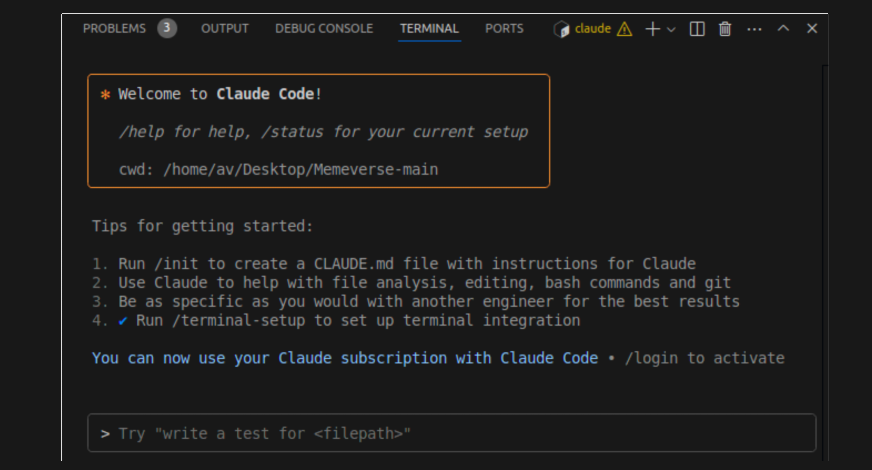
Multiple developers have discovered that Claude Code versions after 2.1.106 exhibit degraded reasoning capabilities, particularly for complex coding tasks. The solution involves two specific actions:
- Downgrade to version 2.1.106 (released around early April 2026)
- Disable "Enable Claude Agent" in global settings
This follows a pattern of recent Claude Code issues, including the [2026-04-14] bug in version 2.1.107 that broke OAuth authentication and the [2026-04-13] telemetry-cache penalty bug. The reasoning degradation appears to be another regression introduced in recent updates.
What It Means For You — Immediate Impact
If you've noticed Claude Code producing less logical code, struggling with multi-step reasoning, or making uncharacteristic errors on tasks it previously handled well, you're likely affected. The issue seems related to how newer versions handle Claude Agent integration—Anthropic's multi-agent framework that enables multiple Claude models to collaborate.
According to entity relationships, Claude Code uses Claude Agent technology, and Claude AI itself uses Claude Agent in its architecture. When enabled globally, this feature may be interfering with the primary coding agent's reasoning chain, even for single-agent tasks.
Try It Now — Step-by-Step Fix

1. Downgrade Claude Code
If you're using the CLI version:
# Check your current version
claude code --version

# Downgrade to 2.1.106 (method depends on your package manager)
npm install -g @anthropic-ai/claude-code@2.1.106
# or
pip install anthropic-claude-code==2.1.106
For VS Code or JetBrains extensions, you'll need to manually install the older version from the extension marketplace history or wait for Anthropic to release a fix.
2. Disable Claude Agent Globally
In your Claude Code settings (either via CLI config or IDE settings):
{
  "global": {
    "enableClaudeAgent": false
  }
}
Or use the CLI:
claude code config set global.enableClaudeAgent false
3. Verify the Fix
Test with a complex reasoning task you've seen fail recently:
claude code "Implement a concurrent web scraper with rate limiting, retry logic, and result deduplication"
Compare the output quality between versions. Many developers report immediate improvements in:
- Logical flow of generated code
- Handling of edge cases
- Multi-step problem decomposition
- Consistency with project patterns
Why This Works — Technical Context
The Claude Agent feature, while powerful for multi-agent workflows, appears to introduce overhead or interference patterns that degrade single-agent reasoning. This aligns with our [2026-04-14] coverage of "Claude Code Routines: Automate Code Reviews"—when automation features are over-applied, they can interfere with core functionality.
Entity relationships show Claude Code uses multiple AI models (Claude Sonnet 4.6, Claude 3.5 Sonnet), and the agent framework might be incorrectly routing tasks or adding unnecessary coordination overhead. By disabling it, you're returning to the simpler, more reliable single-agent architecture that made Claude Code effective in the first place.
Temporary Workaround, Not Permanent Solution
This is a stopgap measure. Monitor Anthropic's releases for fixes—the [2026-04-12] appearance of Claude Opus 4.7 in internal APIs suggests new model capabilities are coming, which should address these issues. In the meantime, version 2.1.106 with Claude Agent disabled provides the most stable reasoning performance.
Keep your CLAUDE.md file updated with project context, as this becomes even more important when working with slightly older versions. The model will rely more heavily on your explicit instructions and project patterns.