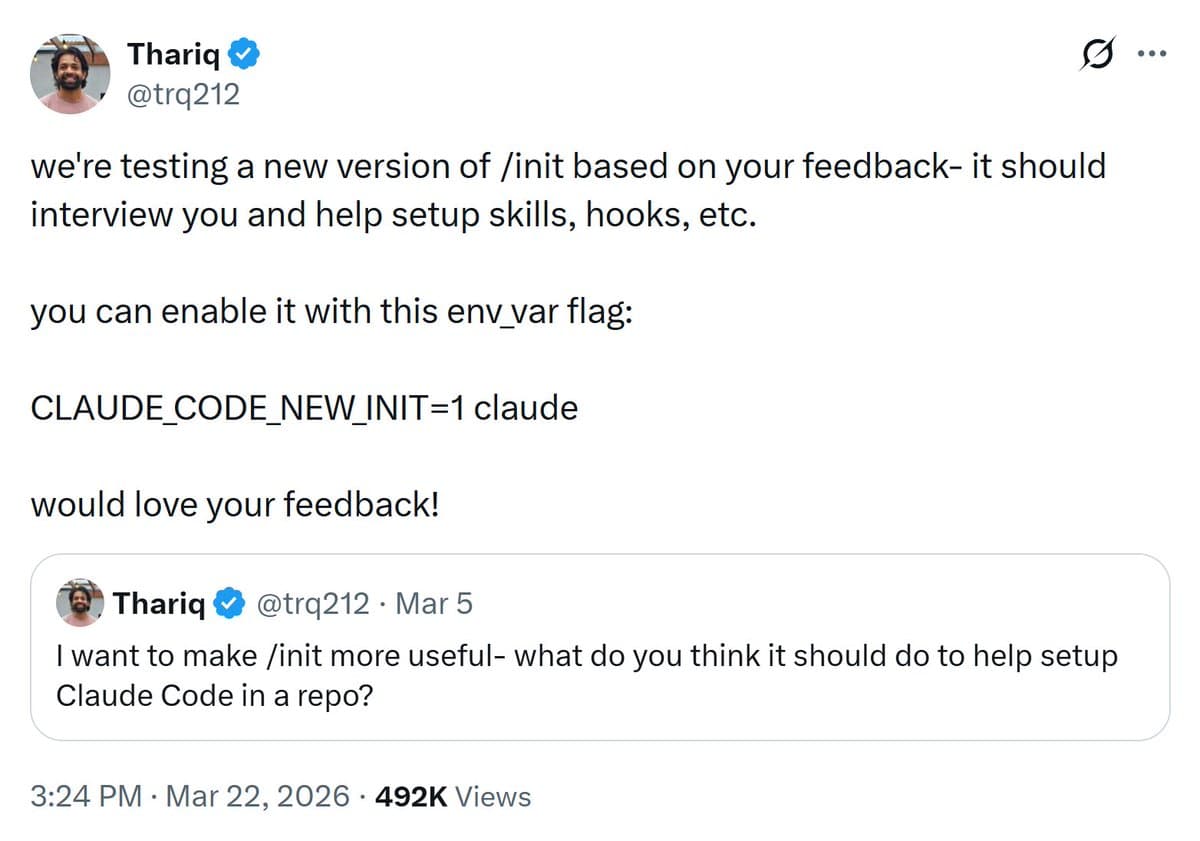
Anthropic's Claude Code, the AI coding assistant built on Claude 3 models, has rolled out a significant quality-of-life update: an interactive /init command that streamlines project setup through an interview-style configuration process.
What Happened
According to developer Akshay Pachaar's announcement, Claude Code's new /init command now "interviews you and helps configure CLAUDE.md, hooks, skills, and more in a seamless manner." This represents a shift from manual configuration to an automated, guided setup experience for developers using Claude Code in their development environments.
How the New /init Works
The /init command initiates an interactive interview where Claude Code asks developers questions about their project setup preferences. Based on the responses, it automatically configures:
- CLAUDE.md: The configuration file that defines how Claude Code should interact with a specific codebase, including coding conventions, project structure, and preferred patterns
- Git hooks: Automated scripts that can run Claude Code checks during development workflows
- Skills: Custom capabilities and behaviors specific to the project's needs
- Additional project-specific configurations
This automated setup replaces what was previously a manual process requiring developers to create and customize these configuration files themselves.
Technical Context
Claude Code operates as an AI-powered coding assistant that integrates with developers' IDEs and command-line interfaces. The /init command appears to be part of Claude Code's CLI (Command Line Interface) tooling, designed to reduce the friction of initial project configuration.
Before this update, developers would typically need to:
- Create a CLAUDE.md file from scratch or copy from templates
- Manually configure Git hooks to integrate Claude Code into their workflow
- Set up project-specific skills and behaviors through trial and error
- Ensure all configurations work together cohesively
The new interactive approach suggests Claude Code now uses its language understanding capabilities to ask relevant questions and generate appropriate configurations based on the project type, programming languages, team preferences, and development workflows.
What This Means for Developers
The primary benefit is reduced setup time and elimination of configuration errors. For teams adopting Claude Code, this lowers the barrier to entry and ensures consistent setup across team members. The "interview" format suggests Claude Code can adapt configurations based on nuanced project requirements rather than applying one-size-fits-all templates.
Limitations and Unknowns
The announcement doesn't specify:
- Whether this feature is available in all Claude Code tiers or only specific plans
- The exact scope of questions asked during the interview
- How much customization is possible post-initialization
- Whether configurations can be exported or shared across projects
- Integration specifics with different IDEs and development environments
gentic.news Analysis
This update represents a strategic move by Anthropic to reduce the "time to value" for Claude Code adoption. The most significant aspect isn't the technical complexity—creating configuration files is straightforward—but rather the user experience design. By framing setup as an "interview," Anthropic leverages Claude's conversational strengths to gather nuanced preferences that would be difficult to capture through traditional configuration forms or templates.
From a product strategy perspective, this follows a pattern we've seen across developer tools: reducing initial friction to increase adoption. GitHub Copilot had similar evolution, starting with simple inline completions and gradually adding more sophisticated project-aware features. The difference here is Claude Code's approach—using conversation rather than implicit learning from codebases.
Practically, this could signal a shift toward more declarative, conversation-driven development environments. Instead of manually crafting configuration files, developers might increasingly describe their preferences in natural language, with AI tools translating those into technical specifications. This aligns with broader industry trends toward "configuration as conversation" rather than "configuration as code."
However, the real test will be whether Claude Code's interview captures the subtle, project-specific preferences that experienced developers care about. Configuration files often contain tribal knowledge and hard-won lessons from previous projects. Can an AI interview surface and codify that knowledge effectively? The answer to that question will determine whether this feature becomes a time-saver or just another layer of abstraction to debug.
Frequently Asked Questions
What is Claude Code's /init command?
The /init command is an interactive setup tool in Claude Code that interviews developers about their project preferences and automatically configures CLAUDE.md files, Git hooks, skills, and other project settings. It replaces manual configuration with a guided, conversational setup process.
How does the Claude Code interview work?
When you run /init, Claude Code asks a series of questions about your project—likely including programming languages, frameworks, team size, coding conventions, and workflow preferences. Based on your answers, it generates appropriate configuration files and settings tailored to your specific development environment and requirements.
What does CLAUDE.md configure?
CLAUDE.md is Claude Code's primary configuration file that defines how the AI should interact with your codebase. It typically includes project structure information, coding conventions, preferred patterns, file organization rules, and any project-specific behaviors or constraints you want Claude Code to follow during development assistance.
Can I customize configurations after running /init?
While the announcement doesn't specify post-initialization customization details, most configuration systems allow manual edits. You should be able to modify the generated CLAUDE.md file, adjust Git hooks, and refine skills after the initial setup. The interview likely establishes a solid baseline configuration that you can then fine-tune as needed.