Key Takeaways
- Master Claude Code's 6-layer architecture—harness, context window, subagents, MCP, skills, hooks, CLAUDE.md—to optimize token usage, parallelism, and agent reliability.
- First sentence: Claude Code's 6 layers (harness, context window, subagents, MCP, skills, hooks, CLAUDE.md) determine your setup's success.
What Changed — The Architecture That Powers Claude Code
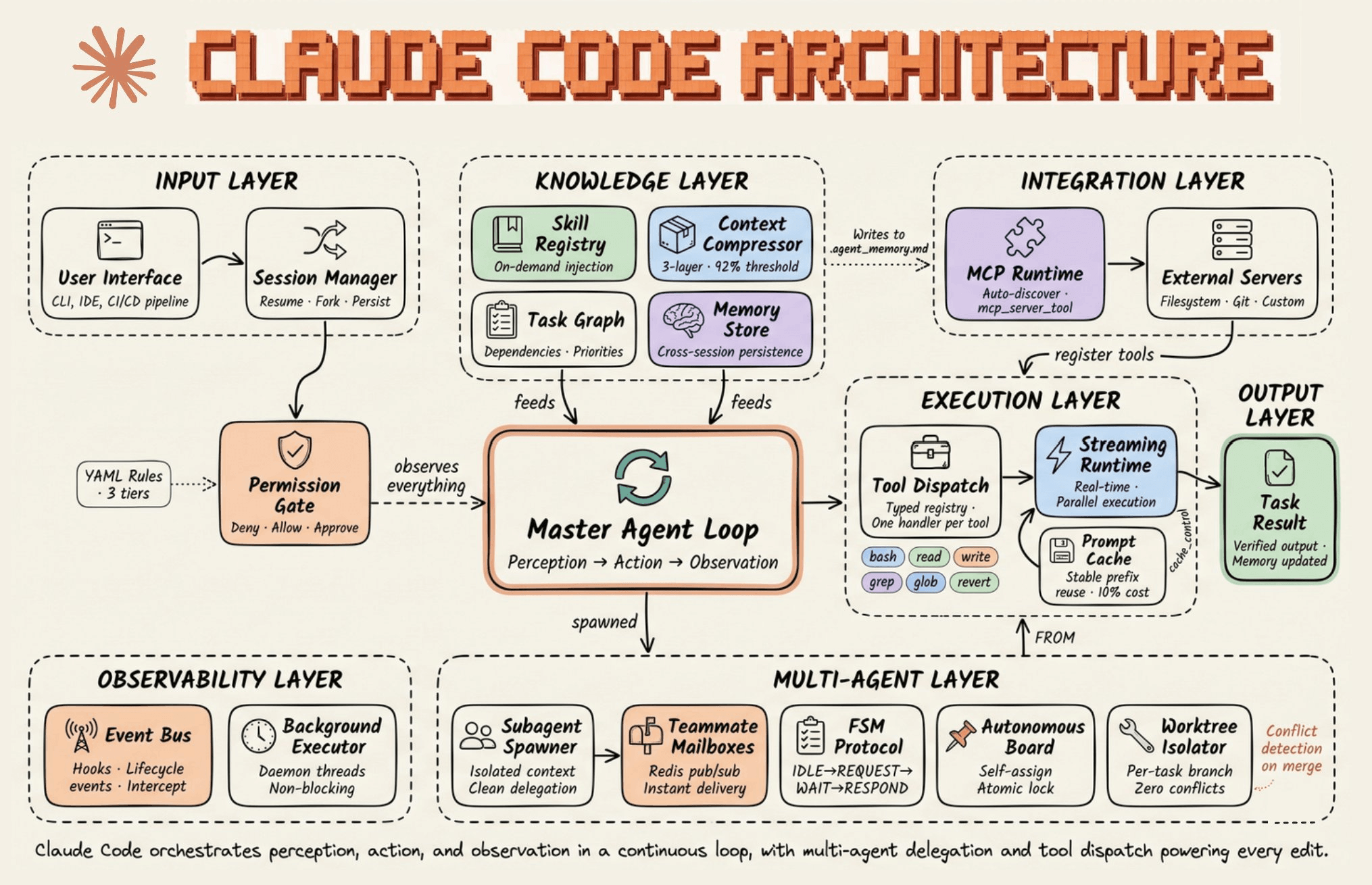
Most developers treat Claude Code as a black box: type a prompt, get code. But understanding its internal architecture is the difference between a setup that works and one that fights you. This breakdown, based on Sergey Pekar's deep dive, reveals the six layers that decide how Claude Code behaves—and how you can tune each one.
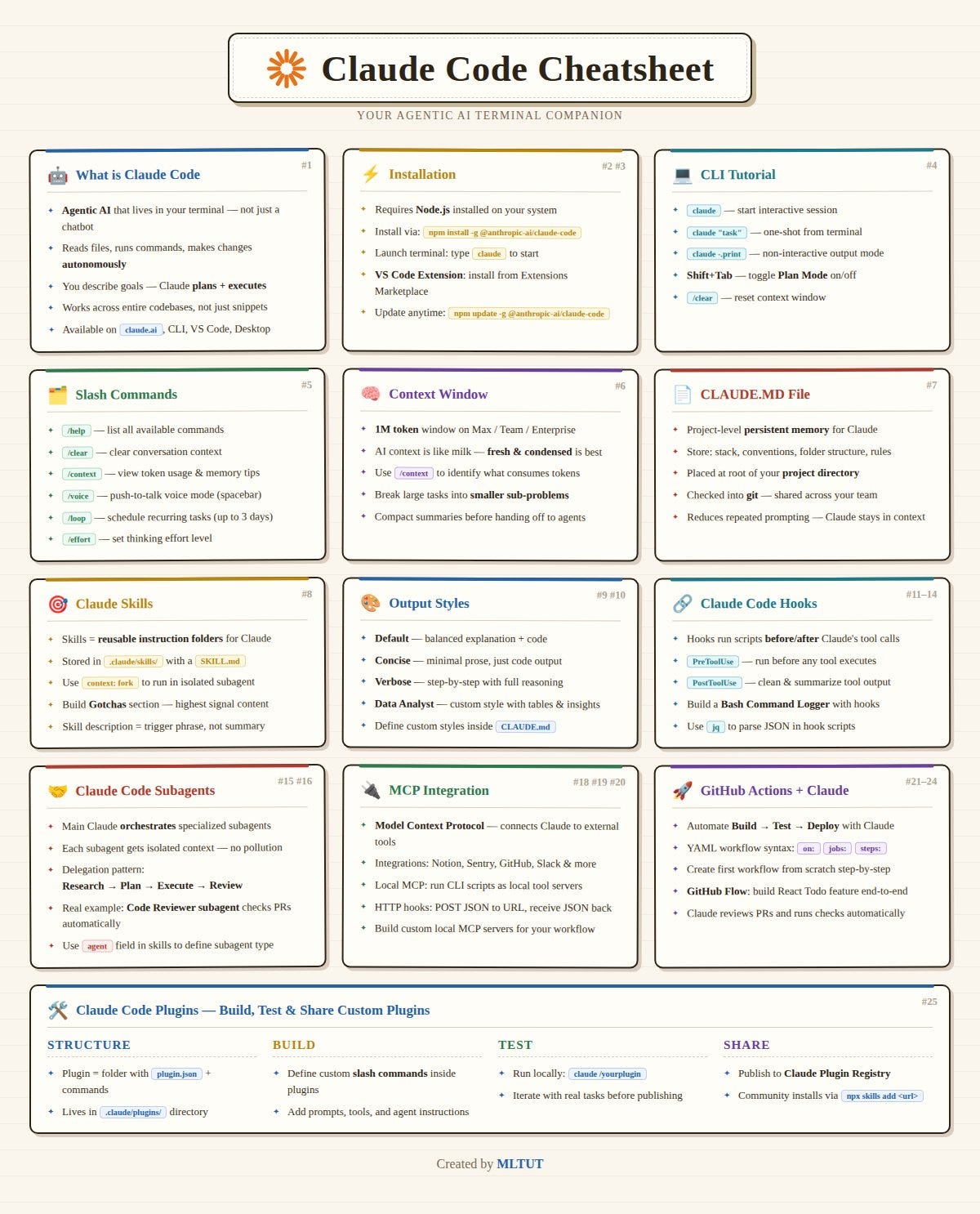
The layers are: the harness, the context window, subagents, MCP servers, skills, hooks, and CLAUDE.md. Each plays a distinct role, and knowing them lets you optimize for speed, accuracy, and token economy.
What It Means For You — Concrete Impact on Daily Usage
1. The Harness: Your Terminal Interface
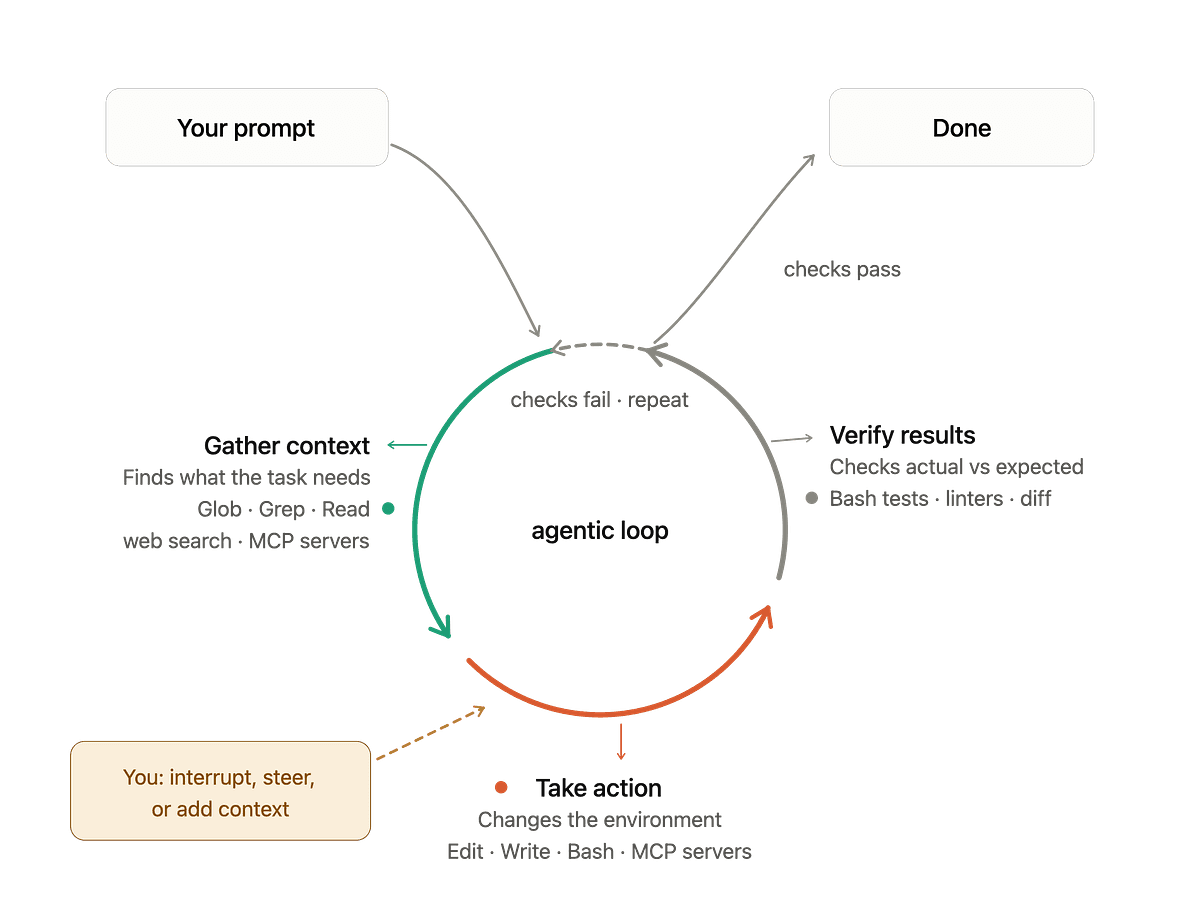
The harness is the terminal-native front-end that Claude Code runs in. It handles stdin/stdout, tool execution, and user interaction. It's not just a pretty wrapper—it's the orchestrator that decides which tools to call and when. With the recent shift to a policy-controlled execution layer (August 2026), the harness now enforces deterministic security workflows, meaning your agent's actions are more predictable and safe.
2. The Context Window: Your Token Budget
Claude Code's context window is finite. How it manages conversation history—what it keeps, what it summarizes, what it drops—directly affects output quality. With Claude Opus 4.6's large context, you have room, but bloat is still the enemy. The community's move toward MCP minimalism (July 2026) is a direct response: fewer servers means less context consumed by tool definitions. Every MCP server you add eats tokens before you even ask a question.
3. Subagents: Parallelism Without the Cap
Subagents let Claude Code spawn multiple worker agents for parallel tasks—like running tests while writing code. Version 2.1.224 (released August 13, 2026) removed the old 200-subagent cap, enabling truly parallel workflows. But more isn't always better: each subagent consumes context and can introduce coordination overhead. Use them for independent, well-scoped tasks, not for everything.
4. MCP Servers: Extend, But Don't Bloat
Model Context Protocol (MCP) is how Claude Code talks to external tools—databases, APIs, file systems. It's powerful, but every server adds tool definitions to your context. The community trend is clear: prefer fewer, high-quality MCP servers. Before adding one, ask: "Does this save more tokens than it costs?"
5. Skills: Reusable Workflows
Skills are pre-defined workflows that Claude Code can invoke. They're like macros for your agent—say, "run a security audit" or "generate a commit message." Skills reduce prompt repetition and ensure consistency. Define them for tasks you do repeatedly, and you'll see faster, more reliable outputs.
6. Hooks: Lifecycle Automation
Hooks let you run custom commands at specific points in the agent's lifecycle—before a tool call, after a file write, etc. They're your safety net. For example, a git hook that forces Claude Code to write commit messages (as we covered in a recent article) is a hook. Use them to enforce standards without manual intervention.
7. CLAUDE.md: Your Persistent Memory
CLAUDE.md is the project-level instruction file that Claude Code reads at the start of every session. It's your most powerful lever. A well-structured CLAUDE.md—with project conventions, architecture notes, and do/don't lists—shapes every interaction. Poorly written, it's noise. Invest time here; it pays off in every session.
Try It Now — Actionable Steps
- Audit your MCP servers: Run
claude mcp listand remove any you haven't used in the last week. Fewer tools = less context bloat. - Write a CLAUDE.md if you haven't: Start with 10 lines: project purpose, tech stack, coding standards, and common pitfalls. See how your next session improves.
- Test subagent parallelism: Use
claude --agents 10for a task with independent subtasks (e.g., refactoring multiple files). Measure time saved. - Add a hook: Create a pre-commit hook that runs
claude codeto generate a commit message. Automate the boring parts. - Define a skill: If you repeatedly ask Claude Code to "review this code for security issues," turn it into a skill with a one-word trigger.
Why It Works
The architecture isn't arbitrary. Each layer is designed to manage a specific constraint: the harness handles execution, the context window manages memory, subagents trade parallelism for context, MCP trades capability for tokens, skills trade repetition for consistency, hooks trade automation for control, and CLAUDE.md trades persistence for alignment. When you understand these trade-offs, you stop fighting the tool and start tuning it.
The Bottom Line
Claude Code isn't magic—it's a well-engineered system with levers you can pull. The developers who get the most out of it are the ones who treat it like a tool with adjustable parts, not a black box. Start with your CLAUDE.md and MCP server list; those two changes alone will transform your results.
Source: medium.com
[Updated 14 Aug via devto_claudecode]
Cross-session messaging arrived in Claude Code v2.1.224, letting independent sessions exchange plain-text messages without user initiation. The feature is on by default on macOS and Linux (including WSL 2), but is unavailable on native Windows, Amazon Bedrock, and other enterprise platforms. Messages travel via local socket when sessions share a machine, but go through Anthropic servers when crossing machines or reaching web sessions—a privacy consideration. Each delivered message counts as a prompt for billing. You can list reachable sessions with /list-agents or /peers, and name sessions with /rename for predictable addresses. [per dev.to]