Key Takeaways
- Unit-test tool logic, mock external services, and add integration tests for MCP servers.
- Claude Code's MCP integration demands observability beyond local demos.
The Problem: Local MCP Demos vs. Production Reality
An MCP server that works perfectly in a local demo can fail hard in production. Tools return wrong data. External APIs time out. Blocking functions freeze the event loop. Tenants' expired credentials cause repeated failures. And the model itself may select the wrong tool or generate invalid arguments.
These failures are nearly impossible to diagnose unless you build testing and observability into your MCP application from day one.
What Should Be Tested?
An MCP application has multiple moving parts:
User → AI Client → MCP Server → Tool → External API/Database/Service
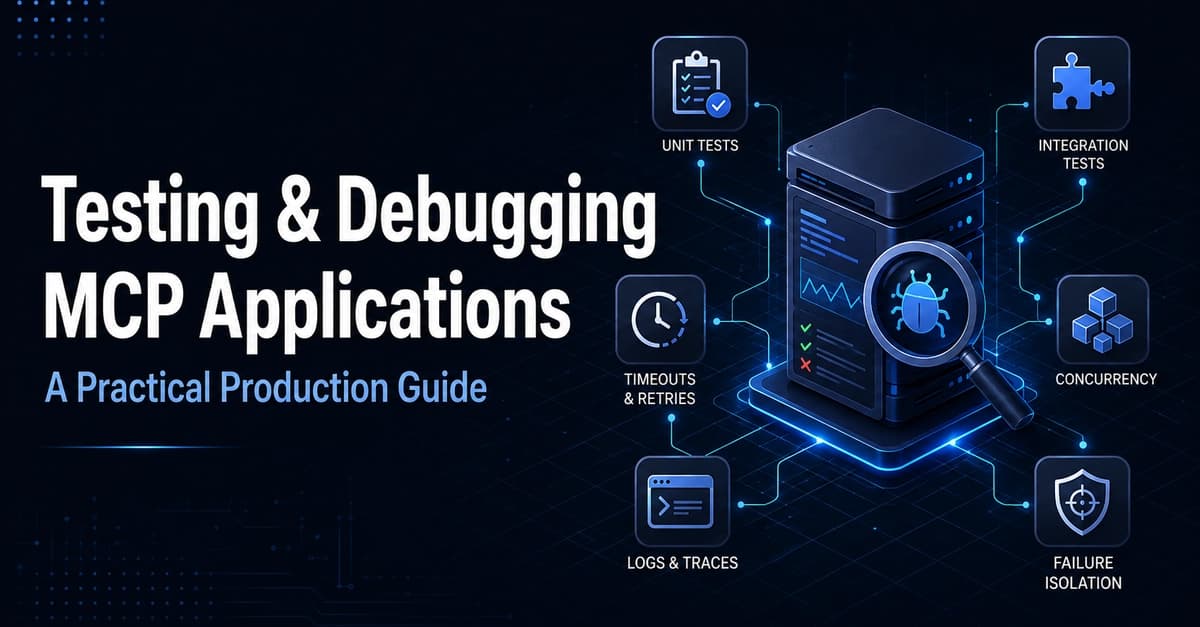
A failure can happen at any layer. A complete testing strategy covers:
- Tool logic
- Input validation
- External integrations
- Authentication and authorization
- Timeouts and retries
- Tool selection
- Concurrent requests
- Tenant isolation
- Logs, metrics, and traces
Testing only the Python function isn't enough. You need to verify how the complete request behaves from the client to the external service.
1. Start with Unit Tests
Unit tests verify one small part of the application at a time. Suppose your MCP server exposes a weather tool:

@mcp.tool()
def get_weather(city: str):
    if not city.strip():
        raise ValueError("City is required")
    return weather_client.get(city)
A basic test verifies that empty input is rejected:
import pytest

def test_get_weather_rejects_empty_city():
    with pytest.raises(ValueError):
        get_weather("")
Another test verifies the expected response:
def test_get_weather_returns_result(mocker):
    mocker.patch("weather_client.get", return_value={"city": "Toronto", "temperature": 24})
    result = get_weather("Toronto")
    assert result["city"] == "Toronto"
    assert result["temperature"] == 24
Useful unit tests cover: valid inputs, missing inputs, invalid values, permission failures, expected output structure, error responses, and boundary conditions.
Key rule: Keep tools small and focused. Narrow tools are easier to test than tools that perform several unrelated actions.
2. Mock External Services
MCP tools often depend on APIs, databases, cloud platforms, and third-party services. Calling real services in every test makes the suite slow, expensive, unreliable, hard to reproduce, and dependent on internet access.
Instead, mock the external dependency:
def test_customer_lookup(mocker):
    mocker.patch("customer_api.get_customer", return_value={"id": "cust-104", "status": "active"})
    result = get_customer("cust-104")
    assert result["status"] == "active"
You should also test failure responses:
def test_customer_api_timeout(mocker):
    mocker.patch("customer_api.get_customer", side_effect=TimeoutError())
    result = get_customer("cust-104")
    assert result["error"] == "service_unavailable"
Don't test only successful responses. Simulate timeouts, invalid credentials, rate limits, empty responses, malformed JSON, network failures, and server errors. Production systems fail in many ways—your tests should reflect that.
3. Add Integration Tests
Unit tests confirm individual functions work. Integration tests confirm multiple components work together.
For an MCP application, an integration test verifies the full flow: client request → MCP server receives request → tool is discovered → tool executes → structured response is returned.
A useful integration test checks:
- Whether the server starts correctly
- Whether expected tools are registered
- Whether arguments are parsed correctly
- Whether responses match the MCP protocol schema
- Whether errors are returned as structured MCP errors
4. Test Tool Selection and Invalid Arguments
In production, the model might select the wrong tool or generate invalid arguments. You can't fully control this from the server side, but you can make your server robust:
- Validate all inputs at the tool boundary
- Return clear, structured errors the model can recover from
- Log which tool was called and with what arguments
5. Add Observability: Logs, Metrics, and Traces
Debugging MCP failures without observability is guesswork. Add:
- Structured logs for every tool call: timestamp, tool name, arguments, duration, result/error
- Metrics for tool call frequency, error rates, and latency
- Traces that span the client → server → tool → external service path
When a tenant's expired credentials cause repeated failures, you need logs that show which tenant and which tool failed. When a blocking function freezes the event loop, you need metrics that show latency spikes.
How This Applies to Claude Code
Claude Code uses MCP servers to extend its capabilities. If you're building an MCP server for Claude Code—whether for internal tooling or a public server—the same testing principles apply.
Before you trust an MCP server in your Claude Code workflow:
- Unit-test every tool with valid, invalid, and boundary inputs
- Mock external services so tests are fast and reliable
- Integration-test the full flow to catch protocol-level issues
- Add observability so you can debug failures when they happen
Try It Now
If you're building MCP servers for Claude Code, start with a test suite that covers the three layers:
# Run unit tests for tool logic
pytest tests/unit/

# Run integration tests against the MCP server
pytest tests/integration/
Add structured logging to every tool:
import logging
logger = logging.getLogger("mcp.tool")

@mcp.tool()
def get_customer(customer_id: str):
    logger.info(f"get_customer called", extra={"customer_id": customer_id})
    # ...
This is the minimum you need to debug MCP servers in production.
Source: dev.to