What Changed — The specific update, with version/date if available
The official ModelContextProtocol C# SDK hit 1.0.0 (maintained with Microsoft). This is no longer a preview or an experimental wrapper. It's a stable, production-ready way to build MCP servers in .NET.
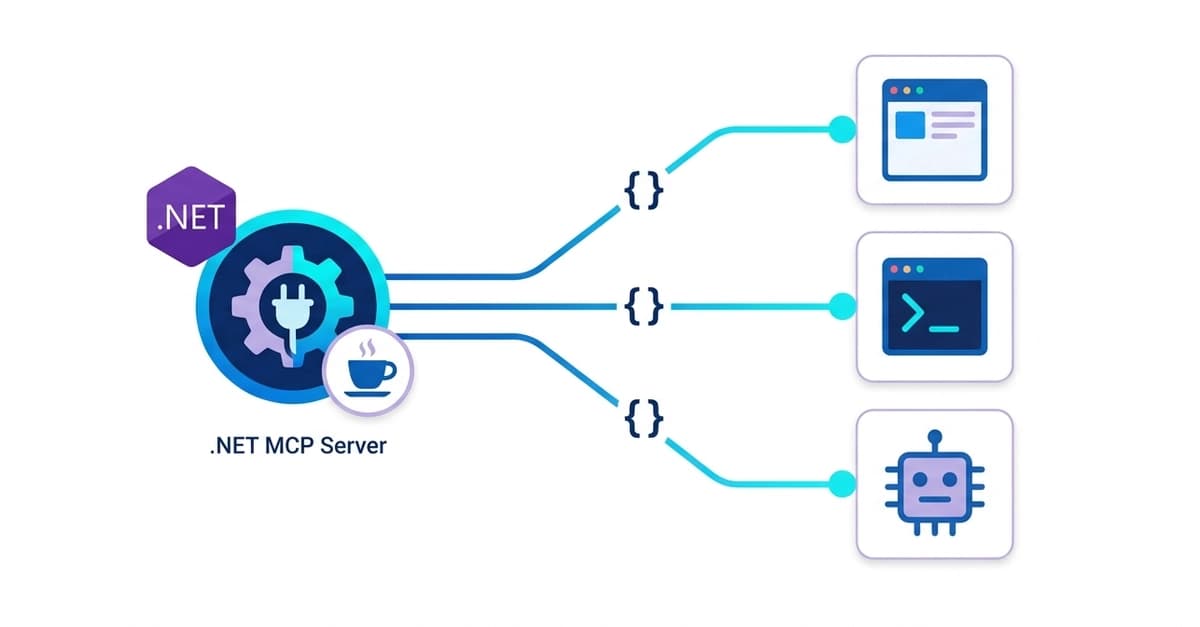
If you've been writing Claude Code tools as inline functions or copy-pasting them between projects, this changes the game. You write a tool once as a standalone server, and any MCP client — Claude Code, Claude Desktop, your own agent — connects and gets your tools for free.
What It Means For You
Your tools become process-independent. The client (Claude Code) launches your server as a child process (stdio) or connects over the network (HTTP). The tool lives on the other side of a process boundary, reusable by any client instead of hardwired into one app.
Here's the core pattern:
[McpServerToolType]
public sealed class CoffeeTools(CoffeeShopData data)
{
    [McpServerTool, Description("Consulta el estado y la fecha estimada de entrega de un pedido por su id.")]
    public string GetOrderStatus(
        [Description("Id del pedido, p. ej. A-1001")] string orderId) =>
        data.Orders.TryGetValue(orderId, out var order)
            ? $"Pedido {order.Id}: {order.Status}, ETA {order.Eta}."
            : "No hay ningún pedido con ese id.";
}
The SDK reads your method signature and generates the JSON Schema automatically. No more hand-writing schemas or maintaining a switch statement.
Try It Now
1. Create a console app and add the packages:

dotnet new console -o AuroraCoffee.Mcp
cd AuroraCoffee.Mcp
dotnet add package ModelContextProtocol
dotnet add package Microsoft.Extensions.Hosting
2. Define your data as an injectable service (a singleton, like a real repository).
3. Mark your tool methods with [McpServerTool] and [Description] on both the method and each parameter.
4. Wire it up in Program.cs using the generic host — the same DI and configuration story you'd use in any .NET service.
5. Connect Claude Code to your server:
claude mcp add aurora-coffee -- dotnet run --project AuroraCoffee.Mcp
Or use the HTTP transport if you want to share the server across a team:
claude mcp add --transport http aurora-coffee https://your-server.example.com/mcp
The Big Picture
MCP servers expose three things:
- tools — actions the model can call (this article's focus)
- resources — readable data (files, rows)
- prompts — reusable prompt templates
If you have a tool that multiple apps need — order lookup, stock check, database queries, internal APIs — build it once as an MCP server. Then every Claude client gets it. That's the coupling MCP exists to break.
Source: dev.to