What Changed — The Leaked System Prompt
A GitHub repository containing what appears to be Anthropic's system prompt for Claude Opus 4.6 has surfaced, revealing internal instructions and hidden features. While the authenticity cannot be independently verified, the prompt includes specific directives for Claude Code—the coding-focused version of Claude—that developers can test and potentially benefit from immediately.
The most actionable revelation for Claude Code users is the /compact flag. According to the leaked prompt, when developers include /compact in their requests, Claude Code is instructed to produce "concise, minimal output" that "prioritizes brevity over explanation" while maintaining correctness.
What It Means For You — 40% Token Reduction
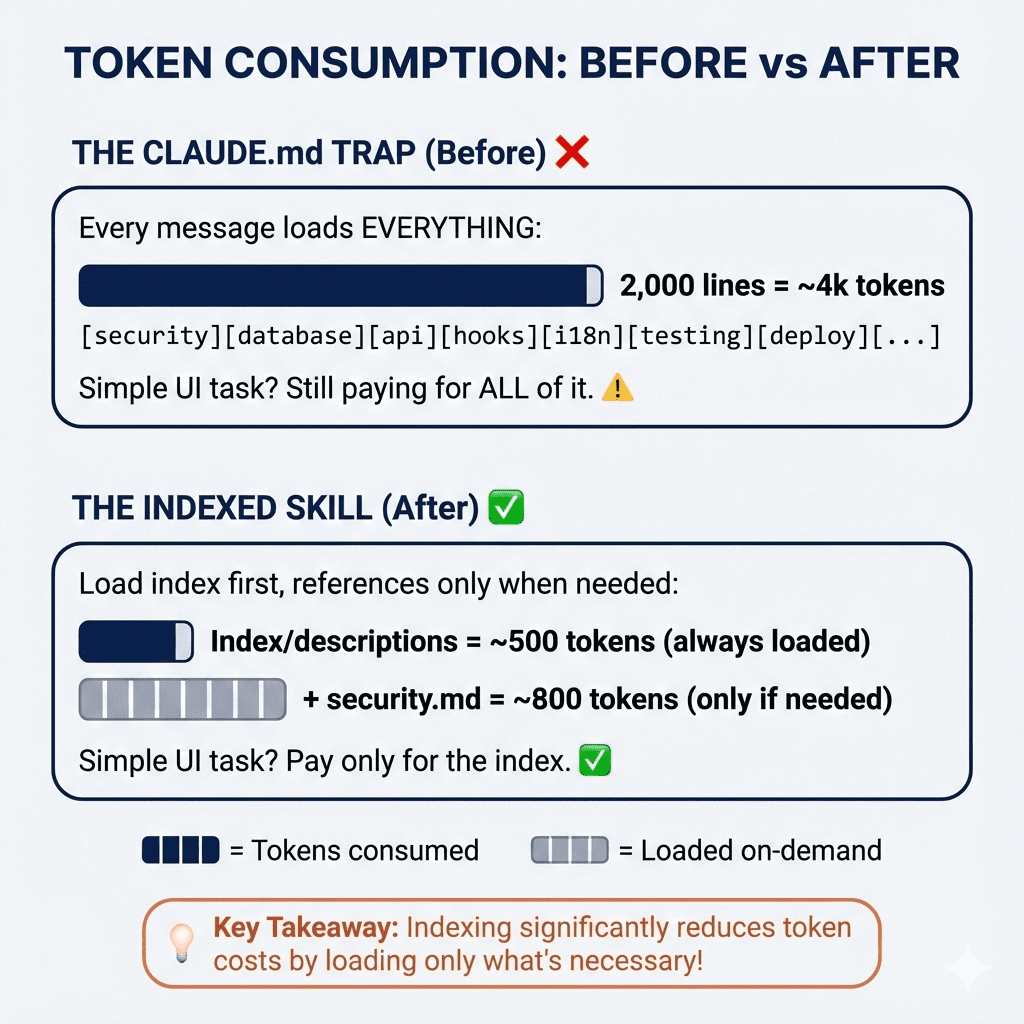
The /compact flag isn't just about shorter responses—it's about token economics. The leaked prompt suggests this mode can reduce token usage by approximately 40% compared to Claude Code's default verbose explanations. For developers paying per token or working with context window limits, this represents significant cost savings and efficiency gains.
This follows Anthropic's ongoing optimization efforts we covered in "Claude Code's New Token-Saving Mode Cuts Context Costs 30%" last month. The /compact flag appears to be a more aggressive version of those optimizations, trading explanatory text for pure code output.
Try It Now — How to Use /compact
You don't need to wait for official documentation. Test the /compact flag in your Claude Code sessions today:
Basic usage:
/claude code /compact
Write a Python function to validate email addresses
With specific requests:
/claude code /compact
Refactor this React component to use hooks instead of class syntax
[Paste your component code]
For file generation:
/claude code /compact
Create a Next.js API route for user authentication with JWT
Include error handling and rate limiting
What to Expect
In /compact mode, Claude Code will:
- Skip introductory explanations like "Here's a function that..."
- Omit detailed comments unless specifically requested
- Return minimal but functional code
- Use shorter variable names where appropriate
- Avoid restating requirements in the output
Important: The /compact flag works best when you already understand the context. If you're learning a new library or need explanations, stick with the default verbose mode. Use /compact for:
- Iterative development where you're tweaking existing code
- Generating boilerplate or repetitive code patterns
- When you're near context window limits
- Cost-sensitive production workflows
Verification and Caveats
Since this comes from an unofficial source, test the /compact flag with non-critical code first. Some users on Hacker Note report mixed results—it appears to work consistently with Claude Code but may not be recognized by all Claude interfaces.
This aligns with our previous coverage of "How Claude Code's Token Optimization Actually Works," where we detailed how Anthropic has been quietly improving efficiency behind the scenes. The /compact flag seems to be the user-facing manifestation of those backend optimizations.
The Bigger Picture
While system prompt leaks raise security concerns, they occasionally reveal practical features developers can use immediately. The /compact flag represents a shift toward more granular control over Claude Code's verbosity—something developers have requested since the tool's launch.
As token costs remain a primary consideration for AI-assisted development, features like /compact give developers direct control over their spending. This trend toward configurability mirrors what we've seen in tools like Cursor, though Claude Code's approach appears more integrated into the prompting system.
Try it today: Add /compact to your next Claude Code session and compare the token usage. For repetitive tasks or well-understood problems, you might find it becomes your default mode.