What Changed: Built-in Interactive Learning
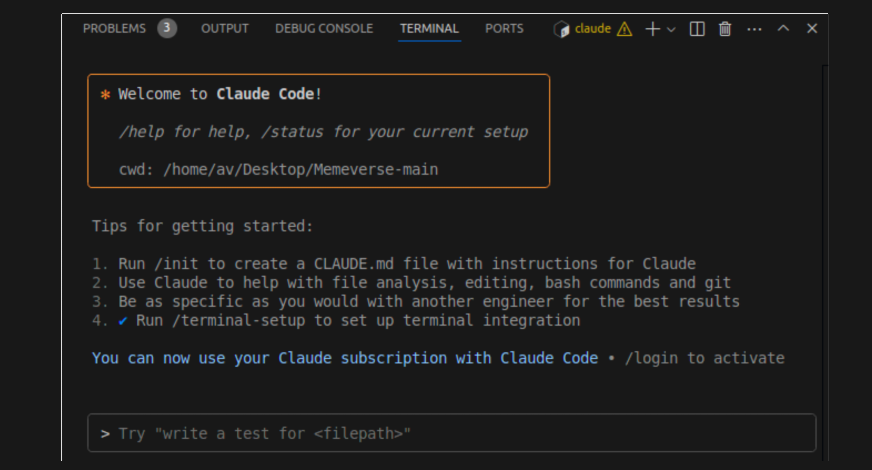
Claude Code's April 2026 update introduced /powerup, a native tutorial system that runs directly in your terminal. This isn't documentation or external videos—it's interactive lessons with animated demos that show exactly how features work, followed by prompts where you try them yourself.
Type /powerup in any Claude Code session, and you'll get a menu of available lessons. Each takes under 2 minutes and focuses on one specific feature: MCP server configuration, project memory, custom skills, hook automation, background agents, /cost breakdowns, and the Monitor tool.
Why This Matters for Daily Work
For developers who've struggled with scattered documentation or the cognitive load of switching between browser tutorials and terminal work, /powerup eliminates that friction. You learn features in the exact context where you'll use them, with zero translation cost between learning and application.
The most valuable lessons target features developers consistently underuse:
- MCP Server Setup: Goes from zero to working connection in 90 seconds, solving the "I know MCP exists but haven't set it up" problem
- Memory and Context: Clarifies the difference between project memory (
.claude/files), session context, and conversation memory - Skills and Commands: Shows how to create skill files, register them, and chain them together for complex workflows
- Hooks for Automation: Demonstrates practical hooks for brand compliance checks, linting on save, auto-formatting, and security scanning
- Background Agents + Monitor: Teaches the pattern of spawning agents for parallel work while monitoring their output
How to Use It Right Now
Start Fresh or Fill Gaps: If you're new to Claude Code, run
/powerupimmediately after installation. If you've been using it for months, run it anyway—you'll likely discover features you've missed.Follow the Progression Path: After completing lessons, implement one skill, one hook, and one MCP connection within your first month. This builds the foundation for more complex setups.
Combine with Other April Updates: Use
/powerupalongside the new/costbreakdown (shows per-model token usage) and Monitor tool (streams background process output). The MCP result limit increase to 500K characters also makes server connections more practical for large payloads.Team Onboarding: Instead of creating internal documentation, point new team members to
/powerup. The lessons are maintained by Anthropic and stay current with updates.
The Real Workflow Impact
Experienced Claude Code users report discovering features they'd missed despite daily use. The terminal-native approach creates muscle memory—you're not just reading about a feature, you're executing commands and seeing results in real time.
For serious setups that combine 40+ skills, multiple enforcement hooks, and MCP connections to services like Shopify, Figma, and GitHub, /powerup teaches the individual building blocks. The compound value comes from assembling them into workflows that match your specific development patterns.
This update directly addresses Claude Code's steepest criticism: the learning curve. With /powerup, developers can go from installation to productivity in under 30 minutes, without ever leaving their terminal context.