What Changed in Opus 4.6
Users on the Max plan are reporting a noticeable shift in Claude Opus 4.6's behavior compared to 4.5. The consensus is that responses have become more verbose, using more em-dashes and adopting a slightly more 'emotional' or 'sweet' tone reminiscent of ChatGPT's style. The core complaint is that Opus 4.6 feels less "straight to the point"—a quality many developers valued in previous versions for coding tasks.
This isn't just about tone. When you're using Claude Code, verbosity directly impacts token usage and can clutter the context window with unnecessary prose, making it harder for the model to reference your actual code and instructions.
What This Means for Your Claude Code Workflow
The change in Opus 4.6's default behavior means your existing prompts and CLAUDE.md files might not yield the same crisp, technical output they once did. A model that spends tokens on conversational flourishes has fewer tokens to dedicate to precise code generation, complex reasoning, and maintaining context across a large codebase.
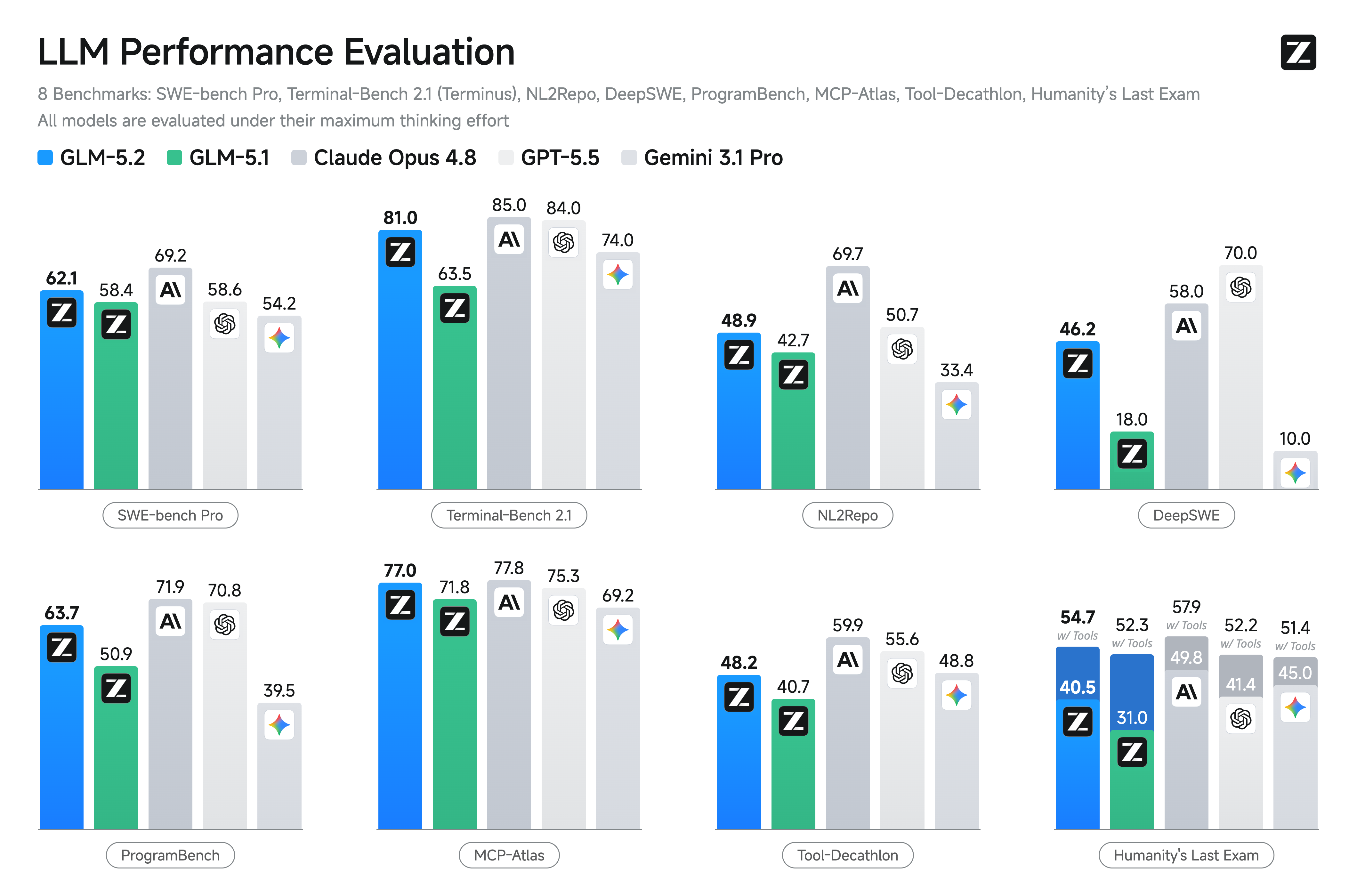
This is critical because, as noted in comparisons, Claude's strength is in "long-running work, large-codebase stability, multi-agent coordination, and long-context consistency." Extra verbosity works against these strengths.
How to Prompt Opus 4.6 for Concise Code
You need to be more explicit and directive in your system prompts. The model will follow clear instructions, but you must now explicitly ask for the old style.
Update your CLAUDE.md file with a stronger directive:
## Coding Style & Communication
- **Be extremely concise and technical.**
- **Zero fluff, zero emotional language, zero unnecessary commentary.**
- **Do not use em-dashes or conversational asides.**
- **Respond with code first, brief explanations only if directly requested or critically necessary.**
- **Prioritize token efficiency. Every word must serve the technical goal.**
Use direct, imperative prompts in the chat:
Instead of: "Can you help fix this bug?"
Use: "Debug this function. Provide only the corrected code and a one-line summary of the root cause."
Leverage the /compact flag if available in your CLI:
claude code analyze --file server.js --compact
For complex refactoring, prime the context:
Before pasting code, write: "You are a senior engineer reviewing this module. Provide a diff showing only the necessary changes for [X goal]. No introductory paragraph."
The Strategic Takeaway: Fit Over Benchmark
This behavioral tweak highlights a broader principle: choose your model based on workflow fit, not abstract benchmarks. The linked analysis states: "The practical choice therefore depends less on abstract intelligence and more on what kind of engineering pain your team is actually trying to remove."
If your "pain" is verbose, distracting responses, you now have to engineer the prompt to remove it. Claude Opus 4.6 remains exceptionally capable for "debugging [which] rewards disciplined iteration, evidence handling" and "refactoring [which] rewards contextual stability, architectural discipline." You just need to guide its communication style more firmly.