The Problem: Debugging Agent-to-Agent Communication
When building AI agents that communicate using Google's A2A (Agent-to-Agent) protocol, debugging conversations between agents is notoriously difficult. You're left reading server logs and parsing JSON, unable to see the conversation flow in real time or manually intervene. The existing A2A Inspector tool only lets you send messages to an agent—you can't simulate the other agent responding, especially for the crucial input-required back-and-forth pattern.
The Solution: A2A Simulator
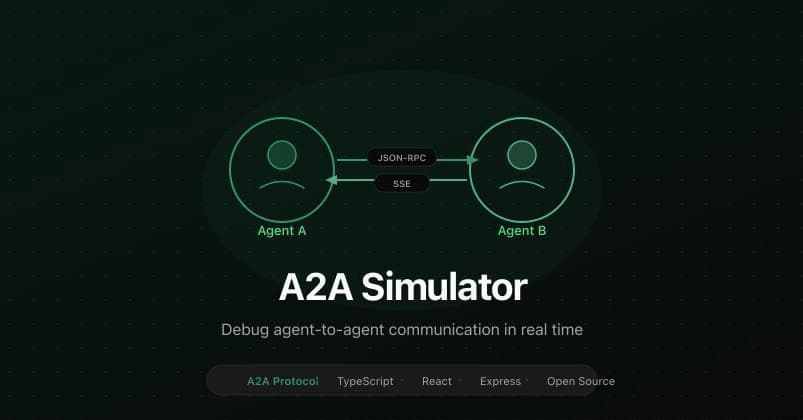
The A2A Simulator is an open-source tool that runs as both an A2A server and client on a single port. It provides a chat interface where you can:
- See incoming messages from remote agents
- Manually respond with any A2A state (
working,completed,input-required,failed) - Attach artifacts (files, structured data) to responses
- View the raw JSON-RPC for every message exchange
- Control both sides of a conversation from one interface
How To Set It Up
Clone and install the simulator:
git clone https://github.com/agentdmai/a2a-simulator.git
cd a2a-simulator
npm install

Start two instances to simulate a conversation:
# Terminal 1 - Agent Alpha
npm run dev -- --port 3000 --name "Agent Alpha"

# Terminal 2 - Agent Beta
npm run dev -- --port 3001 --name "Agent Beta"
Open http://localhost:5173 for Agent Alpha's UI. In the connection panel, enter http://localhost:3001 to connect to Agent Beta.
Debugging Multi-Turn Conversations
Here's a practical debugging workflow:
- From Alpha, send "What's the weather?"
- On Beta, select
workingfrom the dropdown and reply "Checking forecast data..." - On Beta, select
workingagain and reply "Found 3 matching stations" - On Beta, select
input-requiredand ask for clarification - Back on Alpha, reply to the clarification request
- On Beta, select
completedwith the final answer
This entire exchange happens on a single task, with status moving through working → working → input-required → completed. Click "View raw" on any message to see the exact JSON-RPC that went over the wire.
What You'll Catch
Using the simulator, the AgentDM team discovered critical bugs:
- Context ID handling: When replying to an
input-requiredtask, the follow-up message must reference the original task'scontextIdor the SDK creates a new task instead of continuing the existing one - Event duplication: The
@a2a-js/sdkstreams multiple events for terminal states, causing duplicate messages without proper client-side deduplication - State transition errors: Visualizing the conversation flow reveals when agents send invalid state transitions

Advanced Features
- Artifacts: Attach named artifacts with MIME types to test agents that return structured data or files
- Authentication: Configure bearer token authentication through the Agent Card editor
- Real-time streaming: See updates as they happen, not just final results
Integration with Claude Code Workflows
While building A2A agents with Claude Code, use the simulator to:
- Test agent logic before deploying to production
- Debug prompt engineering by seeing exactly what your agent sends and receives
- Validate Claude-generated code that implements A2A protocol handlers
- Simulate edge cases without spinning up multiple cloud instances

The simulator runs entirely locally, making it perfect for the rapid iteration cycle Claude Code enables.
When You Need This Tool
Use the A2A Simulator when:
- Building agents that use Google's A2A protocol
- Debugging
input-requiredconversations - Testing multi-turn agent interactions
- Validating A2A protocol compliance
- Developing agent-to-agent communication logic
Skip it if you're only building single agents or using different agent communication protocols.