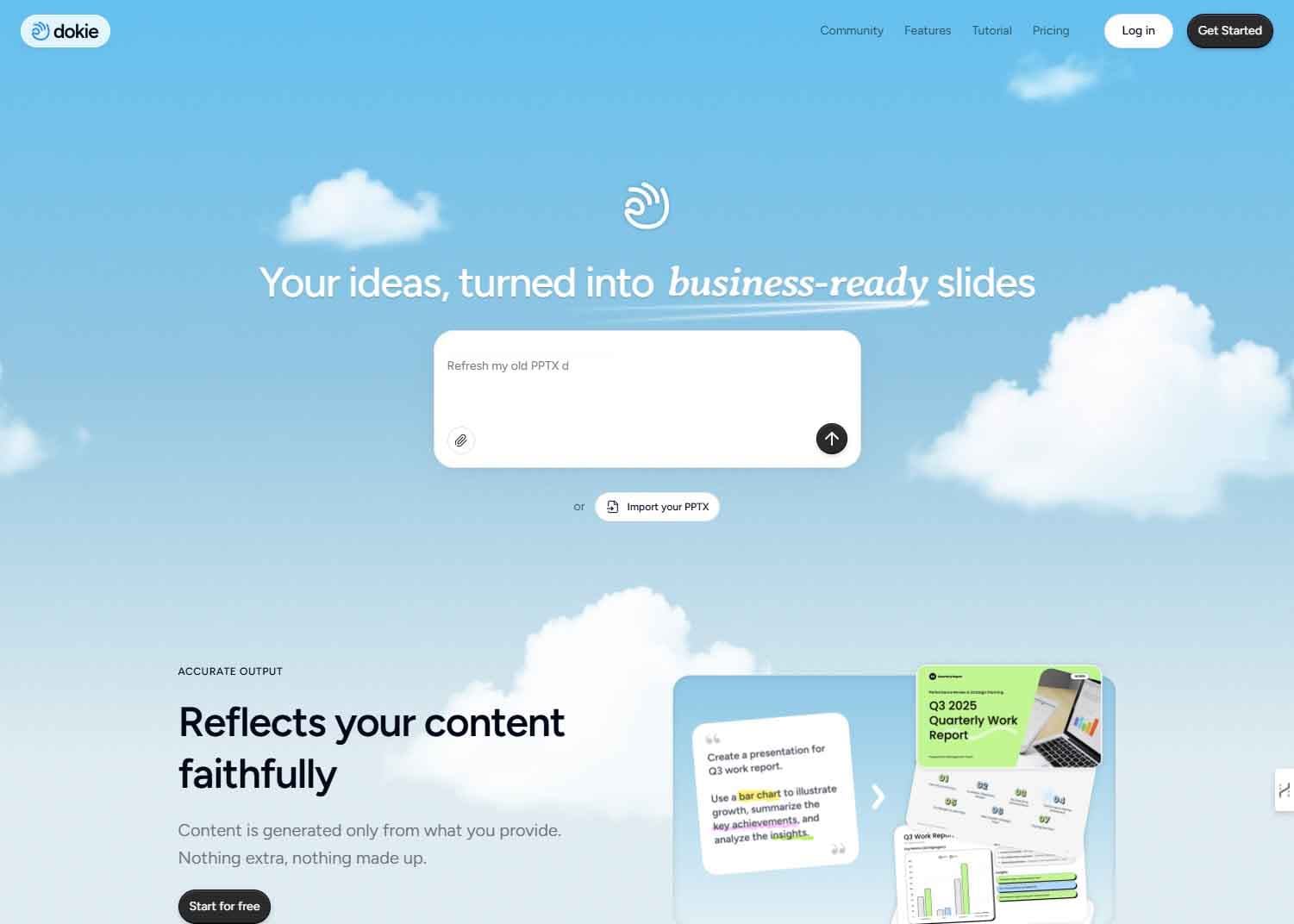
A new AI-powered presentation tool called Dokie has emerged, positioning itself as the "Cursor for presentations"—referencing the popular AI-powered code editor that transforms natural language prompts into functional code. Dokie's core function is straightforward: users input messy, unstructured bullet points, and the tool generates a clean, professionally formatted presentation deck in under two minutes.
What Happened
According to an announcement shared on social media, Dokie automates the entire slide creation workflow that typically involves manual formatting, element dragging, and template hunting. The tool appears to target a specific pain point: the time-consuming gap between having raw content ideas and producing a visually coherent slide deck suitable for professional settings.
While the initial announcement is brief, the comparison to Cursor is significant. Cursor has gained traction among developers by deeply integrating AI (primarily OpenAI's models) into the IDE to understand context, generate code, and answer questions. By analogy, Dokie aims to bring similar AI-native, context-aware automation to the presentation software space, which has been dominated by manual tools like PowerPoint, Google Slides, and Canva.
How It Works (Based on Available Information)
The promotional material states the process requires "No formatting. No dragging. No templates." This suggests a workflow where:
- A user pastes or writes bullet-point content into Dokie.
- The AI parses the text, infers structure, hierarchy, and key concepts.
- The system automatically applies visual design principles—selecting layouts, typography, color schemes, and potentially generating or sourcing relevant imagery—to create a complete deck.
The output is a "clean professional deck" ready for review, tweaking, or presentation. The promised sub-two-minute turnaround positions it as a tool for rapid prototyping and first-draft creation, rather than fine-grained design control.
Context & Competitive Landscape
The presentation software market is crowded but ripe for AI disruption. Established players have begun integrating AI features:
- Microsoft PowerPoint has "Designer" and "Copilot" features that suggest layouts and generate content.
- Google Slides has "Help me visualize" for generating images with Gemini.
- Canva has a suite of Magic Studio AI tools for design.
However, these are often bolt-on features within larger, traditional applications. Dokie's proposition as a dedicated, AI-first tool that starts from raw text echoes the approach of other successful vertical AI applications. Its success will likely depend on the quality and coherence of its fully automated designs, its ability to handle complex content logically, and how much control it ultimately cedes or gives back to the user for refinement.
gentic.news Analysis
Dokie's launch is a direct shot across the bow of incumbent presentation platforms and fits squarely into the trend of vertical AI applications—tools built from the ground up with a single, AI-native workflow for a specific task. This mirrors the trajectory we've seen in coding (Cursor, Replit), image generation (Midjourney), and writing (Jasper, Lex). The "Cursor for X" framing is becoming a shorthand for this category: taking a complex, knowledge-worker task and building an interface where the primary interaction is stating an intent, not manually manipulating objects.
This development also highlights the ongoing commoditization of design labor. Tools like Canva democratized access to design templates; AI is now automating the template selection and application process itself. The next frontier is the AI that can not only format content but also improve the rhetorical structure and narrative flow of the presentation—a much harder problem. For now, Dokie appears focused on the visual and formatting layer, which is a substantial time-saver if executed well.
From a market perspective, this increases pressure on Microsoft and Google to deepen and accelerate their own AI integrations. A lightweight, web-based tool that produces a "good enough" draft in two minutes could capture significant use cases, especially for internal meetings, quick pitches, and early-stage content creation. The major challenge for Dokie will be moving beyond simple bullet lists to handle charts, data visualization, and complex multi-modal content, areas where the established platforms have decades of development investment.
Frequently Asked Questions
What is Dokie AI?
Dokie is an AI-powered web application that automatically converts plain text bullet points into a fully formatted presentation deck. It aims to eliminate the manual steps of slide design, such as selecting templates, arranging text boxes, and formatting elements.
How is Dokie different from PowerPoint's AI features?
While PowerPoint Copilot and Designer assist within an existing, manual slide-editing framework, Dokie is built as an AI-first tool. The claimed workflow is more automated: input text, get a complete deck. It's positioned as a dedicated tool for rapid first-draft creation, whereas PowerPoint's AI is an enhancement to a comprehensive, traditional desktop application.
Can Dokie create presentations with charts and complex graphics?
Based on the initial announcement, the core functionality focuses on turning text bullet points into clean slides. The depth of its capability for automated data visualization, chart generation, or custom graphic creation is not detailed. Its initial use case appears to be text-to-slide generation for narrative or informational content.
Is Dokie available to use now?
The announcement includes a link (https://t.co/IE76QLYL7c), which likely leads to a landing page, waitlist sign-up, or early access portal. As with many newly launched AI tools, it may be in a closed beta, open beta, or early release stage.


