
The Discovery: Skills vs. Raw MCP Tools
Recent testing with the Agent Development Kit (Python) reveals a dramatic difference in token efficiency when using MCP tools with custom agents. When an agent was given raw MCP tools without structured descriptions, it consumed significantly more tokens to accomplish the same task compared to when those tools were enhanced with clear "skills" definitions.
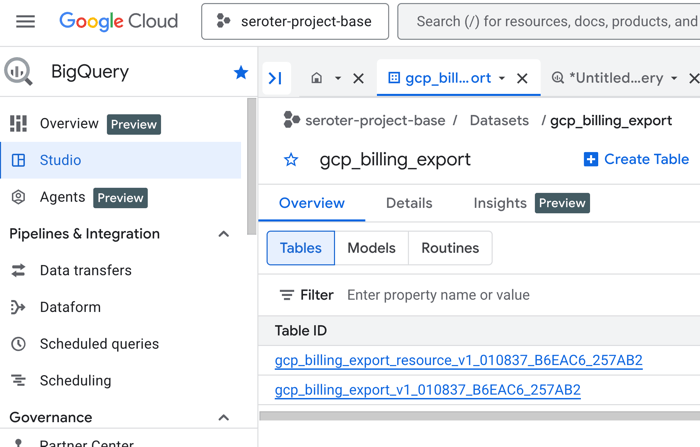
The specific test involved a cloud FinOps agent that needed to query Google Cloud BigQuery tables to identify expensive Cloud Storage buckets. The agent using MCP tools with skills consumed 87% fewer tokens than the same agent using raw MCP tools.
Why Skills Make Such a Difference
When you provide an agent with MCP tools alone, the LLM must infer capabilities from tool names and minimal metadata. This leads to:
- Repeated tool exploration attempts
- Trial-and-error prompting
- Verbose reasoning about what each tool might do
Skills provide structured descriptions that tell the agent exactly:
- What the tool does
- When to use it
- What parameters it expects
- What format the output will be
This eliminates guesswork and reduces the back-and-forth that eats tokens. Think of it as giving your agent a well-documented API instead of making it reverse-engineer endpoints.
How to Implement Skills in Your Claude Code Workflow
While the original testing used Google's Agent Development Kit, the principle applies directly to Claude Code with MCP servers. Here's how to adapt this finding:
1. Enhance Your MCP Server Descriptions
When configuring MCP servers in your Claude Code setup, don't just list tools—add skill descriptions. In your claude_desktop_config.json or equivalent:
{
  "mcpServers": {
    "bigquery-agent": {
      "command": "npx",
      "args": ["@modelcontextprotocol/server-bigquery"],
      "env": {
        "GOOGLE_APPLICATION_CREDENTIALS": "/path/to/credentials.json"
      },
      "skills": [
        {
          "name": "query_billing_data",
          "description": "Execute SQL queries on BigQuery billing tables to retrieve cost breakdowns by service, project, or resource",
          "parameters": {
            "sql_query": "string",
            "project_id": "string"
          },
          "output_format": "JSON array of billing records"
        }
      ]
    }
  }
}
2. Create a CLAUDE.md Skills Section
Add a dedicated skills section to your project's CLAUDE.md:
## Available Skills

### BigQuery Operations
- **query_billing_data**: Execute SQL on billing tables. Use when you need cost breakdowns by service, project, or resource. Returns JSON array.
- **list_expensive_buckets**: Find top 10 most expensive Cloud Storage buckets this month. No parameters needed.

### Cloud Storage Analysis
- **analyze_bucket_costs**: Compare bucket costs month-over-month. Requires bucket_name parameter.
3. Prompt with Skill References
When asking Claude Code to use MCP tools, reference the skills directly:
Instead of: "Check my Cloud Storage costs"
Use: "Use the list_expensive_buckets skill to find my top 10 most expensive Cloud Storage buckets this month, then use analyze_bucket_costs on the top result to see month-over-month trends."
The Token Economics Are Real
The 87% reduction comes from eliminating:
- Tool discovery loops ("Let me try this tool... no, maybe that one...")
- Parameter guessing ("What format should the project ID be in?")
- Output interpretation ("What does this JSON mean?")

Each of these uncertainties generates multiple LLM turns. Skills compress this into single, efficient operations.
Beyond Google Cloud: Universal Application
This technique works with any MCP server:
- Database servers (PostgreSQL, MySQL)
- File system tools
- API connectors
- Code analysis tools
For each tool your MCP server exposes, write a clear skill description that includes:
- Purpose: What problem it solves
- Trigger: When to use it
- Inputs: Required parameters and format
- Outputs: What you'll get back
Start Measuring Your Own Savings
While the Agent Development Kit has built-in token counting, you can approximate savings in Claude Code by:
- Comparing response times (fewer tokens = faster responses)
- Noting when Claude needs fewer follow-up questions
- Tracking how often it "gets it right" on the first try
Add a comment to your CLAUDE.md tracking token-efficient patterns you discover.
The Bottom Line
MCP tools alone give your agent capabilities. MCP tools with skills give your agent understanding. That understanding translates directly to token savings—87% in tested scenarios, and likely significant savings in your own workflows.
Start by taking one MCP server you use regularly and writing skill descriptions for its three most-used tools. You'll notice the difference immediately.


