The Technique — A Consolidated Command Hub

A developer has compiled a comprehensive cheat sheet for Claude Code, aggregating shortcuts, CLI commands, MCP server configurations, and proven workflows into a single reference. This isn't just a list of basic commands; it's a curated collection of the actions that save the most time during daily development. Given Claude Code's rapid evolution—it's been mentioned in 58 articles this week alone—having a centralized reference is crucial to keep up with best practices.
Why It Works — Eliminating Context Switching
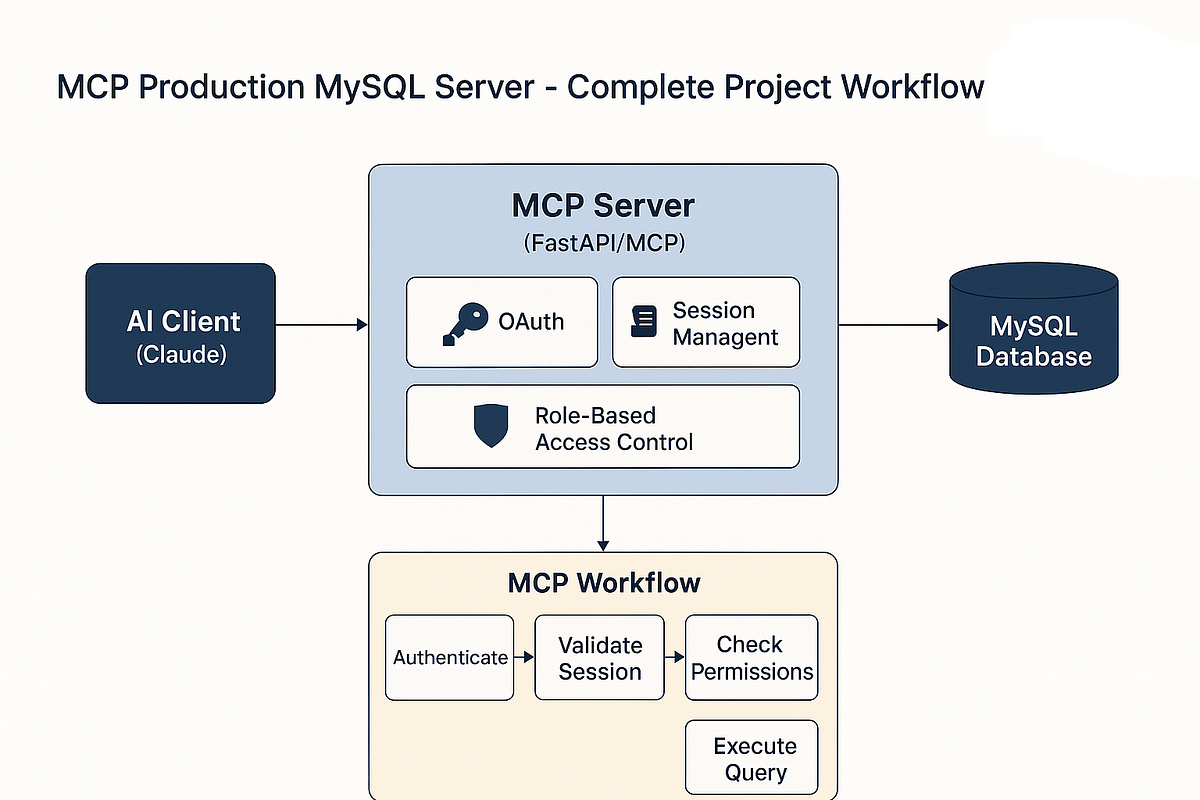
Constantly searching documentation or trying to recall the exact flag for a multi-file edit breaks your flow. This cheat sheet works by reducing cognitive load and context switching. It directly addresses the tool's expanding feature set, including its deep integration with the Model Context Protocol (MCP), which has been a major focus with 117 prior mentions and recent developments like the Playwright MCP server. By having commands for project context management (like the recently announced 46:1 context cache) and MCP tool invocation in one place, you stay in the terminal and in the zone.
How To Apply It — Integrate These 5 Commands Now

Don't just bookmark the sheet; integrate its most powerful commands into your muscle memory. Here are five high-impact entries to start with:
Multi-file Scope & Edit: Instead of describing files, use the
--files(or-f) flag to explicitly scope Claude's attention.claude code --files src/utils/helper.js src/components/Button.js "Refactor to use the new auth module"MCP-Powered Shell Commands: Use MCP servers to generate and execute complex shell commands safely. The cheat sheet clarifies the prompt pattern.
Using the MCP shell tools, list all Docker containers and show their status and port mappings.Structured Output for Scripts: Direct Claude to output runnable scripts, not just explanations.
claude code "Write a Python script that renames all .txt files in the current directory to use snake_case. Output only the script."Git Context Management: Use built-in Git commands to have Claude analyze diffs or write commit messages.
claude code --git-diff "Summarize the changes and suggest a conventional commit message."Compact Mode for Long Outputs: When you expect a lengthy code generation, preemptively use compact mode to save tokens and focus the output.
claude code --compact "Generate a full configuration for a Next.js app with Tailwind, TypeScript, and ESLint."
Keep this cheat sheet open in a pane alongside your terminal. When you find yourself about to look up a syntax, check the sheet first. Over a week, this will save more time than any single clever prompt.
A Critical Security Note
While integrating new workflows, remember the critical security context. This follows the disclosure of CVE-2026-35022 in versions ≤2.1.87. Before trying any new MCP setups or automation from any source, ensure your Claude Code is updated to the latest, patched version. Never use deprecated authentication helpers. Security is the non-negotiable foundation of any efficient workflow.