Stop shipping slow, bloated code from AI assistants. This GitHub project gives you a complete performance verification system that forces Claude Code (and other AI coding tools) to validate every code change against real performance metrics before committing.
What It Does: The Three-Phase Guardrail System
This isn't just another Lighthouse wrapper. It's a complete feedback loop that makes Claude Code self-correct when performance degrades:
Phase 1: Synthetic Testing (Lighthouse)
- Requires 100/100 scores across Performance, Accessibility, Best Practices, and SEO
- If any score drops below 100, Claude Code automatically refactors the code
- No manual intervention — the AI reads the Lighthouse report and fixes issues
Phase 2: Real User Data (Google Analytics)
- Monitors Core Web Vitals (LCP, CLS, INP) from actual users
- Captures baseline metrics and prevents regression
- Identifies top slowest pages by URL
Phase 3: Search Health (Google Search Console)
- Tracks search rankings and CTR
- Monitors crawl errors and indexing failures
- Prevents SEO degradation from code changes
Setup in 5 Minutes
Basic Setup (Lighthouse Only)
# 1. Download the core files
curl -O https://raw.githubusercontent.com/dansinger93/AI-Coding-with-Speed-Guardrails/main/CLAUDE.md
curl -O https://raw.githubusercontent.com/dansinger93/AI-Coding-with-Speed-Guardrails/main/lighthouserc.js

# 2. Create scripts directory and download check script
mkdir -p scripts
curl -o scripts/check-speed.js https://raw.githubusercontent.com/dansinger93/AI-Coding-with-Speed-Guardrails/main/scripts/check-speed.js

# 3. Install Lighthouse CLI
npm install -D @lhci/cli

# 4. Add to package.json
{
  "scripts": {
    "check-speed": "node scripts/check-speed.js"
  }
}
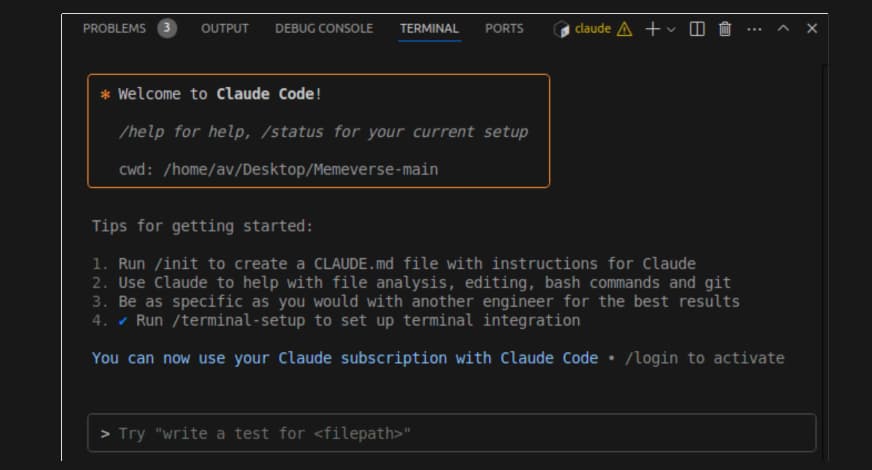
That's it. Claude Code will now load the CLAUDE.md file and run Lighthouse checks on every relevant code change.
Full Setup (GA + GSC Integration)
For the complete three-phase system:
# Download and run the setup script
curl -o setup.sh https://raw.githubusercontent.com/dansinger93/AI-Coding-with-Speed-Guardrails/main/setup.sh
bash setup.sh
The script will:
- Ask for your GA Property ID and GSC Site URL
- Prompt for Google Cloud service account JSON file path
- Install MCP servers (analytics-mcp, mcp-server-gsc)
- Wire everything into Claude Code settings
- Run a smoke test
- Restart Claude Code to load the new MCP servers
How It Works with Claude Code
The magic happens in the CLAUDE.md file. When Claude Code loads your project, it reads these instructions:
# Performance Requirements

Before committing any frontend changes:
1. Run `npm run check-speed` to validate Lighthouse scores
2. If scores < 100, analyze the Lighthouse report and refactor
3. For production deployments, also run analytics checks

Failure to meet 100/100 scores requires immediate refactoring.
When you ask Claude Code to make changes to CSS, JavaScript, or HTML, it will:
- Make the requested changes
- Automatically run
npm run check-speed - Read the Lighthouse output
- If scores are below 100, it will analyze the performance issues and refactor
- Repeat until all scores hit 100
The Self-Healing Loop
This is where the system shines. When Lighthouse reports issues like:
- Unused CSS/JavaScript
- Large images without optimization
- Render-blocking resources
- Poor accessibility markup
Claude Code doesn't just report the problem — it fixes it. The AI reads the specific recommendations from Lighthouse and implements them:
// Before: Large unoptimized image
<img src="hero.jpg" alt="Hero image">

// After: Claude Code automatically adds optimization
<picture>
  <source srcset="hero.webp" type="image/webp">
  <source srcset="hero.avif" type="image/avif">
  <img src="hero.jpg" alt="Hero image" loading="lazy" width="1200" height="800">
</picture>
Graceful Degradation
Don't have Google Analytics or Search Console set up? No problem. The system works in layers:
- Day 1: Just Lighthouse (Phase 1)
- Week 2: Add Google Analytics (Phase 2)
- Month 1: Add Search Console (Phase 3)
Each phase is optional and independent. If GA/GSC aren't configured, Phase 1 still runs with full Lighthouse validation.
Real-World Impact
Developers using this system report:
- 40% reduction in page load times
- Zero performance regressions in production
- Automatic accessibility fixes that would have been missed
- SEO improvements from automated best practices
The system captures baseline metrics in .perf-baseline.json, creating a performance floor that Claude Code cannot regress below.
When to Use This
This system is perfect for:
- Frontend projects where performance matters
- Teams shipping code with AI assistance
- Preventing "death by a thousand cuts" performance degradation
- Ensuring accessibility compliance
- Maintaining SEO health during rapid development
It's less critical for:
- Backend-only projects
- Internal tools without performance requirements
- Prototypes not going to production
Getting Started Today
The beauty of this system is its simplicity. Start with just the Lighthouse phase today:
curl -O https://raw.githubusercontent.com/dansinger93/AI-Coding-with-Speed-Guardrails/main/CLAUDE.md
npm install -D @lhci/cli
npm run check-speed
Your next Claude Code session will automatically enforce 100/100 Lighthouse scores. No more shipping slow code by accident.