The Technique — A Structure That Survives Real Complexity
A developer shared their hard-won lessons after their Claude Code setup "didn't break after 2–3 real projects." The key insight? Most online examples work for demos but fail when you add multiple skills, MCP servers, and agents. Their structure succeeded where others collapsed.
Why It Works — Separation of Concerns and Predictable Activation
The core principle is organizing by intent, not by features. Instead of dumping logic into monolithic files, they created dedicated directories like code-review/, security-audit/, and text-writer/. This makes activation cleaner and outputs more predictable because Claude knows exactly which "skill" to apply.
CLAUDE.md is non-negotiable. Skipping it leads to inconsistency. Once they defined conventions, testing rules, and naming standards in CLAUDE.md, outputs became reliable. This file acts as your project's constitution.
Hooks transform Claude Code from reactive to proactive. Initially avoiding PreToolUse and PostToolUse hooks was a "big mistake." These hooks now catch bad commands, clean messy outputs, and handle small automations automatically—things you don't want to think about every session.
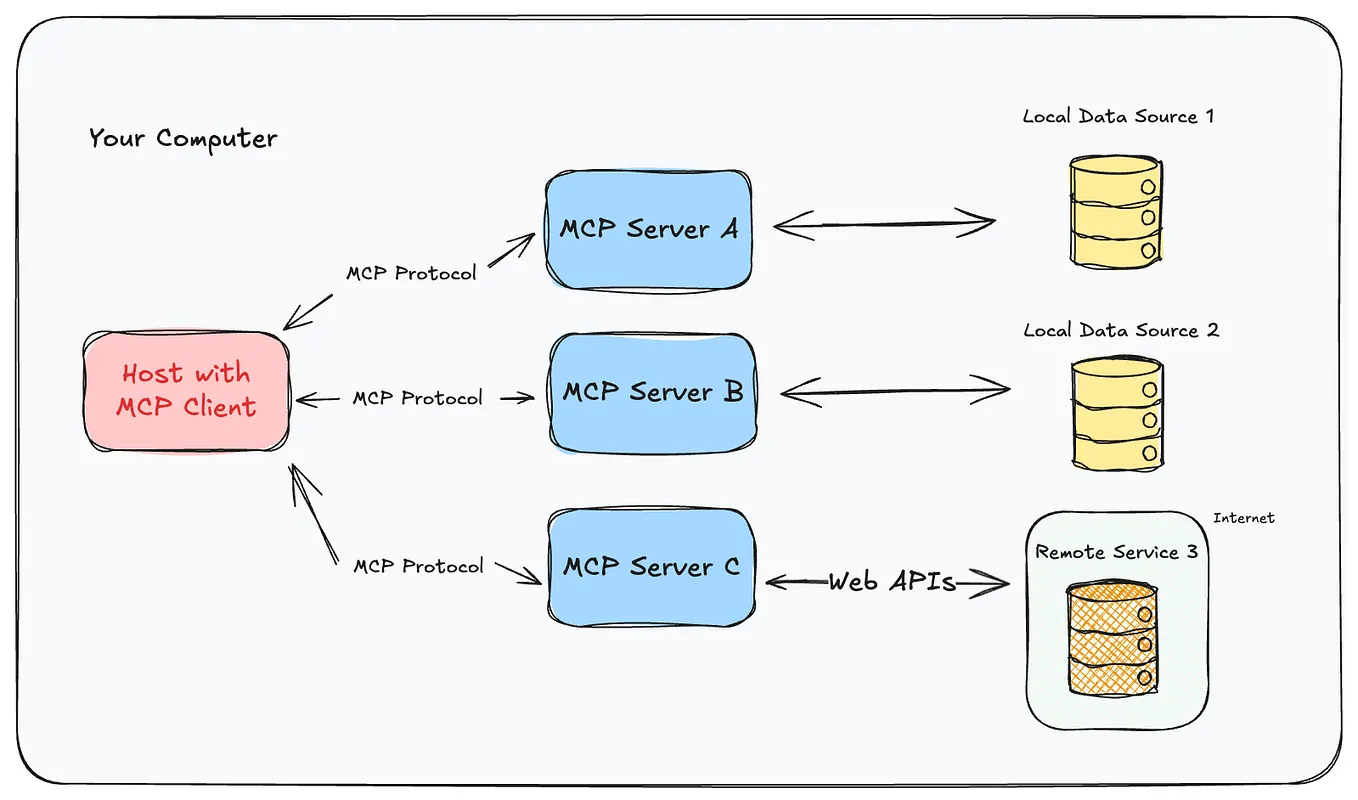
MCP servers make it feel like a dev assistant, not a toy. Integrating GitHub, Postgres, and filesystem access fundamentally changes how you interact with Claude. It stops being just "prompt → output" and starts behaving like a true development partner with context and agency.
How To Apply It — Step-by-Step Implementation
1. Start with a Clean Directory Structure
your-project/
├── CLAUDE.md              # Project conventions, rules, naming
├── skills/                # Organized by intent
│   ├── code-review/
│   ├── security-audit/
│   └── text-writer/
├── agents/                # Separate agents > one "smart" agent
│   ├── reviewer/
│   ├── writer/
│   └── auditor/
├── config/                # Keep config separate from logic
├── hooks/                 # PreToolUse, PostToolUse hooks
└── mcp-servers/           # MCP server configurations
2. Write Your CLAUDE.md Foundation
Your CLAUDE.md should include:
- Naming conventions for files, variables, functions
- Testing requirements (what to test, when to test)
- Output formatting rules (how to structure responses)
- Context management guidelines (aim for ~60% context usage)
3. Implement Essential Hooks
Create a hooks/pre-tool-use.js that validates commands before execution:
// Example: Prevent destructive commands without confirmation
export default async function preToolUse(command) {
  if (command.includes('rm -rf') && !command.includes('--force')) {
    throw new Error('Potentially destructive command. Add --force to confirm.');
  }
  return command;
}
4. Configure MCP Servers Strategically
Start with these essential MCP servers:
- GitHub MCP: For repository access and PR management
- Filesystem MCP: For local file operations
- Postgres MCP: For database interactions
Install them via:
claude code mcp install github
claude code mcp install filesystem
claude code mcp install postgres
5. Manage Context Aggressively
Monitor your context usage with claude code stats. When it approaches 60%, consider:
- Summarizing previous conversations
- Switching to a fresh session
- Using the
/compactflag to reduce token usage
What This Changes About Your Workflow
This structure moves you from "trying Claude Code" to "depending on Claude Code." The separation of skills means you can say "review this PR" and get consistent, high-quality feedback every time. The hooks prevent costly mistakes. The MCP integration means Claude can actually do things rather than just suggest them.
The biggest shift is psychological: you stop thinking about how to structure your prompts and start thinking about what you want to accomplish. The framework handles the rest.
Start small: Implement just the directory structure and a basic CLAUDE.md today. Add hooks tomorrow. Integrate MCP servers as you need them. Within a week, you'll have a Claude Code setup that works for real projects, not just demos.