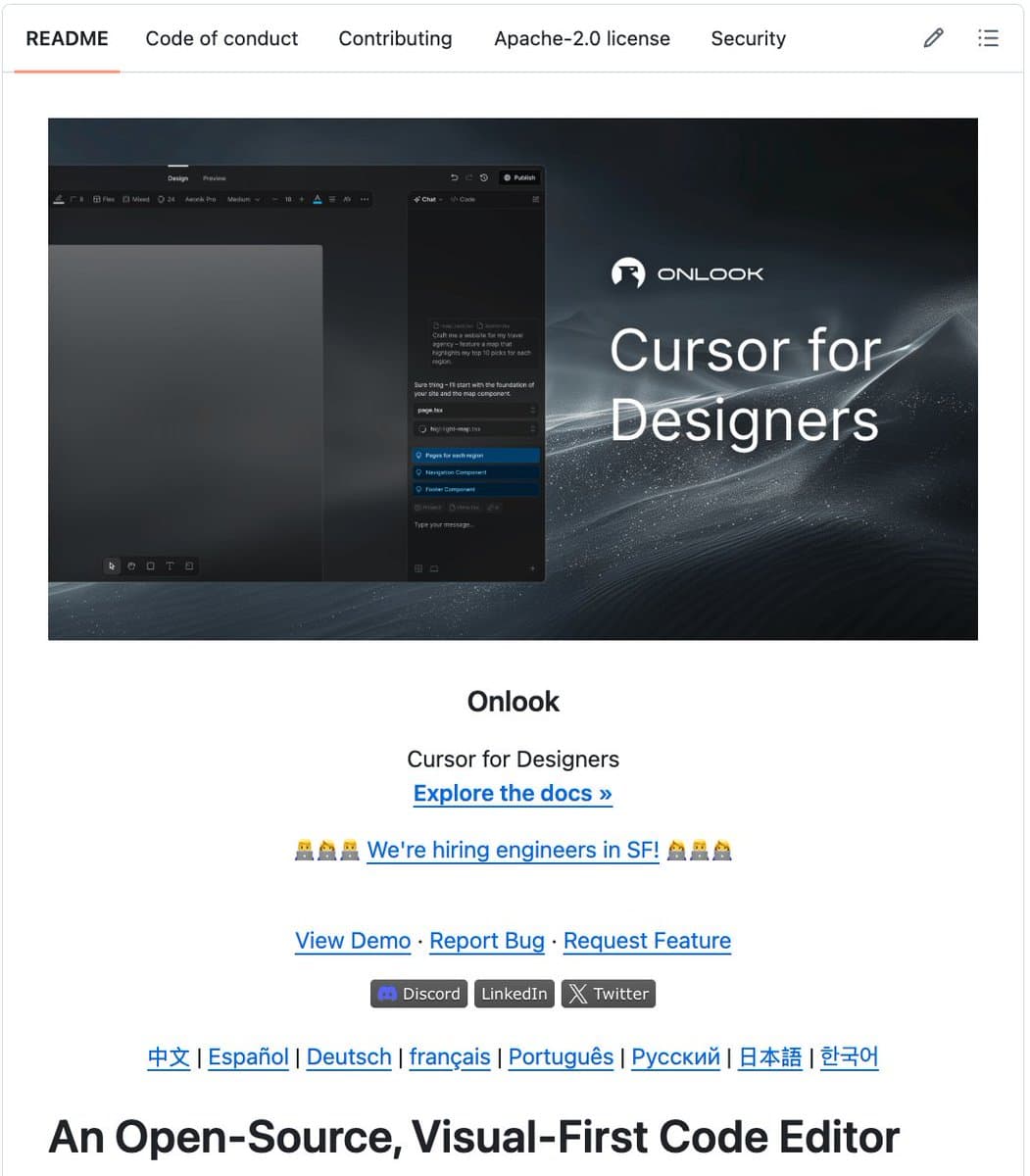
A new open-source project called Onlook is challenging the established, paid design-to-code workflow by allowing developers and designers to visually edit a live React application, with AI automatically writing the corresponding code changes directly to the source files. Dubbed "The Cursor for Designers," the tool has rapidly gained traction, amassing 23,900 stars and 1,634 commits on GitHub under a permissive Apache 2.0 license.
The core premise attacks a decades-old pain point: the disconnect between design mockups created in tools like Figma ($15/user/month) or Webflow ($29/month) and the final, implemented code. Onlook aims to eliminate the "handoff" phase entirely by making the live application the single source of truth for both design and code.
Key Takeaways
- Onlook, an open-source desktop app, enables visual editing of live React and Next.js applications, with AI generating and writing code changes directly to the codebase.
- It has gained 23.9K GitHub stars, positioning itself as a free alternative to paid design tools like Figma.
What's New
Onlook is a desktop application for Mac, Windows, and Linux that connects directly to an existing React or Next.js project. It renders the live application within its interface, not as a static mockup. Users can then:
- Click on any UI element (a button, div, component) to select it.
- Visually edit its styles, layout, spacing, and colors by dragging, resizing, or using property panels.
- Prompt AI to generate new components, pages, or sections from a text description.
Critically, every visual change triggers an AI agent to write the corresponding clean, updated code (e.g., JSX, CSS, Tailwind classes) directly to the project's source files. There is no separate design file to export or sync; the design is the code, and the code is the design.
Technical Details & How It Works
While the source announcement does not detail the underlying AI models or architecture, the described functionality suggests a multi-component system:
- Project Analysis & Runtime Connection: Onlook likely parses the project structure, bundles, and runs a development build to render the live app within its canvas. It must maintain a mapping between visual elements in the render and their corresponding code definitions.
- Visual Editing Engine: This layer captures user interactions (drag, resize, color picker) and translates them into abstract style and layout deltas.
- AI Code Generation Agent: This is the core AI component. It takes the abstract deltas (e.g., "change this div's background color to #3b82f6 and add 24px of margin-top") and the existing code context, then generates the minimal, idiomatic code update. This likely involves a fine-tuned code LLM capable of understanding React component structures.
- File System Writer: The tool directly writes the generated code back to the correct source file, presumably with appropriate safety checks and potentially creating version control commits.
The promise is a closed loop: edit visually → AI writes code → app re-renders → repeat.
How It Compares
Onlook occupies a unique niche between traditional design tools and AI-powered coding assistants.
Figma Design Platform Create interactive design prototypes & mockups $15/user/month (Pro) Industry-standard collaboration, component libraries. Output is a design file, not code. Webflow No-Code Web Builder Visually build and host production websites $29/month (Basic) Generates production HTML/CSS/JS, but within its own proprietary ecosystem. Cursor AI Code Editor AI-assisted code editing and generation within an IDE Freemium AI agent works directly on code files, but not via a visual editing interface. Onlook Visual Code Editor Visually edit live React apps; AI writes to codebase Free & Open Source Bridges the visual design layer directly to the live codebase. No separate design file.Onlook's open-source, free model is a direct challenge to the SaaS subscription pricing of Figma, Framer, and Webflow. Its value proposition is strongest for teams already building with React/Next.js who want to tighten the design-dev loop without adding another paid seat or handoff step.
Limitations & What to Watch
The initial announcement is light on technical benchmarks, scalability details, and limitations. Key questions for practitioners include:
- Code Quality & Style: Does the AI-generated code follow the project's existing conventions (e.g., specific Tailwind config, CSS-in-JS patterns)?
- Complexity Ceiling: How well does it handle deeply nested components, stateful logic, or complex animations? The tool may be most effective for styling and layout tweaks.
- Collaboration & Version Control: How are simultaneous visual edits managed? Does it create granular, readable Git commits?
- Framework Support: Currently limited to React/Next.js. Support for Vue, Svelte, or others would significantly expand its reach.
Early adoption (23.9K stars) indicates strong developer interest in solving the design-to-code problem. The real test will be its adoption in professional production workflows and whether it can maintain code quality at scale.
gentic.news Analysis
Onlook's emergence is a notable data point in two converging trends we've been tracking: the democratization of AI-powered development tools and the push against SaaS sprawl. It follows the trajectory of tools like Cursor and Windsurf, which put AI agents directly into the developer's workflow, but applies the paradigm specifically to the frontend design layer. This aligns with our previous coverage on the rise of "AI-first IDEs" and the gradual blurring of lines between coding, debugging, and design.
The project also taps into the potent open-source vs. proprietary SaaS narrative, similar to the momentum behind alternatives like GIMP (vs. Photoshop) or OBS (vs. proprietary streaming software). By positioning itself as a free, open-source challenger to Figma (which faced significant community backlash during its attempted acquisition by Adobe in 2023), Onlook leverages both technical and ideological appeal. Its rapid GitHub star growth suggests this message resonates with a developer community increasingly wary of vendor lock-in and recurring subscription costs.
However, the long-term challenge for Onlook will be sustainability. Maintaining a complex desktop application with a built-in AI code generation stack requires significant resources. The project will need to establish a viable funding model—whether through commercial licensing for enterprises, a hosted cloud version, or sponsorware—without alienating its open-source community. If it succeeds, it could pressure incumbent design tools to lower prices or offer more developer-centric, code-aware features. If it fails to evolve beyond a prototyping tool, it may remain a niche utility. Its progress is worth monitoring as a bellwether for whether AI can finally—and profitably—close the last mile between design intent and shipped code.
Frequently Asked Questions
Is Onlook really free to use commercially?
Yes. Onlook is released under the Apache License 2.0, a permissive open-source license. This means you can use, modify, and distribute the software for personal or commercial purposes without paying licensing fees. You can even build proprietary products with it.
How does Onlook's AI code generation work?
The specific AI models and training data are not detailed in the announcement. Typically, a tool like this would use a fine-tuned large language model (LLM) specialized for code (like a variant of CodeLlama or StarCoder) that has been trained to translate visual property changes (e.g., CSS attributes, layout shifts) into precise code edits within the context of a React component structure.
Can I use Onlook with a Vue.js or Svelte project?
Not currently. Based on the available information, Onlook specifically supports React and Next.js projects. Its AI agent and code mapping logic are likely tightly coupled to React's JSX syntax and component model. Support for other frameworks would require significant additional development.
Does Onlook work with my existing design system or component library?
This is a critical practical question. The tool should, in theory, be able to visually edit any rendered React component. However, the quality of the AI-generated code updates will depend on how well it can understand and adhere to your project's specific patterns, whether you use Tailwind CSS, styled-components, a custom utility class system, or a component library like Material-UI or Chakra UI.