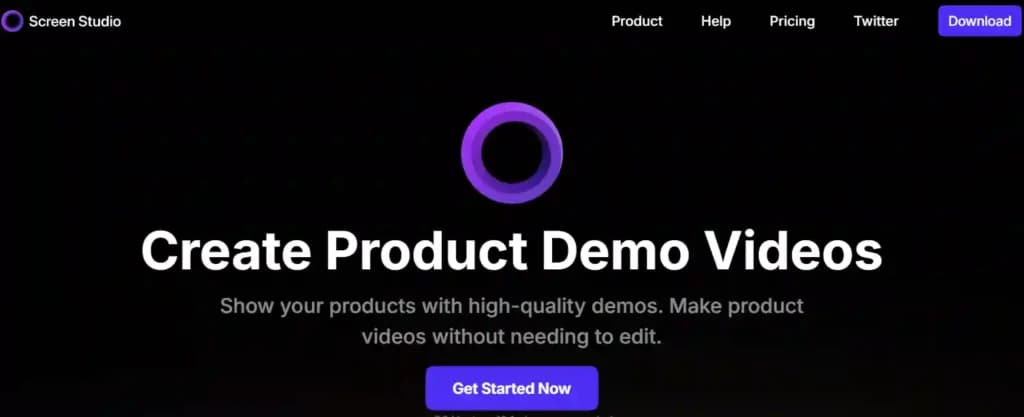
A developer has launched Screen Studio, an AI-powered tool designed to solve a common problem for builders and founders: boring screen recordings that fail to capture attention. The tool automatically transforms standard Loom or screen-capture videos into polished, Apple-like product demonstrations complete with 3D device mockups, AI camera follow, animated text, and synced music.
The project was born from a developer's three-week sprint to create a better demo after a standard screen recording failed to engage viewers. The result is a web-based tool that promises to turn a raw screen capture into a professional-looking video in about 20 minutes.
What's New
Screen Studio offers a specific, workflow-oriented solution:
- Automatic Enhancement: Users drop a standard screen recording (e.g., from Loom) into the tool.
- Apple-Esque Styling: The AI applies a suite of production effects, including:
- 3D Device Mockups: Frames the screen content within a moving, three-dimensional mockup of a device (like a laptop or phone).
- AI Camera Follow: Dynamically moves and zooms the "camera" to follow the cursor or key actions on screen.
- Animated Text & Synced Music: Adds motion graphics and background music timed to the on-screen activity.
- Frictionless Access: The service is currently free, exports videos in 4K resolution, and requires no account creation.
Technical Details & Practical Use
The core value proposition is automation and accessibility. The tool appears to use computer vision models to track cursor movement and UI elements, then composites the screen recording into a pre-rendered 3D scene. The "AI" component likely handles the dynamic framing and motion, eliminating the need for manual keyframing typically required in video editing software like After Effects or Premiere Pro.
For a technical audience, the immediate use case is clear: creating compelling launch videos, product demos for investor pitches, or tutorial content without investing hours in complex video editing or hiring a professional editor.
How It Compares
Screen Studio occupies a niche between simple screen recorders and full-featured video editors.
Loom / QuickTime Simple screen & webcam recording Minimal Raw, unedited recording Screen Studio Automated demo video production Minimal Polished, styled product demo After Effects / DaVinci Resolve Professional video compositing & motion graphics Steep Fully customizable, broadcast qualityIts direct competitors are other AI-powered video creation platforms, but it distinguishes itself by focusing exclusively on the screen recording-to-demo pipeline.
Limitations & What to Watch
The source material is a launch announcement tweet, so independent verification of output quality, processing limits, and the long-term business model is needed. Key questions include:
- Quality Control: How well does the AI handle complex or fast-paced screen activity?
- Customization: To what degree can users control the style, music, and mockup devices?
- Sustainability: The "free, no signup" model is likely a launch strategy. A future freemium or paid tier is probable if the tool gains traction.
gentic.news Analysis
Screen Studio is a textbook example of the "AI wrapper" trend—applying accessible AI models (likely for object tracking and scene composition) to a high-friction, niche business problem. It doesn't claim a fundamental research breakthrough but focuses on product execution and UX. This aligns with the surge of developer-focused AI tools we've covered, like Cursor and Replit's AI features, which prioritize streamlining specific professional workflows over raw model capability.
The tool also taps into the critical importance of distribution and presentation in the current AI landscape. As the developer's experience highlights, a superior technical product can fail if its demonstration is lackluster. In a market crowded with AI announcements, the ability to create a compelling narrative visually is itself a competitive advantage. This reflects a broader trend where AI is being used not just to build products, but to market and sell them more effectively.
Looking at the competitive landscape, Screen Studio enters a space adjacent to AI video generators like Runway and Pika Labs, but with a more constrained and practical scope. Its success will depend on reliably delivering on its promise of "Apple-like" quality, a high bar that depends as much on design taste as on technical execution. If it executes well, it could become a standard tool in the launch toolkit for indie hackers and startup teams.
Frequently Asked Questions
Is Screen Studio really free?
According to the initial launch announcement, the tool is currently free to use, supports 4K exports, and does not require creating an account. This is common for initial user acquisition. A sustainable business model, such as a paid tier for higher usage or advanced features, would likely be introduced if the service gains significant traction.
What kind of input videos does Screen Studio accept?
The tool is designed for standard screen recordings. The example given is a recording from Loom, but it should work with any MP4 or MOV file from common screen recording software like OBS, QuickTime, or the native recording features in macOS and Windows.
Can I customize the 3D device mockup or music?
The initial announcement does not detail the level of customization available. The appeal is the automated, opinionated styling that produces a consistent "Apple-like" aesthetic. It's unclear if users can choose different device frames (MacBook, iPhone, monitor), select from a music library, or edit the animated text.
How does the "AI camera follow" work?
The AI likely uses computer vision models to track the movement of the cursor and significant UI elements within the screen recording. It then calculates smooth camera pan and zoom motions (keyframes) to follow this action, mimicking the effect a human video editor would create manually, but in a fully automated process.