What Changed — The MCP Server Design Rules You Need
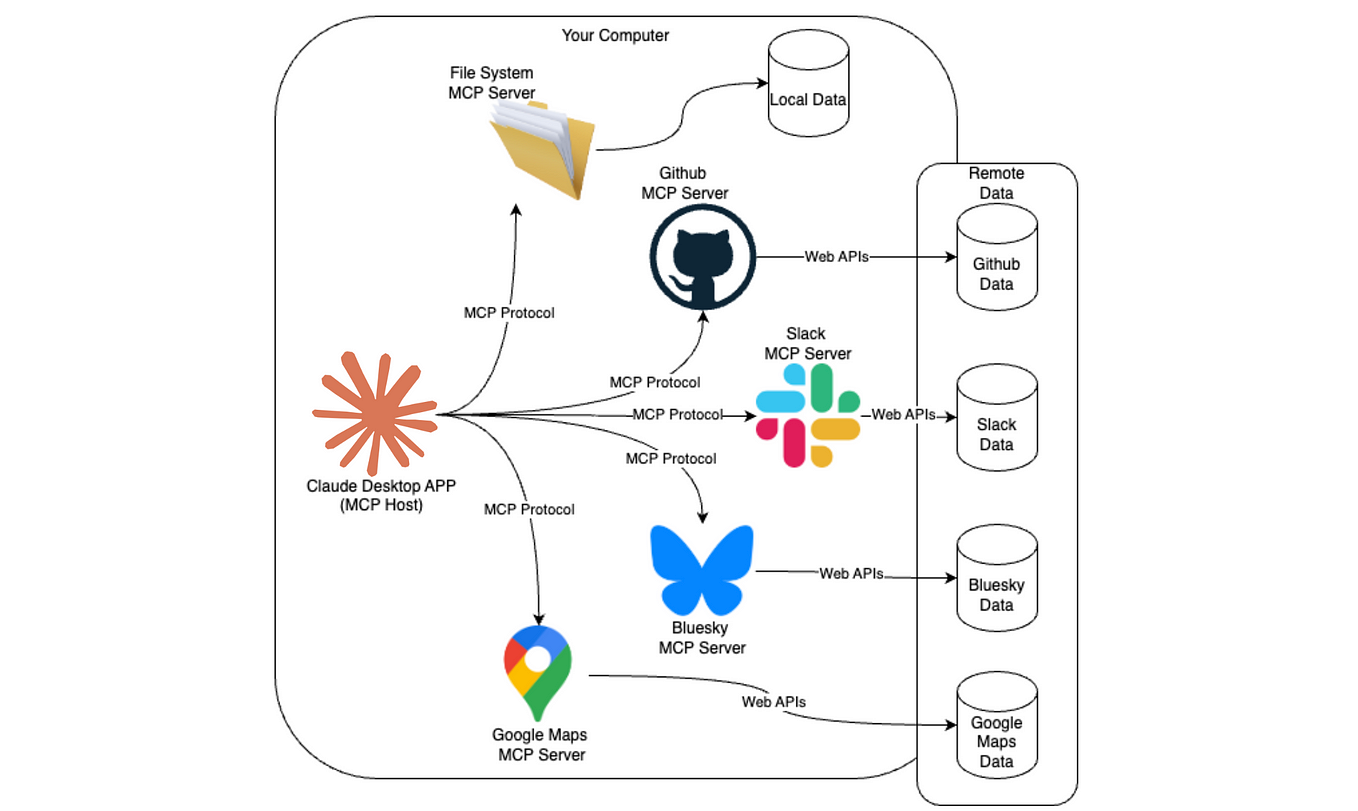
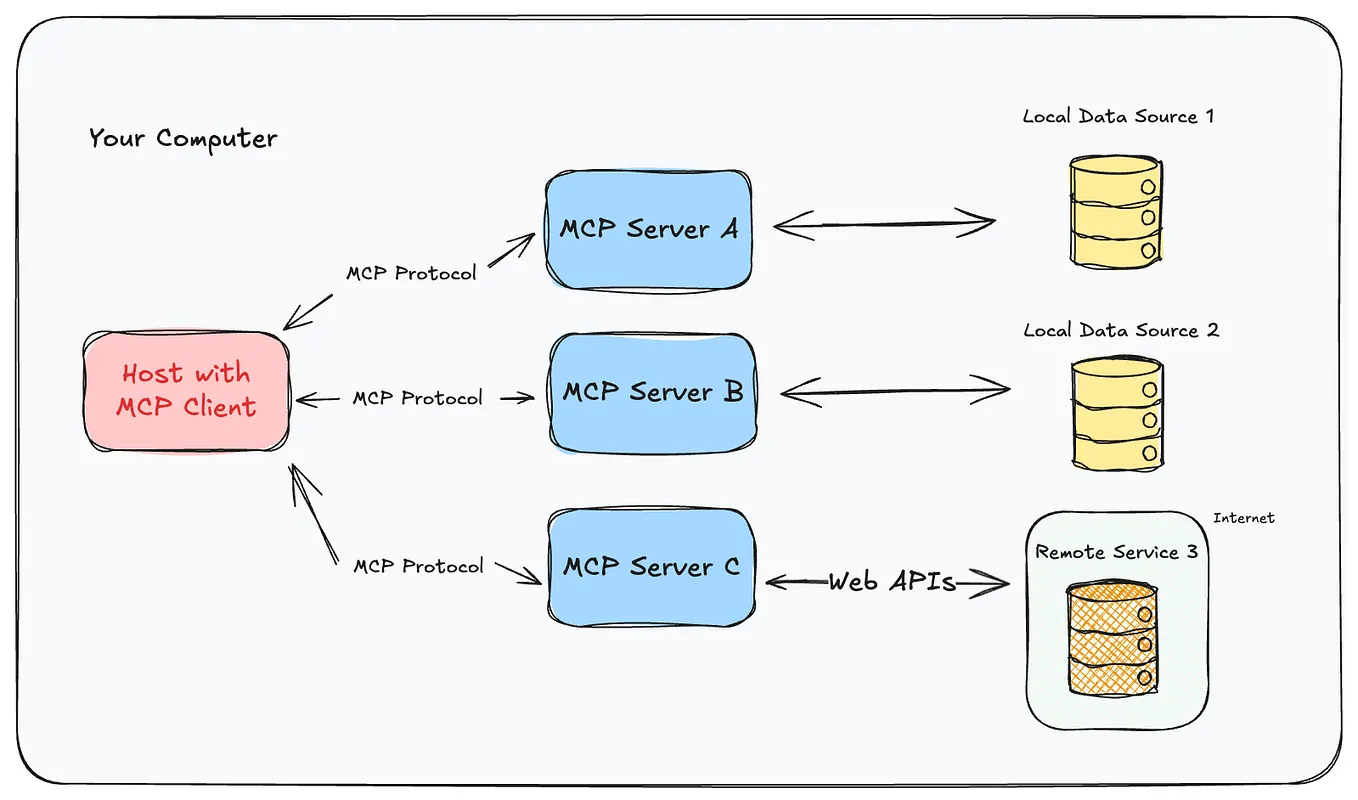
A new guide from Bump.sh lays out four concrete rules for building efficient MCP servers. The key insight: treat your MCP server as a user interface for an LLM, not a thin API proxy. This shift in mindset changes everything about how you design tools, write descriptions, and handle responses.
If you've been wrapping REST endpoints one-to-one and calling it a day, you're burning tokens—and Claude Code's patience.
Rule 1: Cap Your Tools at 15–20
Every tool you expose costs tokens. The server's tool list is sent to Claude Code on every request. More tools = bigger context window = slower responses + higher costs.
The rule: Limit each MCP server to roughly 15–20 tools. If you need more, split into multiple servers by domain.
For Claude Code users, this means:
- Group related operations into a single tool (e.g.,
create_resourceinstead ofcreate_project,create_task,create_document) - Remove rarely-used tools
- Consider a single "query" tool with parameters rather than 10 separate query tools
Rule 2: Design Tools Around User Intentions, Not API Endpoints
Your API has endpoints like POST /users/{id}/permissions. Your MCP server should have a tool called grant_user_access.

The difference: Claude Code doesn't care about your RESTful resource hierarchy. It cares about what the user wants to accomplish.
For Claude Code specifically:
- Name tools with action verbs the model understands:
search_code,deploy_service,run_test - Group multi-step operations into a single tool when the steps are always done together
- Avoid exposing CRUD operations directly—wrap them in intent-based tools
Rule 3: Write Tool Descriptions That Steer the Model
Tool descriptions are your primary way to influence how Claude Code uses your server. Generic descriptions like "Creates a user" leave too much to the model's interpretation.
Better: "Creates a new user account. Requires 'name' and 'email'. Returns the user ID. Use this when the user asks to sign up or register. Do NOT use this for admin user creation—use 'create_admin_user' instead."
Error messages matter too. Instead of "400 Bad Request", return: "The email domain 'example.com' is not allowed. Use a company email address." This helps Claude Code correct its behavior without retrying the same mistake.
Rule 4: Aggressively Filter Response Payloads
This is the biggest token saver. Most API responses contain fields Claude Code doesn't need. Sending them wastes tokens on every call.
The fix: Use JMESPath (or equivalent) to filter responses before returning them to the model.
Example: Instead of returning a full user object with 40 fields, filter to: {id, name, email, role}.
The guide reports 80–90% payload reduction from this practice alone. For Claude Code users, that means faster responses and lower costs on every tool call.
Try It Now
- Audit your MCP servers — Count tools per server. If any has >20, split it.
- Rewrite tool descriptions — Add "Use this when..." and "Do NOT use this when..." guidance.
- Install JMESPath — Add response filtering to your server's tool handlers.
- Test the difference — Run a typical workflow before and after, compare token counts.
Why This Matters for Claude Code
Claude Code's agentic loop calls tools frequently. Every unnecessary tool in the list, every verbose description, every bloated response payload—they all compound. These four rules directly reduce the token overhead of every interaction, making your Claude Code sessions faster and cheaper.
Bottom line: Your MCP server is an LLM UI. Design it like one.
Source: dev.to
[Updated 06 Jul via devto_mcp]
A production MCP server at Mattrx handles ~85,000 tool calls per day with a read p95 latency of 120 ms and a tool-call error rate of just 0.8%, thanks to typed schemas and typed errors [per dev.to]. The server also caps and paginates every result (page ≤ 200, opaque cursor), honors CancellationToken, and exposes /healthz and /readyz endpoints with OpenTelemetry tracing per call — underscoring the guide's point that response filtering alone can't cover all production demands.