Key Takeaways
- Automox's hosted MCP server connects Claude Code to endpoint management.
- Use
claude mcp add automoxto query device inventory and patch status across 10,000+ endpoints without local setup.
What Changed
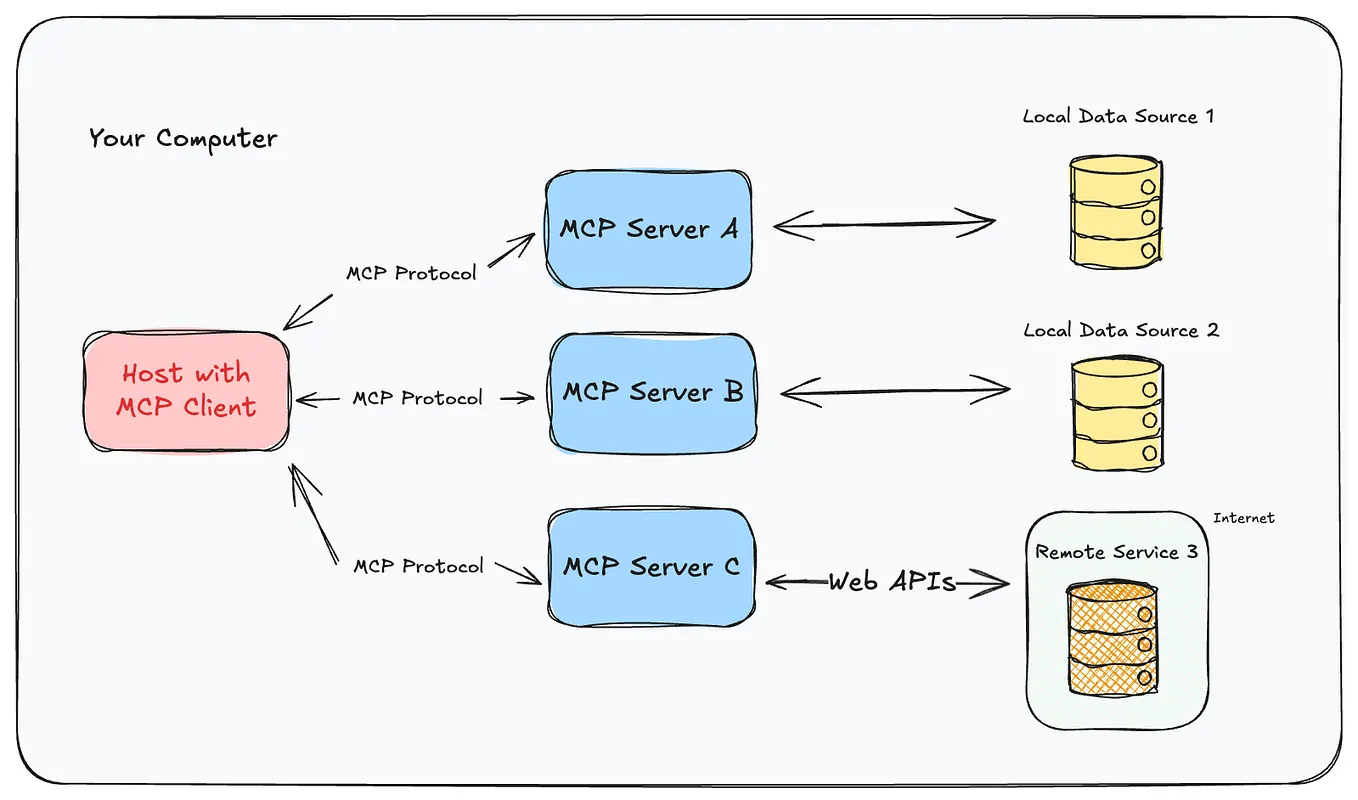
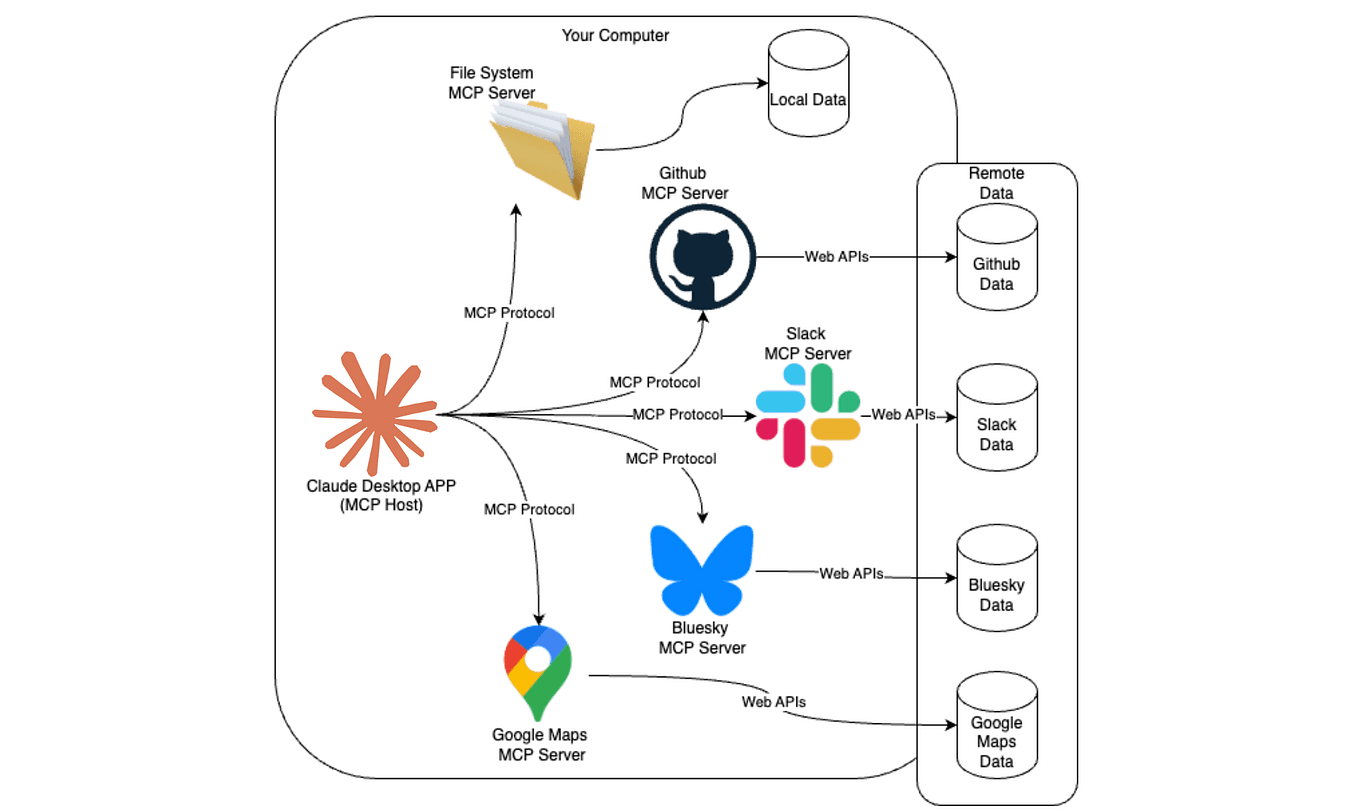
Automox, a cloud-native endpoint management platform, just launched a hosted MCP server that lets AI assistants like Claude Code talk directly to your endpoint fleet. The announcement (via GlobeNewswire) confirms the server is fully hosted—meaning no local MCP infrastructure to run, no Docker containers, no babysitting a Python process. You authenticate with an API token and query device inventory, patch status, and even trigger remediation actions straight from your terminal.
This is a big deal if you're managing fleets at scale. Automox customers typically handle 10,000+ endpoints per organization—think patching Windows, macOS, and Linux boxes across multiple offices. Previously, getting that data into Claude Code meant exporting CSVs, writing scripts, or building a custom MCP server. Now it's a one-line claude mcp add command.
What It Means For You
If you're a developer or DevOps engineer using Claude Code, this removes a major friction point. You can now ask Claude Code things like:
- "Which endpoints are missing the latest critical Windows patches?"
- "Show me all devices with out-of-date Java versions."
- "List endpoints in the 'production' group that haven't checked in for 24 hours."
And because the MCP server is hosted, you don't need to manage another service. Automox handles the infrastructure, scaling, and security. You just connect and query.
The practical impact: less context switching. Instead of jumping between your terminal and the Automox dashboard, you stay in Claude Code. You can combine endpoint data with code changes, deployment logs, or incident response—all in one session.
Try It Now
Here's how to connect Claude Code to Automox's hosted MCP server:
- Get your API key from Automox (Settings → API).
- Run this command in your terminal:
claude mcp add automox --transport http --url https://mcp.automox.com --headers "{\"Authorization\":\"Bearer YOUR_API_KEY\"}"
- Restart Claude Code or run
/mcpto verify the connection. - Start querying:
> Show me all endpoints with missing security patches, grouped by severity.
Claude Code will use the MCP tools to fetch live data from Automox and present it in a readable format.
Pro tip: Add this to your CLAUDE.md to make it a permanent part of your workflow:
## Endpoint Management

- Use the Automox MCP server to query device inventory and patch status.
- Common queries: "list endpoints missing patches", "show devices offline > 24h", "get patch compliance by group".
- Never expose API keys in prompts; rely on the configured MCP server.
Why This Matters
MCP servers are becoming the standard way to give Claude Code access to external systems. Automox joining the party means endpoint management—a traditionally ops-heavy task—is now accessible to AI agents. This aligns with the broader trend we've covered: MCP servers are popping up for everything from OpenShift to lead enrichment, and now infrastructure management.
For Claude Code users, this is another reason to keep your MCP config tidy. Each server you add expands what Claude can do autonomously. The hosted model is especially attractive because it lowers the barrier to entry—no infrastructure to maintain, just a token and a URL.
The Takeaway
If you use Automox and Claude Code, set this up today. It's a 2-minute setup that turns your terminal into an endpoint management console. If you don't use Automox, the pattern is worth noting: hosted MCP servers are the future—look for your favorite tools to launch similar offerings, and be ready to plug them in.
Source: news.google.com